General / Other Manuals
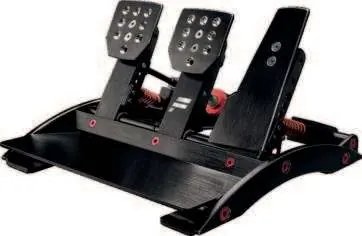
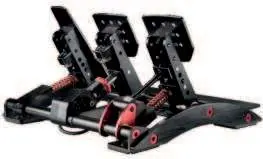
User Guide for Fanatec ClubSport Pedals V3
Quick guide for Fanatec ClubSport Pedals V3. Learn about assembly, pedal calibration, firmware updates, damper and brake performance kit installation, and maintenance.
Table of contents
Manual images
Jump to the sectionQuick guide from the manual
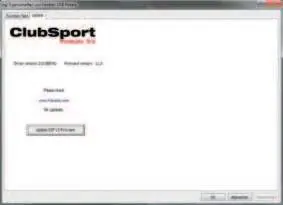
Before using the ClubSport Pedals V3, ensure you have updated the firmware and drivers via the official website at www.fanatec.com/support. The pedals must be connected either via USB (for PC) or RJ12 (for wheel base), but never both simultaneously. Perform an initial calibration by pressing each pedal to 100% of its mechanical travel after power-on.
Safety and Warnings
- Operating temperature: 15°C – 35°C.
- Do not expose to rain or humidity to avoid fire and electric shock.
- Not intended for children under 6 years due to small parts.
- Do not open the casing; the device contains components that cannot be repaired by the user.
- Stop playing immediately if you experience symptoms of photosensitive seizures or musculoskeletal discomfort.
Assembly and Connections
The pedals can be mounted to a rig using the drilling template available on the Fanatec website. Connections are located at the bottom:
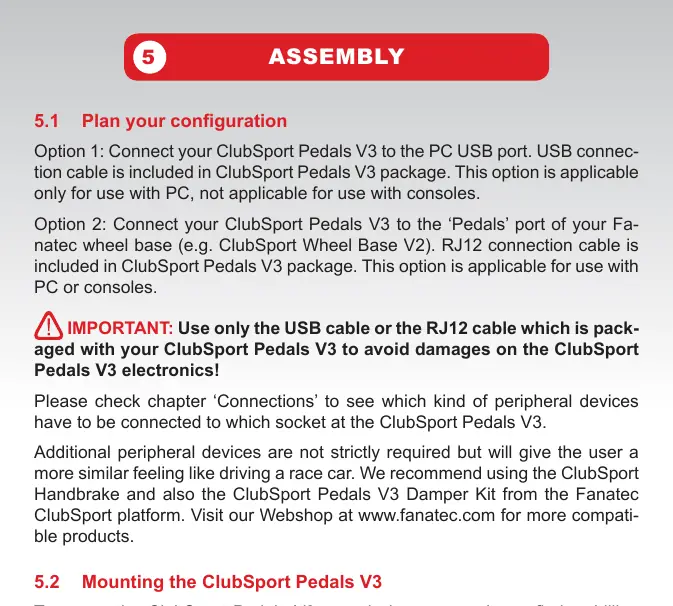
- USB: For PC connection only.
- Wheel direct (RJ12): For connection to Fanatec wheel bases (PC or console).
- Gas/Brake/Clutch/Handbrake: Dedicated ports for peripherals.
Important: Use only the cables packaged with the product to avoid damage.
Pedal Adjustments
You can exchange pedal plates or add extensions. The package includes different springs for throttle and clutch. Ensure you use the correct spring guides for the specific spring type (regular vs. strong) to avoid noise and damage.
Damper and Brake Performance Kits
Optional kits are available for fine-tuning. The Damper Kit allows adjustment from 0 (weak) to 8 (strong). The Brake Performance Kit modifies the brake feel using different elastomer springs. Always recalibrate after installing these kits.
Calibration
Auto Calibration: Press each pedal to 100% travel after power-on.
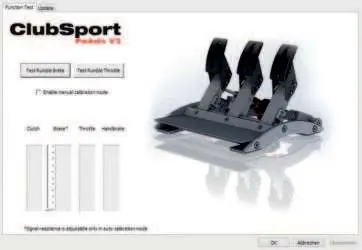
Manual Calibration: Use the PC driver or the Tuning Menu on your steering wheel (Left Shifter Paddle + Right Shifter Paddle + Down/Up on D-Pad) to set custom minimum and maximum positions.
Maintenance
Clean with a dry or slightly damp cloth. If you hear grinding noises, apply lithium grease to the moving parts. If the PU foam inside the brake pedal develops a stuttering feeling, apply technical vaseline. Do not use lithium grease on the PU foam.
Troubleshooting
If the PC or wheel base does not recognize the pedals, ensure all cables are plugged into the correct ports and that firmware/drivers are up to date. If pedal signals feel strange, perform a manual calibration.
Official resources from the manual
Manufacturer information
Fanatec
Practical help
Common problems
Firmware update lost calibration
Recalibrate manually via PC driver or wheel base.
Grinding noise from pedal levers
Apply lithium grease to the moving parts as indicated in the maintenance section.
PC/Wheel base not recognizing pedals
Check that the USB or RJ12 cable is plugged into the correct port and update firmware/drivers.
Brake pedal feels weak
Check the preload screw adjustment or the condition of the PU foam stick.
Before use
- Update firmware and drivers via www.fanatec.com/support.
- Ensure pedals are connected via USB (PC) or RJ12 (Wheel Base), not both.
- Check that rumble motor weights can turn freely.
- Perform initial calibration by pressing pedals to 100% travel.
Specs in practice
- DirectSensor (HALL)
- High-accuracy sensor used for throttle and clutch pedals.
- 90kg Loadcell
- Pressure-sensitive sensor for the brake pedal.
- Preload screw
- Adjusts brake pedal stiffness and eliminates mechanical play.
- BRF parameter
- Brake force adjustment (0-100) available via wheel base tuning menu.
Images and diagrams
- Pedal connections: USB for PC, RJ12 for wheel base.
- Damper adjustment: 0 (weak) to 8 (strong).
- Preload screw: Adjusts brake stiffness.
Model compatibility
- Compatible with Fanatec ClubSport and CSL platforms.
- PC: Direct USB connection or via wheel base.
- Consoles: Only via wheel base connection.

Manual page author
David Miller
Documentation analyst
Organizes user manual content into clear summaries, with attention to model details, product context, and everyday usability.