Lighting / Fixtures
BRESSER 10X42 TrueView NG Binoculars Instruction Manual
Comprehensive instruction manual for the BRESSER 10X42 TrueView NG binoculars, covering setup, focusing, tripod mounting, and maintenance.
Table of contents
Manual images
Jump to the sectionProduct Overview
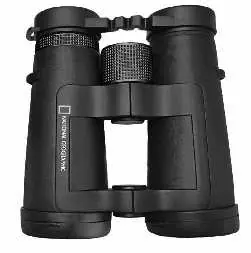
The BRESSER 10X42 TrueView NG binoculars are high-quality optical instruments designed for versatile observation. The model features a 10x magnification and 42mm objective lens diameter, providing a balance between detail and light gathering capability. The device includes a central focusing wheel and a dioptre adjustment ring to accommodate individual eyesight differences.
Setup and Adjustment
To begin using the binoculars, first adjust the eyepiece distance by setting the angle at the centre axle until you see a single circular image. For spectacle wearers, screw in the twist-up eyecups; if not wearing glasses, unscrew them to achieve the correct distance from your pupils.
Focusing Procedure
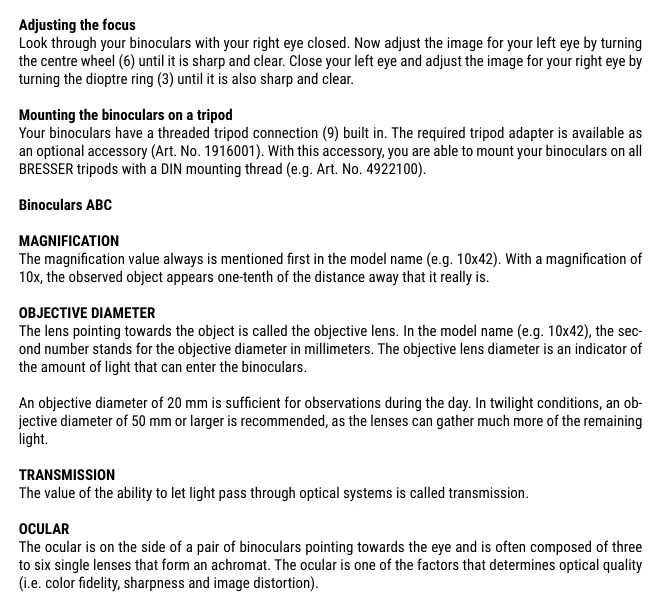
To achieve a sharp image, follow these steps: 1. Close your right eye and look through the left eyepiece, turning the central focusing wheel until the image is clear. 2. Close your left eye and look through the right eyepiece, turning the dioptre adjustment ring until the image is sharp. Once set, the binoculars are ready for use.
Safety and Maintenance
Warning: Never look directly at the sun or in its immediate proximity, as this poses a severe risk of blindness. Do not leave the device in direct sunlight, as the lenses can concentrate light and cause a fire. Clean the lenses only with a soft, lint-free cloth, such as a microfibre cloth. For stubborn dirt, use a small amount of eyeglass-cleaning solution. Always store the device in a dry place, using the provided dust caps and bag to protect against moisture and dust.
Tripod Mounting
The binoculars feature a built-in threaded tripod connection. An optional tripod adapter (Art. No. 1916001) is required to mount the device onto standard BRESSER tripods with a DIN mounting thread.
Warranty and Support
The product comes with a 10-year guarantee starting from the date of purchase. For further details on warranty terms or service, visit the official website at www.bresser.de/warranty_terms. For technical support or additional guides, you can contact Bresser GmbH at Gutenbergstr. 2, DE-46414 Rhede, or via email at [email protected].
Official resources from the manual
Manufacturer information
Bresser GmbH
Practical help
Common problems
Double images seen while observing
This indicates the prisms may be misaligned due to a drop or impact. The device should be sent to a service centre for repair.
Headaches after prolonged use
This may be caused by incorrect collimation or improper dioptre adjustment. Ensure the focus is set correctly for both eyes.
Blurred image
Ensure the central focusing wheel and dioptre ring are adjusted correctly for your specific vision. Check that lenses are clean.
Before use
- Adjust the centre axle to match your eye distance until a single circular image is visible.
- If wearing glasses, screw in the twist-up eyecups.
- If not wearing glasses, unscrew the eyecups to the extended position.
- Ensure the lenses are clean and free of dust before use.
- Remove dust protection caps.
Specs in practice
- 10x Magnification
- The observed object appears one-tenth of the actual distance away.
- 42mm Objective Diameter
- Indicates the amount of light that can enter the binoculars; larger diameters are better for low-light conditions.
- Dioptre Adjustment
- Allows compensation for differences in eyesight between the user's left and right eye.
Images and diagrams
- The central focusing wheel (6) is used for initial sharpness.
- The dioptre adjustment ring (3) is located on the right eyepiece for fine-tuning.
- The threaded tripod connection (9) is located at the front of the centre axle.
Model compatibility
- Requires an optional tripod adapter (Art. No. 1916001) for tripod mounting.
- Compatible with BRESSER tripods featuring a standard DIN mounting thread.

Manual page author
Michael Turner
Technical manual editor
Reviews PDF manuals for structure, safety notes, and practical product details so readers can find the right information quickly.