Music / Guitar Effects
User Manual for Darkglass Microtubes B1K Bass Overdrive Pedal
Get the most out of your Darkglass Microtubes B1K pedal. This guide covers control settings, DIP switch functions, power requirements, and technical specifications for this CMOS bass overdrive.
Quick answers from the manual
Quick answer
- The Darkglass Microtubes B1K is a bass overdrive pedal. This manual provides instructions for adjusting the front and back controls, configuring the internal DIP switches, and details the power requirements and technical specifications. p. 1, 2
Key actions
- Access and adjust controls p. 1
- Configure DIP switches p. 2
First start
- Power the pedal p. 2
Show 3 more answers Show less
Problems and fixes
Harmful interference to radio or television reception
Reorient or relocate the receiving antenna, increase separation between equipment and receiver, connect to a different circuit, or consult a technician.
p. 3, 4Technical specifications
| Parameter | Value | Meaning | Pages |
|---|---|---|---|
| Input Impedance | 1MΩ | Input impedance | p. 2 |
| Output Impedance | 1kΩ | Output impedance | p. 2 |
| Current Consumption | ~17mA | Current draw | p. 2 |
| Voltage | 9V DC (Center Negative) | Power requirement | p. 2 |
| Dimensions | 50 mm x 100 mm x 45 mm | Physical size | p. 2 |
| Weight | 205 g / 0,45 lb | p. 2 |
Where to find it in the PDF
- Controls and Interface p. 1
- DIP Switches and Specifications p. 2
- Warranty and Regulatory p. 3, 4
Table of contents
Quick guide from the manual
The Darkglass Microtubes B1K is a CMOS bass overdrive pedal designed for tonal shaping. This manual provides instructions on how to configure the pedal's controls, adjust internal DIP switches, and ensure proper power supply usage to avoid damage.
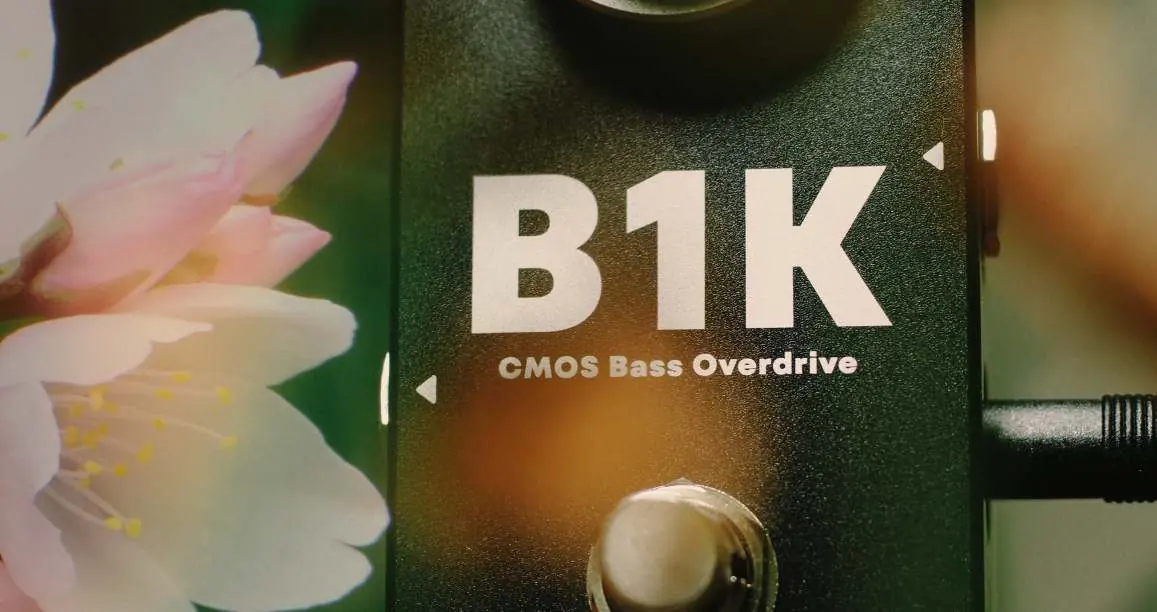
Controls / Front
The front panel features the primary effect controls:
- Level: Adjusts the volume of the overdriven signal.
- Drive: Controls the amount of saturation applied to the overdriven signal.
Controls / Back
To access the secondary controls, open the magnetic bottom lid of the pedal:
- Blend: Mixes the clean input signal with the overdriven signal. The clean signal is fixed at unity gain, while the volume of the overdriven signal is set by the Level knob. Turn clockwise to blend in more of the clean signal.
- Tone: Controls the high-frequency content of the sound using a variable low-pass filter (3 kHz to 8 kHz). Turn counter-clockwise (CCW) for a brighter sound.
DIP switches
Internal DIP switches allow for further sound customization:
- Grunt: Provides a low-end boost to thicken the sound when engaged.
- MBoost: Provides a subtle 6 dB boost from 300 Hz to 1 kHz to help the bass cut through the mix.
Power Requirements
The Microtubes B1K requires a regulated 9V DC adapter with a center-negative plug. The unit has a current draw of 30mA. Using unregulated power supplies or higher voltages may result in suboptimal noise performance or damage to the unit, which voids the warranty.
Technical Specifications
- Input Impedance: 1MΩ
- Output Impedance: 1kΩ
- Current Consumption: ~17mA
- Voltage: 9V DC (Center Negative)
- Dimensions: 50 mm (W) x 100 mm (L) x 45 mm (H)
- Weight: 205 g
Warranty and Support
To activate the warranty, register your product at http://mypedal.darkglass.com and enter the serial number located on the back of the pedal. For support, contact the manufacturer via email at [email protected] before shipping any product for service.
Official resources from the manual
Practical help
Common problems
Excessive noise or unit damage
Ensure you are using a regulated 9V DC adapter with a center-negative plug. Unregulated power supplies or incorrect voltages can cause noise and damage the pedal.
Cannot find Blend or Tone controls
These controls are located inside the pedal. Open the magnetic bottom lid to access them.
Before use
- Verify your power supply is 9V DC, regulated, and center-negative.
- Ensure your power supply can provide at least 30mA of current.
- Register your product online at mypedal.darkglass.com.
- Locate the serial number on the back of the pedal for registration.
Show more Show less
Specs in practice
- Input Impedance: 1MΩ
- Standard high impedance for instrument inputs to preserve signal clarity.
- Current Consumption: ~17mA
- The amount of power the pedal draws during operation.
- Voltage: 9V DC (Center Negative)
- The specific power polarity and voltage required to operate the pedal safely.
Model compatibility
- Requires a regulated 9V DC power supply.
- Not compatible with unregulated power supplies or voltages higher than 9V DC.

Manual page author
Michael Turner
Technical manual editor