Home Appliances / Vacuum Cleaners
Dexter 1100RH2-40.5 Rotary Hammer User Guide
Comprehensive user guide for the Dexter 1100RH2-40.5 rotary hammer, covering assembly, operation, safety precautions, and maintenance procedures.
Table of contents
Manual images
Jump to the sectionProduct Overview
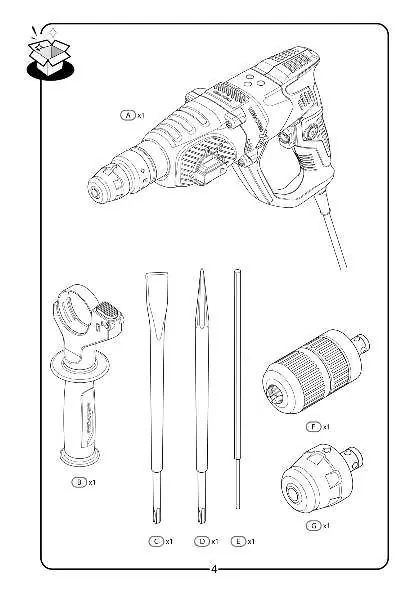
The Dexter 1100RH2-40.5 is a powerful rotary hammer designed for drilling and chiseling tasks. It features a robust motor and is supplied with essential accessories, including a side handle, depth stop, and interchangeable chucks for versatile use.
Safety Precautions
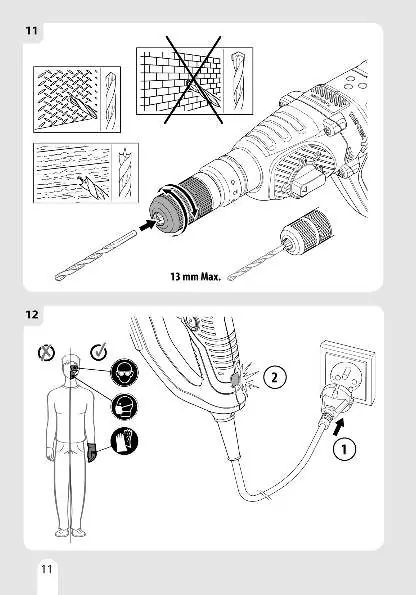
Always wear appropriate personal protective equipment, including safety glasses, a dust mask, and gloves, before operating the tool. Ensure the power supply is disconnected before performing any assembly or maintenance tasks. Do not use the tool if you are not familiar with its operation or if it appears damaged.
Assembly and Setup
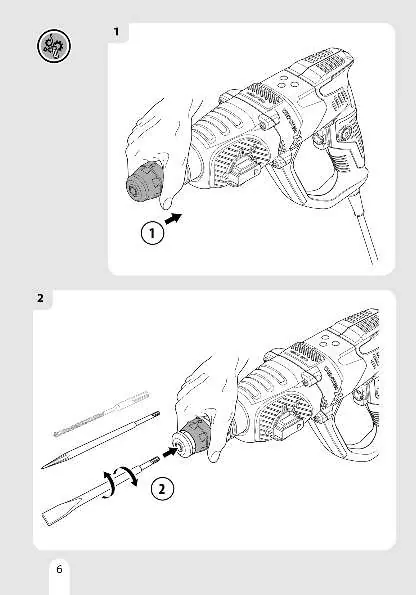
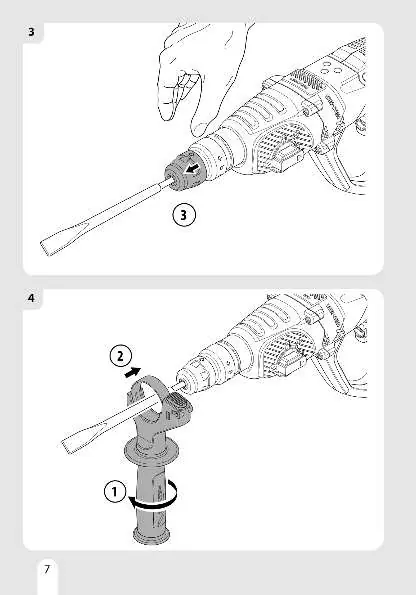
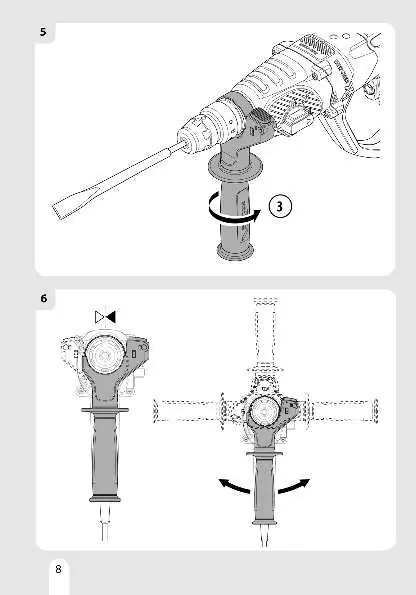
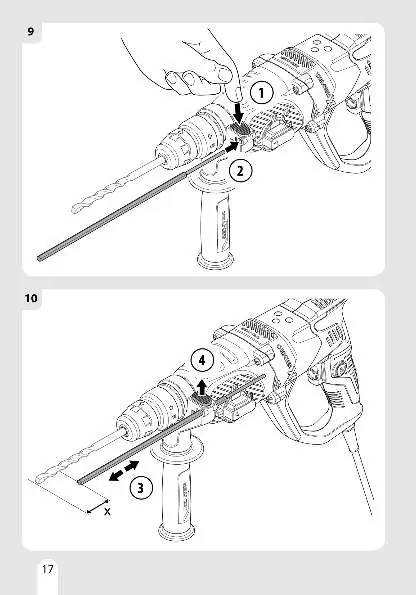
The rotary hammer requires the installation of the side handle for better control. To install accessories, insert the drill bit or chisel into the chuck mechanism until it clicks into place. Ensure the depth stop is correctly adjusted if you are drilling to a specific depth. The tool supports different modes, which can be selected using the mode selector switch.
Operation
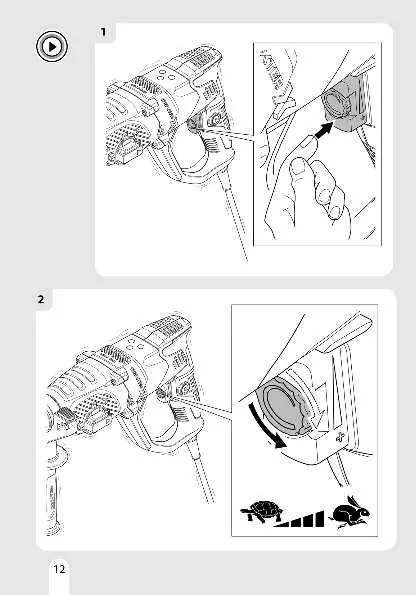
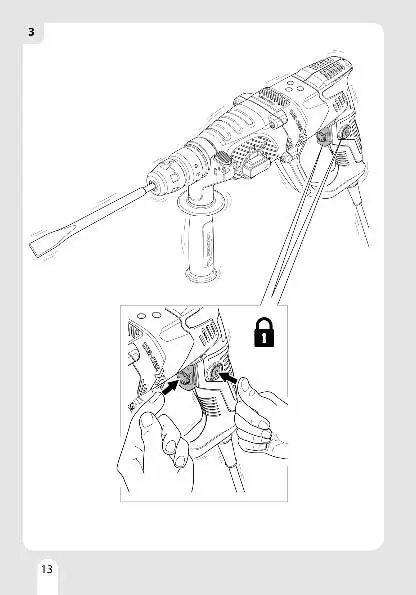
Connect the tool to a power source. Use the variable speed control to adjust the performance according to the material being worked on. The tool features a lock-on button for continuous operation during extended tasks. Always maintain a firm grip on the tool and ensure your stance is stable during use.
Maintenance
Keep the tool clean and free of dust. Regularly inspect the power cord and housing for signs of damage. When the tool is no longer usable, it should be taken to a designated waste recycling center, as the product is recyclable.
Manufacturer information
Dexter
Practical help
Common problems
Tool does not start
Check if the power plug is securely connected to the outlet and ensure the power supply is active.
Accessory does not lock in place
Ensure the chuck mechanism is fully retracted and the accessory is inserted correctly until it clicks.
Before use
- Wear safety glasses, a dust mask, and gloves.
- Ensure the side handle is securely attached.
- Verify the correct mode is selected for the task (drilling or chiseling).
- Check that the drill bit or chisel is properly seated in the chuck.
- Ensure the power cord is in good condition.
Images and diagrams
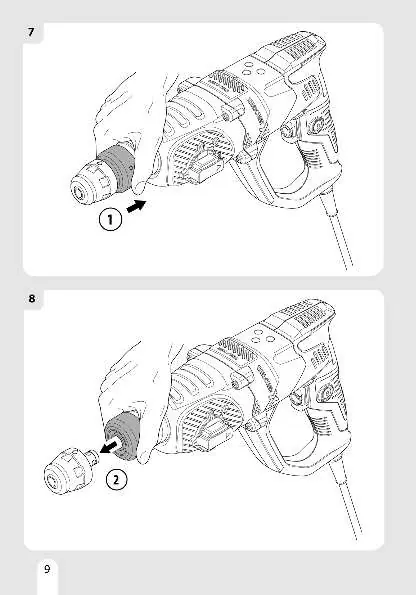
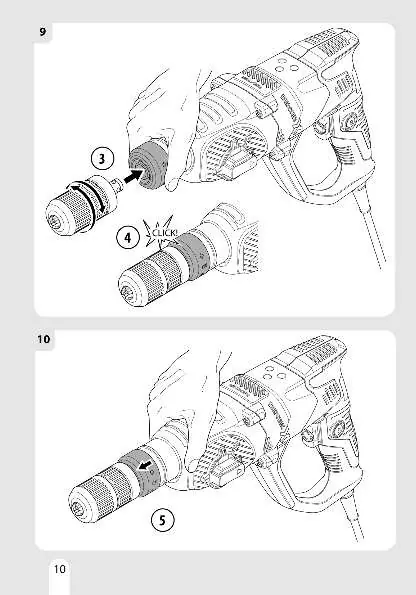
- The manual provides visual steps for inserting and removing accessories from the chuck.
- Diagrams illustrate the correct installation and adjustment of the side handle.
- Visual guides show how to switch between different operating modes (drilling/hammering).
- Instructions are provided for setting the depth stop for precise drilling.
Model compatibility
- The tool is designed for specific drilling and chiseling applications; do not use for unintended purposes.
- Ensure accessories used are compatible with the chuck system.

Manual page author
Michael Turner
Technical manual editor
Reviews PDF manuals for structure, safety notes, and practical product details so readers can find the right information quickly.