Tools / Power Tools
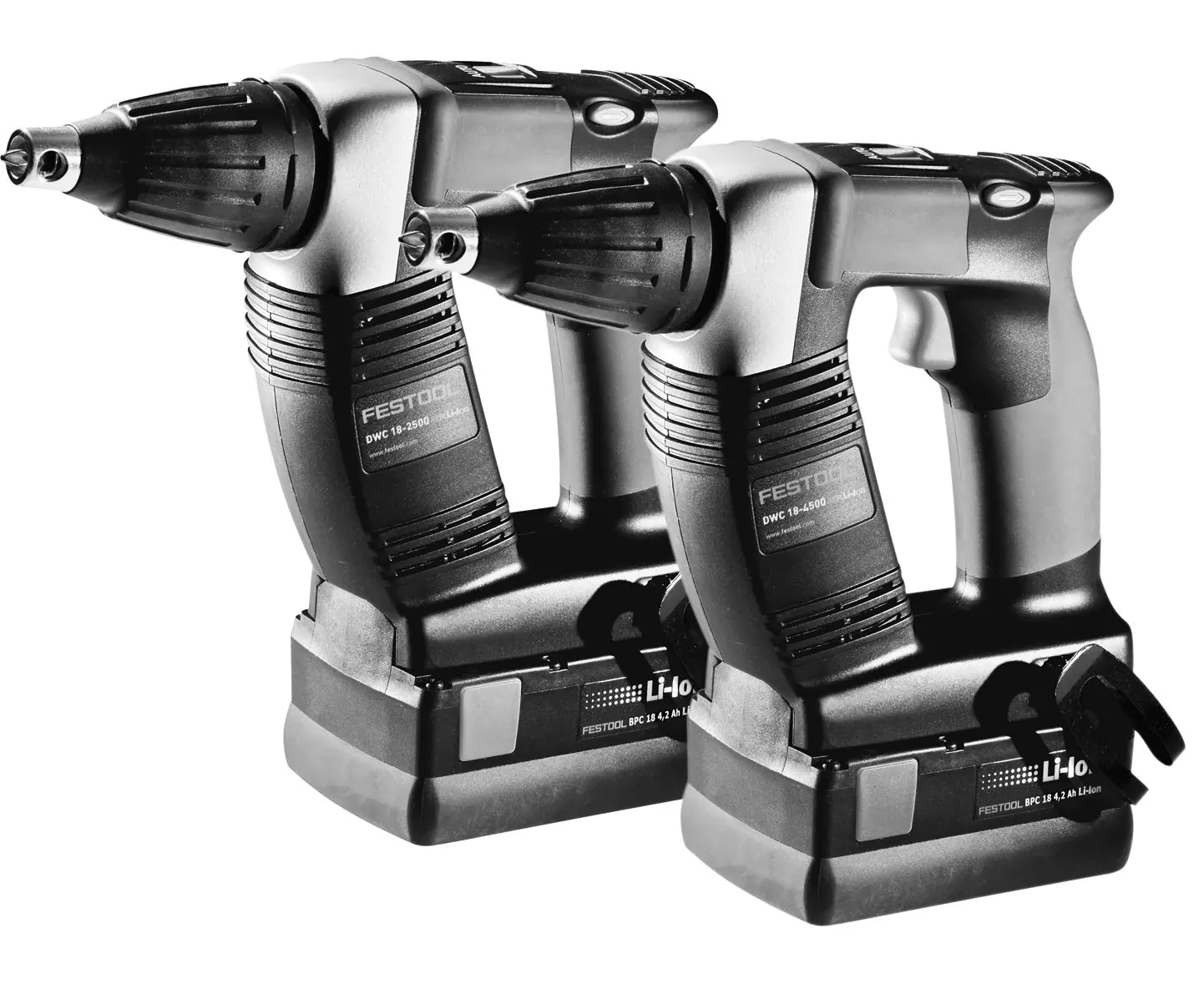
User Manual for Festool DWC 18-2500 / DWC 18-4500 Cordless Drywall Screwdriver
Quick guide and user manual for the Festool DWC 18-2500 and DWC 18-4500 cordless drywall screwdrivers. Includes setup, operation, maintenance, and safety instructions.
Table of contents
Manual images
Click an image to enlargeQuick guide from the manual
The Festool DWC 18-2500 and DWC 18-4500 are cordless drywall screwdrivers designed for professional use. Key operations include setting the rotation direction, adjusting the screw depth, and using the magazine attachment for continuous work. Always remove the battery before performing any maintenance or changing attachments.
Description of the device
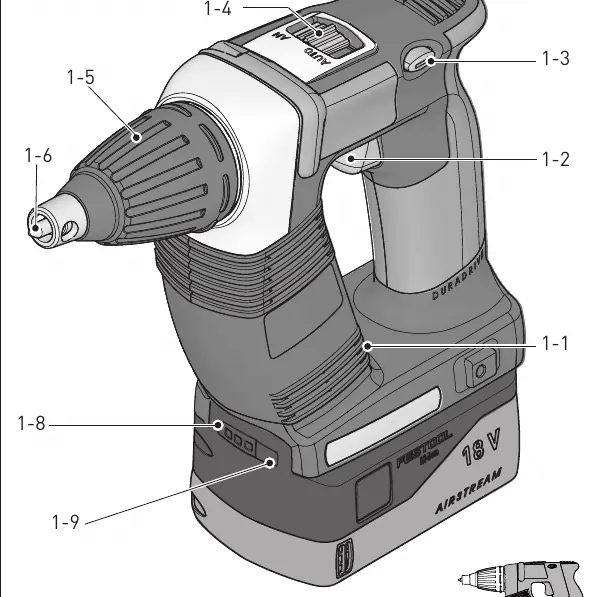
The device features a bit store, on/off switch, rotational direction switch, AUTO/MAN selector switch, depth stop, and battery capacity display. The insulated gripping surfaces ensure comfortable and safe handling.
Commissioning
The battery pack is ready to use straight out of the box and can be charged at any time. To insert the battery, slide it into the base until it clicks. To remove, press the release button and pull the battery out.
Settings
Changing direction of rotation: Use the switch [1-3] to select clockwise or counterclockwise rotation. Only adjust settings when the power tool is switched off.
Tool holder and attachments
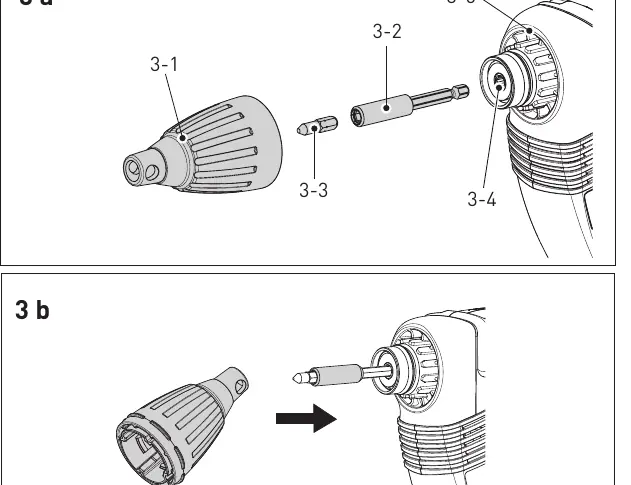
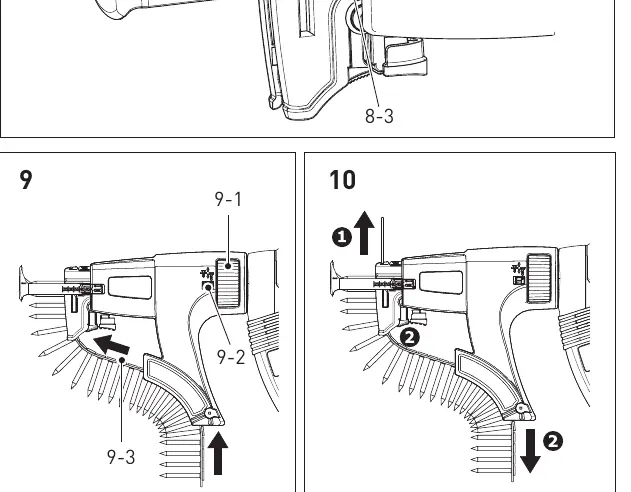
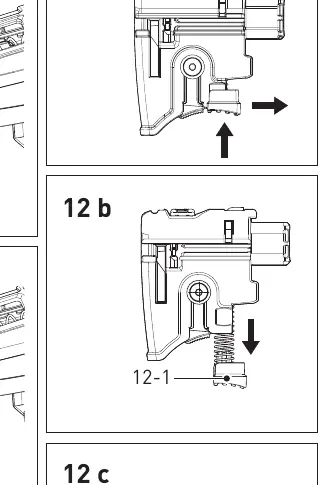
Bit holder: Move the selector switch [1-4] to MAN. Push the bit holder [3-2] into the tool holder [3-4] until it clicks. Depth stop: Place the depth stop [3-1] on the transmission housing [3-5] and press until it clicks. Magazine attachment: Remove the depth stop, set the switch to MAN, insert the long bit [7-1], and attach the magazine until it clicks.
Working with the machine
The tool can be operated in different modes: MAN mode: Actuate the switch [1-2] and press the bit against the screw. AUTO mode: Simply press the bit against the screw to activate the tool. Counterclockwise rotation: Use the switch [1-2] to unscrew.
Working instructions
Each screwdriving process must be completed in full. Interrupting the process or applying excessive pressure can cause malfunctions. Use only original screwdriver bits and collated screws. Always work at right angles to the board being affixed.
Maintenance and care
The magazine attachment is essentially maintenance-free but should be cleaned with compressed air after extensive use. The carriage guide can be lubricated. Ensure cooling air openings in the motor housing are kept clean and free of blockages.
Troubleshooting
The machine uses acoustic signals to indicate status: Peep: Battery flat or machine overloaded. Peep-peep: Machine is overheating. Peep-peep-peep: Li-ion battery pack is faulty or overheated.
Manufacturer information
Festool
Practical help
Common problems
Machine stops and beeps
Battery is flat or machine is overloaded. Change the battery or reduce the load.
Machine is overheating
Allow the machine to cool down before using it again.
Li-ion battery pack is faulty or overheated
Allow the battery to cool, then perform a functional check using the charger.
Before use
- Check battery charge level
- Ensure the correct bit is installed
- Set the rotational direction switch
- Adjust the depth stop for the specific screw length
- If using the magazine, ensure the screw belt is correctly threaded
Specs in practice
- 0-2500 / 0-4500 rpm
- No-load speed
- 7/18 Nm or 5/14 Nm
- Torque (soft/hard)
Images and diagrams
- Figure 1: Overview of machine parts
- Figure 2: Battery insertion and removal
- Figure 3: Bit holder and depth stop assembly
- Figure 4: Depth adjustment
- Figure 9-10: Magazine attachment and screw belt handling
Model compatibility
- Compatible with Festool BP battery packs of the same voltage class.

Manual page author
David Miller
Documentation analyst
Organizes user manual content into clear summaries, with attention to model details, product context, and everyday usability.