Toys / RC Components
Software Manual for Futaba Telemetry Log Converter
A comprehensive guide for the Futaba Telemetry Log Converter software. Learn how to install the application, convert .FLD telemetry log files to CSV format, and understand the data structure of your telemetry logs.
Quick answers from the manual
Quick answer
- The Telemetry Log Converter software allows you to convert .FLD telemetry log files created by Futaba transmitters into CSV format for use in applications like Microsoft Excel. p. 1, 4
Key actions
- Install the software by extracting the Zip file and running setup.exe. p. 2, 3
- Convert files by opening the .FLD file in the software and saving it as a CSV. p. 4
Problems and fixes
Log file conversion issues
Ensure both .FLI and .FLD files are present in the same folder when moving or copying.
p. 7Where to find it in the PDF
- Installation p. 2, 3
- Compatible Sensors p. 6
Table of contents
Manual images
Click an image to enlargeQuick Guide
The Telemetry Log Converter software is designed to convert telemetry log files (.FLD) created by Futaba transmitters into a CSV format, which can be easily opened and analyzed in software like Microsoft Excel. This software is compatible with Windows 11, 10, 8, 7, Vista, and XP.
Installation
Before installing, ensure all other applications are closed, including virus checkers and resident programs. If a previous version of the software is installed, uninstall it before proceeding.
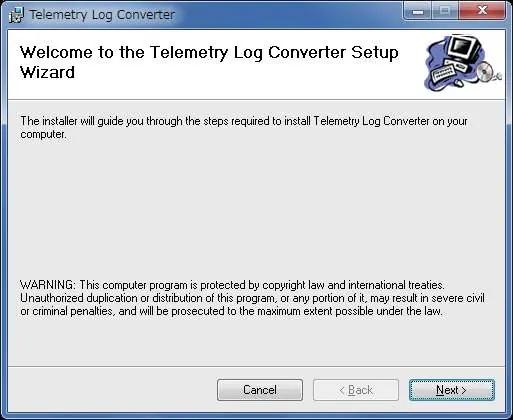
- Download the Zip file from the Futaba website.
- Double-click the Zip file to display its contents.
- Click "Extract all files" and follow the Extraction Wizard to decompress the files.
- Double-click the setup.exe file to begin the installation.
- Follow the on-screen prompts, choosing your target installation folder, and click "Next" to proceed.
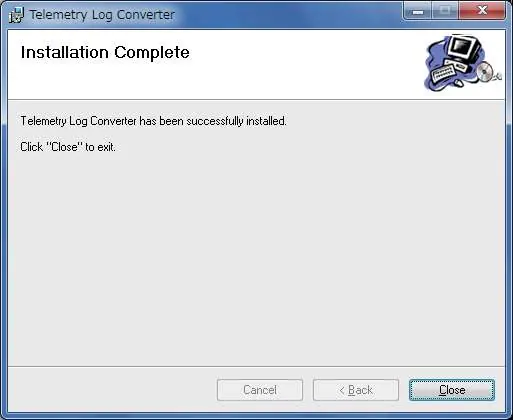
- Once the installation process is complete, click "Close" to exit the installer.
Using the Software
- Ensure your telemetry log file has been created by your transmitter.
- Launch the Telemetry Log Converter software.
- Click the "Open" button.
- Select the telemetry data file (.FLD) you wish to convert.
- Choose a destination folder and input a filename for the new CSV file.
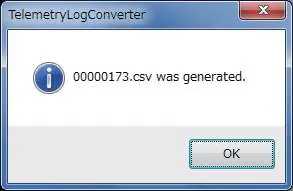
- The software will process the file and display a confirmation screen once the conversion is complete.
Understanding the Converter File
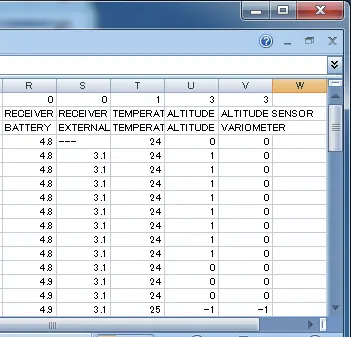
The converted CSV file contains detailed telemetry data. The structure includes:
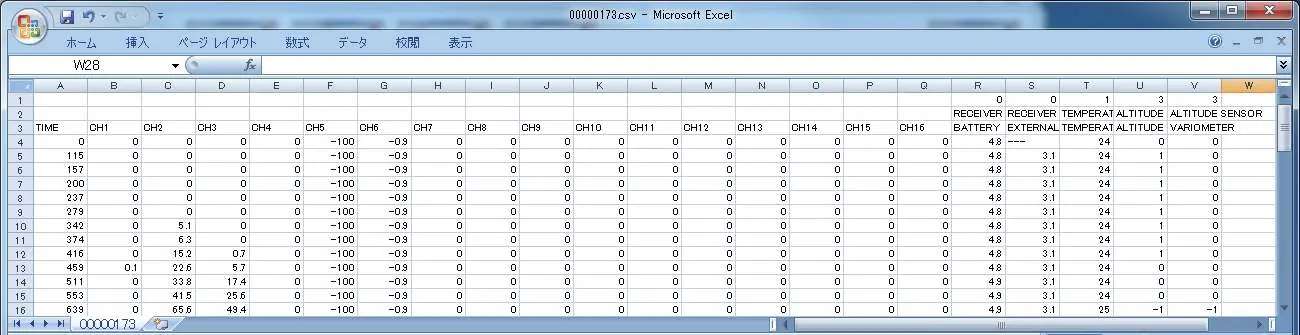
- Record time of data: Measured in milliseconds (1/1,000sec). Note that intervals may vary slightly based on conditions.
- Channel signals: Each channel signal from the transmitter, where 0% represents the neutral position.
- Slot number: The specific slot identifier.
- Type of sensor: The category of the telemetry sensor used.
- Telemetry data: The raw data values recorded by the sensor.
Compatible Sensors
The software supports a wide range of Futaba telemetry sensors, including temperature, voltage, RPM (brushless, optical, and magnet types), altitude, GPS, current, and airspeed sensors. It also supports various motor controllers and flight controllers. Additionally, sensors from other manufacturers such as Robbe, PowerBox, Jetcat, KONTRONIK, ROXXY, Castle, EM-100, Hobbywing, and Scorpion are compatible.
Notes
- Log File Structure: Log files are created in the "LOG" folder of the SD card. Two files are created for each log: an .FLI file (slot allocation information) and an .FLD file (log data). Always select both files when copying or moving logs.
- Altimeter: Altitude and GPS distance data are output based on the point where the log was started (0 m).
- RPM: The log does not automatically reflect gear ratios or motor pole settings. You must calculate these manually using the RPM data.
- Units: Distances and speeds are recorded in metric units, and temperatures are recorded in degrees Celsius, regardless of the transmitter's settings.
Official resources from the manual
Practical help
Common problems
Software not compatible with OS
Ensure you are using Windows 11, 10, 8, 7, Vista, or XP. It is not compatible with other operating systems.
Cannot find log files
Log files are created in the 'LOG' folder of the SD card. Ensure you select both .FLI and .FLD files when moving or copying them.
RPM data seems incorrect
The log does not reflect gear ratio or motor pole settings; you must calculate these manually from the data.
Before use
- Ensure all other applications are closed.
- Close virus check and resident programs.
- Uninstall any previous version of the software.
- Ensure you have both .FLI and .FLD files for the log.
Images and diagrams
- The software interface allows opening .FLD files and saving them as CSV.
- The output CSV file contains columns for time, channel signals, slot numbers, sensor types, and telemetry data.
Model compatibility
- Compatible with various Futaba sensors (SBS-01T, SBS-01V, etc.) and sensors from other manufacturers (Robbe, PowerBox, etc.).

Manual page author
Emily Carter
User documentation editor
Prepares concise manual descriptions and highlights the most useful setup, operation, and maintenance information for readers.