Power / Batteries Chargers
User Manual for Green Lion SOLAR X 100,000mAh Power Bank
Quick guide for the Green Lion SOLAR X 100,000mAh Power Bank (GL-PX79). Learn how to charge, use the digital display, understand specifications, and troubleshoot your device.
Table of contents
Manual images
Jump to the sectionQuick guide from the manual
The Green Lion SOLAR X 100,000mAh Power Bank is a high-capacity portable charging solution. It features a built-in handle, solar charging capabilities, a digital display, and multiple output ports including USB-C and USB-A. Ensure you charge the device fully before first use and use compatible adapters for optimal performance.
Overview
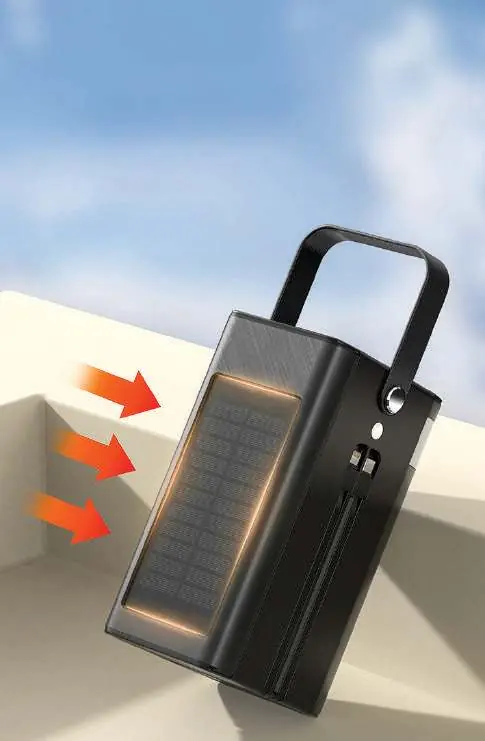
This power bank is designed for long journeys and outdoor adventures. It includes a digital display to monitor charge levels and a built-in flashlight. The device supports solar charging, allowing for power replenishment in outdoor environments.
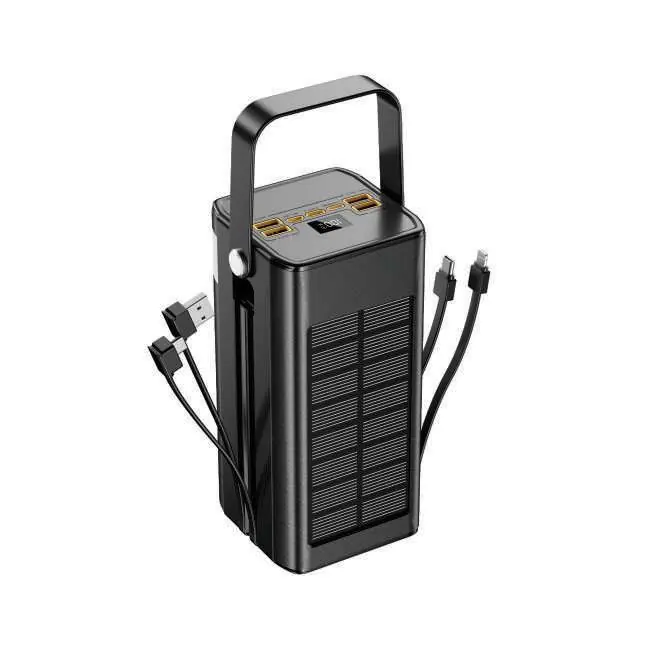
Package Contents
The device features multiple ports and integrated cables:
- Inputs: Lightning input, Type-C input, Micro input.
- Outputs: USB1 output, USB2 output, USB3 output, USB4 output, Lightning cable output, Type-C cable output.
- Features: Built-in handle and solar charging panel.
Specifications
- Model: GL-PX79
- Battery Capacity: 100,000mAh
- Material: ABS + PC
- USB-C Input: 5V/3A, 9V/2A, 12V/1.5A
- USB-C Output: 5V/3A, 9V/2A, 12V/1.65A (20W Max)
- USB-A1 Output: 5V/3A, 9V/2A, 10V/2.25A, 12V/1.5A (22.5W Max)
- USB-A2/A3/A4 Output: 5V/2A (10W Max)
- Product Weight: 1731g
- Dimensions: 100 x 84 x 176.5 mm
Power Display Description
The device features a four-speed digital display to indicate the charge level. As the power bank charges externally, the display progresses through four stages. When all four segments turn off, the power bank requires recharging.
Safety Instructions
- If the device is not used for an extended period, charge the battery at least once every 3 months.
- The device may become slightly warm during use; this is normal.
- Keep the product dry and avoid chemical cleaning agents.
- Do not immerse, disassemble, or expose the device to water, damp environments, or excessive pressure.
- Only connect to a DC power supply that meets the required output parameters.
- Keep away from children; adult supervision is required.
Troubleshooting
If the power bank cannot be charged:
- Check if the power adapter is suitable.
- Ensure the connecting cable and adapter are functioning properly.
- Try using a different compatible power adapter.
If the power bank cannot charge other devices:
- Recharge the power bank if the battery level is too low.
- Verify that the voltage of the device being charged is compatible with the power bank's output.
- Check the connection method and ensure cables are functioning.
- If an internal circuit malfunction is suspected, contact the local dealer's after-sales service.
Warranty and Contact
Products purchased directly from the Green Lion website or shop come with a 24-month warranty. Products purchased from approved sellers come with a 12-month warranty. You can extend your warranty by visiting https://www.greenlion.net/warranty. For support, contact [email protected].
Official resources from the manual
Manufacturer information
Green Lion
Practical help
Common problems
Power bank will not charge
Check if the power adapter is suitable and ensure the cable and adapter are functioning correctly.
Power bank will not charge connected devices
Ensure the power bank has sufficient battery level, check for voltage compatibility with the device, and verify the cable connection.
Before use
- Charge the power bank fully before first use.
- Ensure you are using a compatible power adapter for charging the power bank.
- Check that the charging cable is in good condition.
- Verify the voltage requirements of the device you intend to charge.
Images and diagrams
- The top panel contains multiple USB-A and USB-C ports for output and input.
- The side of the unit features a solar charging panel for auxiliary power replenishment.
- A built-in handle is located at the top for easy carrying.
Model compatibility
- Ensure the device being charged is compatible with the power bank's output voltage.
- Only use DC power supplies that meet the specified input parameters.

Manual page author
Emily Carter
User documentation editor
Prepares concise manual descriptions and highlights the most useful setup, operation, and maintenance information for readers.