Power / Batteries Chargers
Green Lion Solar Force 20,000mAh Power Bank User Guide
Quick guide for the Green Lion Solar Force 20,000mAh Power Bank (GL-PX82). Includes charging instructions, low-current mode setup, LED flashlight operation, and technical specifications.
Table of contents
Manual images
Jump to the sectionQuick guide from the manual
The Green Lion Solar Force 20,000mAh Power Bank (Model GL-PX82) is a high-capacity portable charger featuring integrated cables, solar charging capabilities, and a built-in 4-mode LED flashlight. This guide covers essential operation steps, including how to charge the power bank, use the low-current mode for small devices, and operate the flashlight.
Product Overview
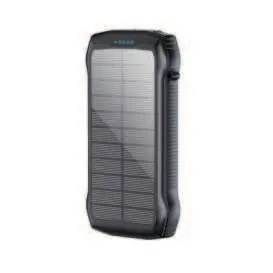
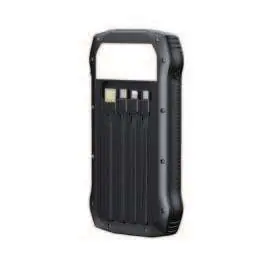
The device features multiple output options including USB-C, two USB-A ports, and integrated Lightning, Type-C, and Micro-USB cables. It supports PD 20W fast charging and QC3.0 technology. The integrated solar panel is designed for emergency or outdoor use under natural sunlight.
Setup and Operation
Checking Battery Level: Perform a single short press on the power button to view the remaining capacity via the 4 LED indicators. 0% (all off), 1-25% (1 light), 25-50% (2 lights), 50-75% (3 lights), 75-100% (4 lights).
LED Flashlight: Press and hold the power button for 4 seconds to activate. Cycle through the 4 modes (High, Low, SOS, Strobe) as needed. Press and hold again to turn off.
Low-Current Mode: Designed for devices like smartwatches or Bluetooth earphones. Double-click the power button to enter this mode (indicated by cycling flashing lights). Double-click again to exit.
Charging the Power Bank
Via Power Adapter: Use a certified cable connected to the power bank's input port and a wall adapter. LED indicators will flash during charging and remain solid when fully charged.
Via Solar Power: Place the solar panel under natural sunlight. The solar charging indicator will light up when solar power is active. Note that solar charging speed is dependent on weather and sunlight intensity; optimal output is approximately 300mA/h at 25°C.
Safety and Maintenance
If you notice any swelling or leakage, stop using the device immediately. Do not dispose of the power bank in unsorted household waste; follow local recycling regulations. Keep the device away from extreme high temperatures.
Manufacturer information
Green Lion
Practical help
Common problems
Power bank stops charging small devices (e.g., smartwatches).
Enable Low-Current Mode by double-clicking the power button to prevent auto-shutdown.
Solar charging is very slow.
Solar charging is intended for emergency use. Ensure direct sunlight exposure; efficiency is limited to ~300mA/h under optimal conditions.
Device stops supplying power.
Check the battery level indicators. If flashing, the power bank is low on charge and must be recharged.
Before use
- Verify the output voltage of the power bank matches your device requirements.
- Ensure the power bank is fully charged before first use.
- Check for any physical damage, swelling, or leakage before connecting devices.
- Use certified charging cables for wall-adapter charging.
Specs in practice
- Battery Capacity: 20000mAh
- Total energy storage capacity of the internal battery.
- PD 20W / QC 22.5W
- Fast charging standards supported for compatible smartphones and tablets.
- Solar Input: 5.5V/300mA
- The maximum current the solar panel can provide under ideal conditions.
Images and diagrams
- The power bank features 13 distinct sections including integrated cables (4, 5, 6, 7), output ports (1, 2, 3), and a solar panel (8).
- The power button (12) controls both the flashlight and the low-current mode activation.
Model compatibility
- Low-current mode is compatible with Bluetooth earphones, TWS, IoT devices, and electronics requiring under 100mA.
- The device includes integrated Lightning, Type-C, and Micro-USB cables for broad compatibility.

Manual page author
Michael Turner
Technical manual editor
Reviews PDF manuals for structure, safety notes, and practical product details so readers can find the right information quickly.