Computers / Industrial Tablets
i.safe MOBILE IS940.1 Tablet User Guide
Quick guide for the i.safe MOBILE IS940.1 rugged tablet. Includes technical specifications, key features, certification details, and package contents for this Zone 1/21 device.
Table of contents
Important Information from the Manual
The i.safe MOBILE IS940.1 is a high-performance, rugged tablet computer designed for use in hazardous areas (Zone 1/21). This document provides an overview of the device's technical specifications, included accessories, and key operational features. Always ensure the device is operated within the specified temperature range of -20 °C to +55 °C to maintain its safety and protection ratings.
Package Contents
- IS940.1 Tablet
- Battery
- Hand strap
- i.safe PROTECTOR 2.0 USB-C cable
- Universal power adapter
- Screwdriver
- Screen protector
- Safety instructions
Technical Specifications
The device is built for industrial environments with the following core specifications:
- Operating System: Android 14
- Processor: Qualcomm QCM6490 Octa Core
- Memory: 8 GB RAM | 128 GB internal storage (supports microSD)
- Display: 10.1 inch (25.65 cm) Corning Gorilla Glass 3, 1200 x 1920 pixels
- Battery: 8160 mAh (replaceable)
- Cameras: 50 MP rear (autofocus) | 5 MP front
- Connectivity: Wi-Fi 6, Bluetooth 5.2, NFC, GPS/Glonass/Beidou/Galileo
- SIM Support: 1 nano SIM + eSIM
Key Features
The IS940.1 includes several hardware features designed for industrial utility:
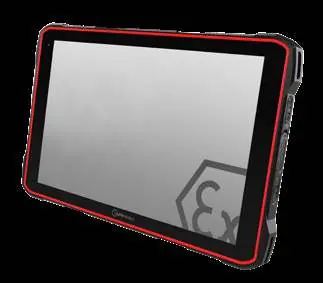
- Customizable Buttons: Features a red function key and side function buttons that can be assigned specific tasks via system applications (e.g., LWP or Button App).
- Mounting: Integrated VESA 100 mounting pattern for fixed installation.
- Interfaces: Includes a 16-pin ISM interface and a 12-pin ISM interface for docking stations.
- Audio: Equipped with an amplified speaker.
Protection and Certifications
The device is certified for use in hazardous environments and offers high durability:
- Protection Rating: IP68 (waterproof/dustproof) and MIL-STD-810H compliant.
- Certifications: ATEX (Zone 1/21), IECEx (Zone 1/21), NEC500 (Class I/II/III), and Japan-Ex.
Official resources from the manual
Practical help
Common problems
Device not performing specific button actions
Ensure the function keys are configured via the system settings or the dedicated Button App.
Operating in extreme temperatures
The device is rated for use between -20 °C and +55 °C. Do not operate outside this range.
Before use
- Verify all package contents are present.
- Ensure the battery is properly installed and charged.
- Apply the included screen protector to prevent damage.
- Check that the environment is within the certified temperature range (-20 °C to +55 °C).
- Configure function keys via system settings if needed.
Specs in practice
- MIL-STD-810H
- The device has been tested against various environmental stresses, including drops, shock, and vibration.
- ISM Interface
- A specialized 16-pin or 12-pin interface used for connecting industrial-grade accessories and docking stations.
Images and diagrams
- The device features a red function key and side buttons that can be customized via system apps.
- VESA 100 mount is available on the rear for fixed installation.
Model compatibility
- Certified for Zone 1/21 hazardous areas.
- Supports 1 nano SIM and eSIM.

Manual page author
Emily Carter
User documentation editor
Prepares concise manual descriptions and highlights the most useful setup, operation, and maintenance information for readers.