Lighting / Controllers & Dimmers
User Manual for Iskydance LV 0-1-10V LED Dimming Driver
Quick guide for the Iskydance LV 0-1-10V LED Dimming Driver. Learn how to wire the device, set PWM frequencies for flicker-free video, and understand technical specifications and installation limits.
Table of contents
Quick guide from the manual
The Iskydance LV is a 1-channel 0/1-10V LED dimming driver designed for constant voltage LED strips. It supports 12-48VDC input and provides 0-100% dimming. Key operational requirements include ensuring the total number of drivers connected to a single dimmer does not exceed 50 pieces and that the wire length from the dimmer to the driver is under 50 meters. Users can adjust the PWM frequency to eliminate flickering in video recordings.
Device Overview
The device features a 1-channel 0/1-10V input and a 1-channel PWM constant voltage output. It utilizes a logarithmic dimming characteristic for comfortable human eye perception and is compatible with active or passive 0-10V, 1-10V, 10V PWM, and RX dimmers.
Technical Parameters
- Input Voltage: 12-48VDC
- Output Current: 8A
- Output Power: 96W/192W/288W/384W (corresponding to 12V/24V/36V/48V)
- Dimming Range: 0-100%
- PWM Frequency: Selectable 500Hz, 2KHz, 8KHz, or 16KHz
- Protection: Reverse polarity, short circuit, over-heat, and over-load
- Weight: 0.043kg (Net), 0.053kg (Gross)
Wiring and Installation
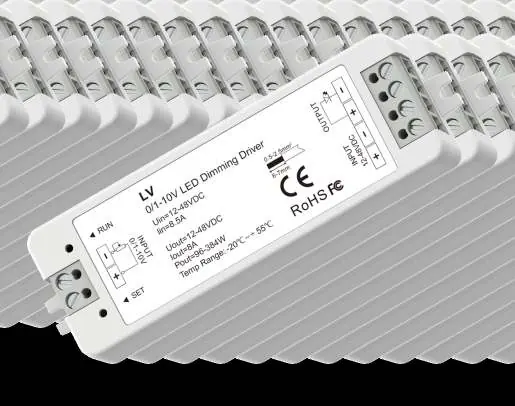
The device is designed for simple installation. Connect the 12-48VDC constant voltage power supply to the INPUT terminals. Connect the single-color LED strip to the OUTPUT terminals. The 0/1-10V dimmer signal should be connected to the signal input terminals. Ensure all connections are secure and follow the polarity markings on the device housing.
PWM Frequency Settings
You can adjust the PWM frequency using the SET key to suit different applications, such as video recording to prevent flickering. Use the following long-press procedures:
- 500Hz: Long press SET key for 2s (LED indicator flashes once).
- 2KHz: Long press SET key for 5s (LED indicator flashes twice).
- 8KHz: Long press SET key for 10s (LED indicator flashes 3 times).
- 16KHz: Long press SET key for 15s (LED indicator flashes 4 times).
Note: Higher PWM frequencies result in lower output current and higher power noise but are better for camera applications.
Safety and Environment
- Operation Temperature: -20°C to +55°C
- Case Temperature (Max): +85°C
- IP Rating: IP20
- Warranty: 5 years
Practical help
Common problems
Flickering during video recording
Increase the PWM frequency to 16KHz using the SET key procedure.
Dimming system compatibility
The driver is compatible with active or passive 0-10V, 1-10V, 10V PWM, and RX dimmers.
System limitations
Do not connect more than 50 drivers to a single dimmer; ensure wire length from dimmer to driver is under 50 meters.
Before use
- Verify the power supply is 12-48VDC constant voltage.
- Ensure the LED strip is a constant voltage type.
- Check that the dimmer switch is compatible with 0/1-10V systems.
- Confirm the total power load does not exceed the driver's capacity (max 384W at 48V).
- Ensure the installation environment is within -20°C to +55°C.
Specs in practice
- PWM Frequency
- Adjustable frequency (500Hz-16KHz) to optimize lighting for specific needs like video recording.
- Logarithmic Dimming
- A dimming curve designed to match human eye sensitivity for smoother, more comfortable brightness transitions.
- Protection Features
- Built-in safety mechanisms against reverse polarity, short circuits, overheating, and overloading.
Images and diagrams
- Wiring: Connect power supply to INPUT, LED strip to OUTPUT, and dimmer to signal input.
- Mechanical: The device includes an installation rack for mounting.
Model compatibility
- Compatible with 0-10V, 1-10V, 10V PWM, and RX (4 in 1) dimming systems.

Manual page author
David Miller
Documentation analyst
Organizes user manual content into clear summaries, with attention to model details, product context, and everyday usability.