Electronics / Headphones Earbuds
JBL VIBE 100TWS True Wireless Earbuds User Guide
Comprehensive user guide for JBL VIBE 100TWS true wireless earbuds, covering features, technical specifications, and usage instructions.
Table of contents
Product Overview
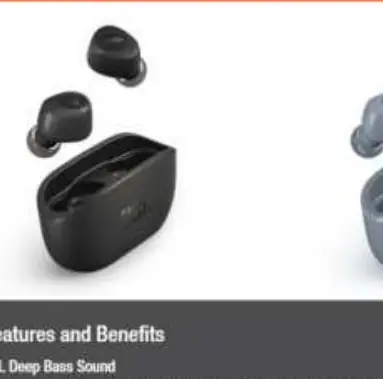
The JBL VIBE 100TWS are true wireless earbuds designed for everyday convenience, offering a wire-free experience with high-quality audio. Powered by JBL Deep Bass Sound, these earbuds feature 8mm drivers that deliver rich, immersive sound. The ergonomic design ensures a comfortable fit for extended listening sessions, and the included ear tips in three different sizes allow for a personalized seal, enhancing both comfort and sound clarity.
Key Features
The earbuds are equipped with Dual Connect technology, giving you the flexibility to use either the left earbud, the right earbud, or both simultaneously. This feature allows for seamless transitions between music and calls. The integrated microphone supports hands-free calling and easy access to your device's voice assistant. With a total of 20 hours of combined playback—5 hours in the earbuds and an additional 15 hours in the charging case—the JBL VIBE 100TWS is built to keep up with your daily routine.
Technical Specifications
The JBL VIBE 100TWS features a frequency response range of 20Hz to 20kHz and an impedance of 16 ohm. The earbuds utilize Bluetooth version 5.0 for stable connectivity, supporting profiles such as A2DP V1.3, AVRCP V1.6, and HFP V1.7. The charging case and earbuds are powered by lithium-ion batteries, with a charging time of approximately 2 hours from empty. The total weight of the unit is 46.3g, making it highly portable and pocket-friendly.
Usage and Maintenance
To ensure optimal performance, keep the charging case and earbuds clean and free from debris. The earbuds are designed for a secure fit; ensure you select the correct ear tip size for your ears to achieve the best sound quality. When not in use, store the earbuds in the charging case to protect them and ensure they remain charged. The device is designed for standard operation up to a maximum temperature of 45 degrees Celsius. Avoid exposing the device to extreme conditions to maintain battery health and overall longevity.
Manufacturer information
JBL
Practical help
Common problems
Earbuds not charging
Ensure the charging case is charged and the earbuds are correctly seated in the case contacts.
Bluetooth connection issues
Ensure the earbuds are in pairing mode and your device's Bluetooth is enabled and searching for new devices.
Before use
- Charge the earbuds and case fully before first use.
- Select the appropriate ear tip size for a secure and comfortable fit.
- Ensure the charging case is powered.
- Enable Bluetooth on your playback device.
Specs in practice
- Bluetooth version
- 5.0, ensuring efficient wireless connectivity and power management.
- Frequency response
- 20Hz - 20kHz, the range of audio frequencies the earbuds can reproduce.
Model compatibility
- Compatible with devices supporting Bluetooth profiles A2DP V1.3, AVRCP V1.6, and HFP V1.7.

Manual page author
David Miller
Documentation analyst
Organizes user manual content into clear summaries, with attention to model details, product context, and everyday usability.