Electronics / Speakers Soundbars
User Manual for JBL 1300XMK2 11.1.4 Channel Soundbar
Quick start guide for the JBL 1300XMK2 soundbar system, covering setup, wall mounting, sound calibration, Bluetooth pairing, and multi-room streaming features.
Table of contents
Manual images
Jump to the sectionQuick guide from the manual
The JBL 1300XMK2 is an 11.1.4 channel soundbar system featuring detachable wireless surround speakers and a wireless subwoofer. This guide provides essential steps for initial setup, including connecting to your TV, calibrating the sound for your room, and using the JBL One app for streaming.
What's in the box
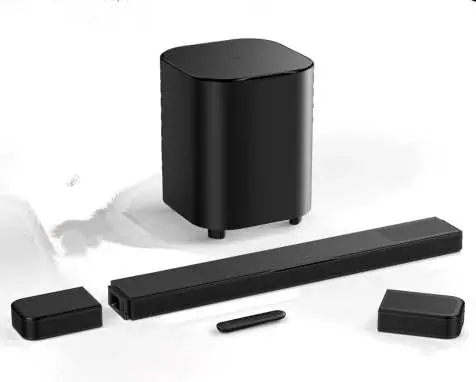
- Main soundbar
- Wireless subwoofer
- Two detachable wireless surround speakers
- Remote control with batteries
- HDMI cable
- Wall-mounting kit and template
- Power cords
Setup and connection
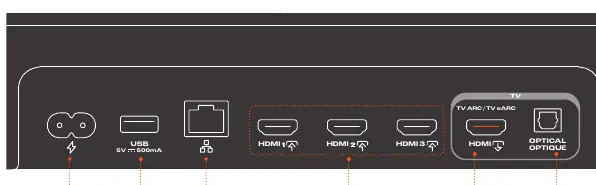
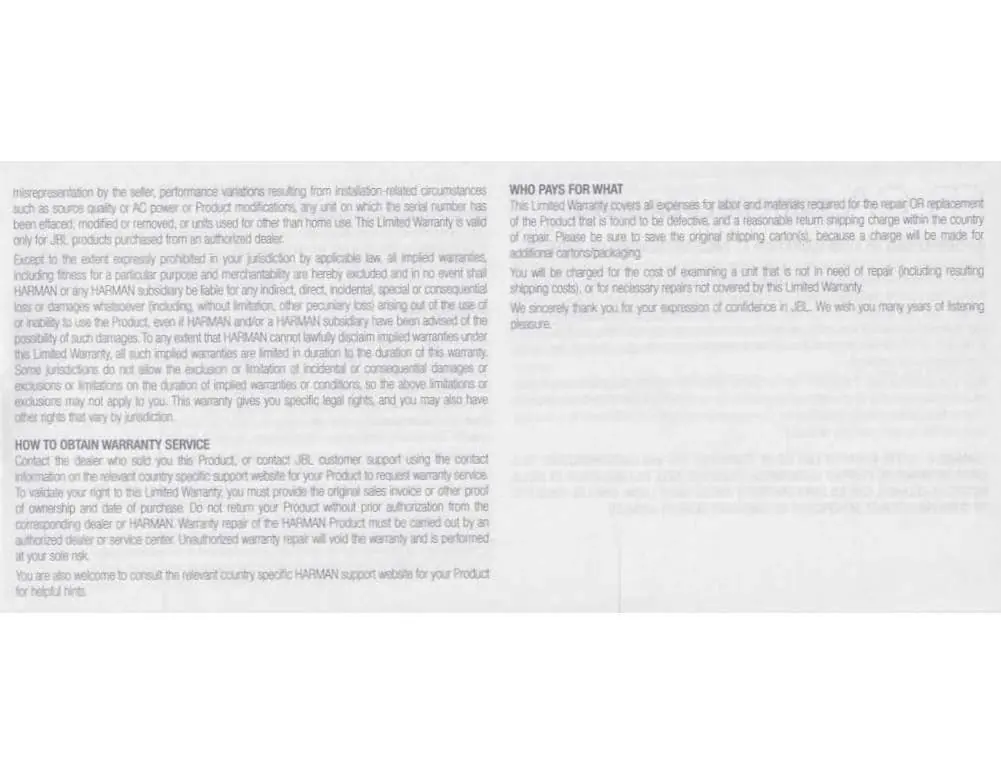
Connect the soundbar to power and your TV using the HDMI eARC/ARC port for the best audio experience. The subwoofer and detachable speakers should pair automatically upon power-on. If they do not, follow the manual's pairing procedures. Use the JBL One app to connect the system to your home Wi-Fi network for streaming services like Google Cast, AirPlay, and Spotify Connect.


Sound calibration
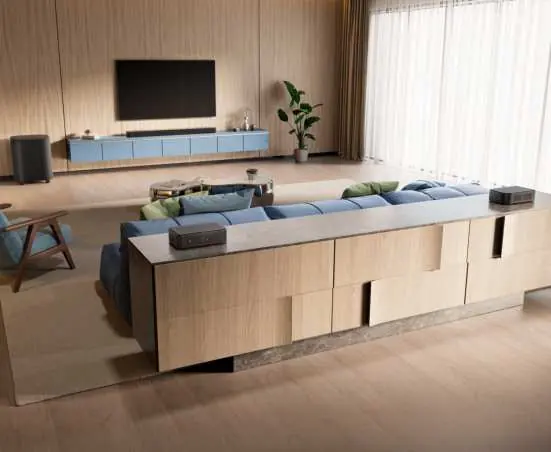
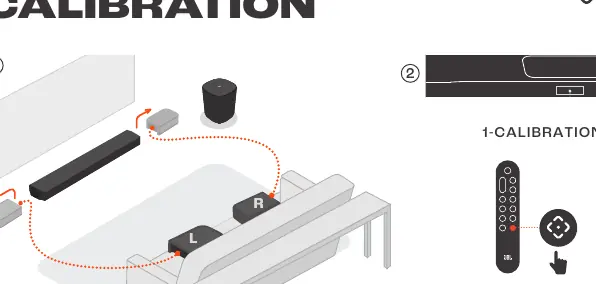
To optimize 3D surround sound, perform the sound calibration process. Place the detachable speakers in your desired listening positions, then use the remote control to start the calibration. Follow the on-screen prompts to confirm and complete the process.
Operation and adjustments
Use the remote control to adjust volume, bass levels, and surround sound settings. You can also use the detachable speakers as standalone Bluetooth speakers or a stereo system by pairing them directly to your mobile device.
Troubleshooting
- No sound: Ensure the soundbar is not muted and the correct source is selected.
- Audio/Video sync issues: Use the audio sync function in the advanced settings.
- Wi-Fi connection issues: Ensure your router is within range and the soundbar is on the same network as your device.
- Remote control not working: Check the batteries and ensure a clear line of sight to the soundbar.
Manufacturer information
JBL
Practical help
Common problems
Soundbar has no response to button pressing
Restore the soundbar to factory settings.
Audio and video are not synchronized
Enable the audio sync function via the remote control or JBL One app.
Device cannot connect via Bluetooth
Reset Bluetooth on the soundbar and unpair the device before attempting to pair again.
Failed to connect to Wi-Fi
Ensure Wi-Fi is enabled, the password is correct, and the soundbar is on the same network as your mobile device.
Before use
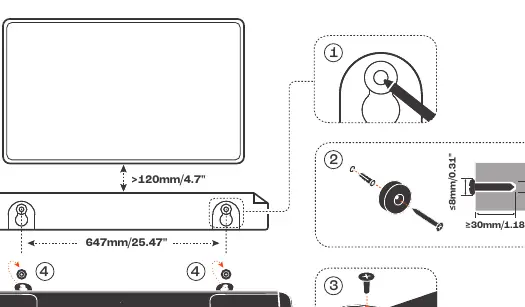
- Ensure the wall can support the weight of the soundbar.
- Charge the detachable speakers for 4 hours before first use.
- Verify that your TV supports HDMI-CEC and eARC for the best audio experience.
- Ensure the room is quiet before starting sound calibration.
- Download the JBL One app for full feature access.
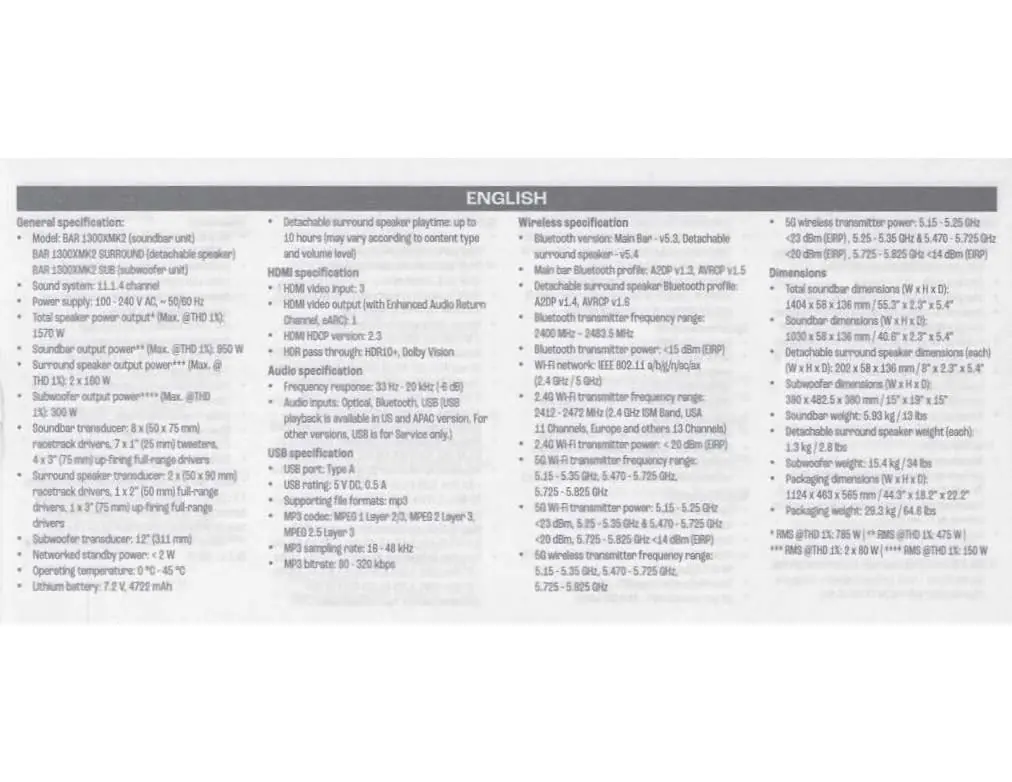
Specs in practice
- Sound system
- 11.1.4 channel configuration for immersive 3D audio.
- Power supply
- 100-240V AC, 50/60Hz; compatible with most global power standards.
- Detachable speaker playtime
- Up to 10 hours, depending on content and volume.
- HDMI HDCP version
- 2.3, ensuring compatibility with modern 4K/HDR content protection.
Images and diagrams
- The front panel status indicator shows system startup, updates, and network connection status.
- The back panel connectors include HDMI inputs, TV eARC/ARC output, and optical input.
- Wall mounting requires a 4mm hole and specific screw dimensions provided in the template.
Model compatibility
- Dolby Atmos is only supported via HDMI connection, not via Bluetooth or casting.
- USB playback is limited to US and APAC versions; other versions use USB for service only.
- Requires iOS 13.4+ or Mac OS 10.15.4+ for AirPlay functionality.

Manual page author
Emily Carter
User documentation editor
Prepares concise manual descriptions and highlights the most useful setup, operation, and maintenance information for readers.