Power / Batteries Chargers
JETE B7 20,000mAh Power Bank User Guide
Quick guide for the JETE B7 20,000mAh power bank, covering product structure, charging instructions, technical specifications, maintenance, and warranty claim procedures.
Table of contents
Manual images
Jump to the sectionQuick guide from the manual
This document provides essential information for the JETE B7 20,000mAh power bank. It covers the device structure, usage instructions, technical specifications, and maintenance requirements to ensure optimal performance and safety.
Product Overview
The JETE B7 20,000mAh power bank is designed for charging digital devices. The package includes the power bank, a storage pouch, and the user manual.
Product Structure
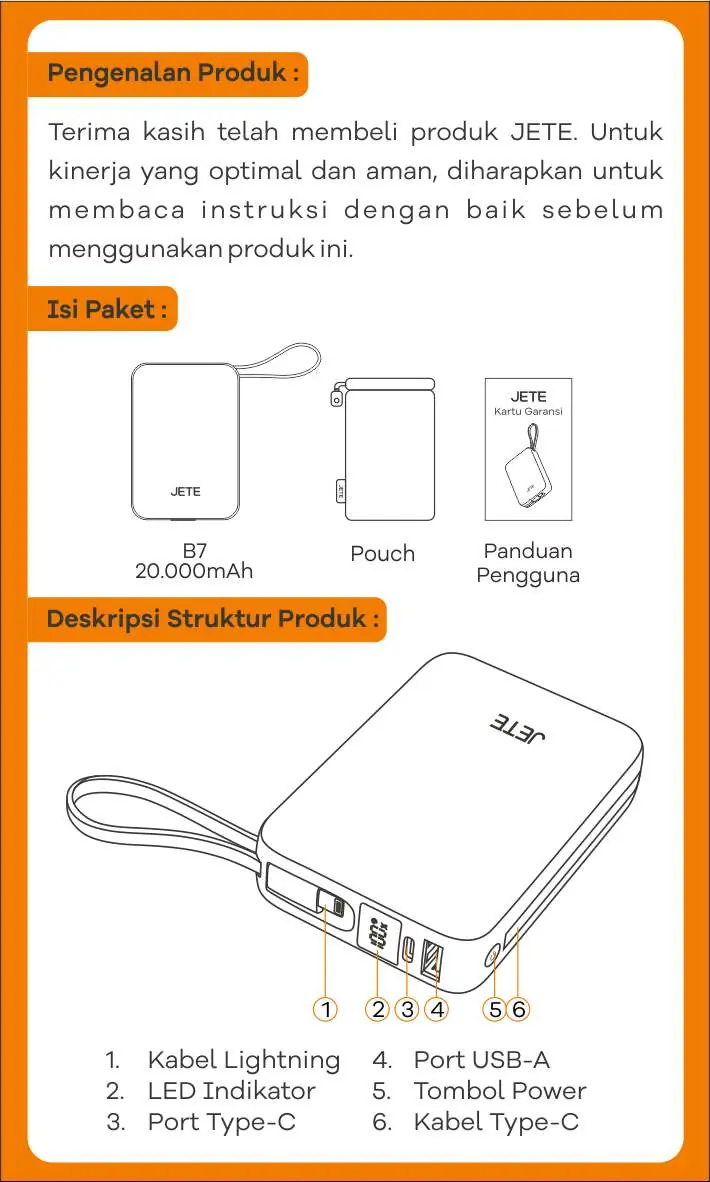
- 1. Lightning Cable
- 2. LED Indicator
- 3. Type-C Port
- 4. USB-A Port
- 5. Power Button
- 6. Type-C Cable
Usage
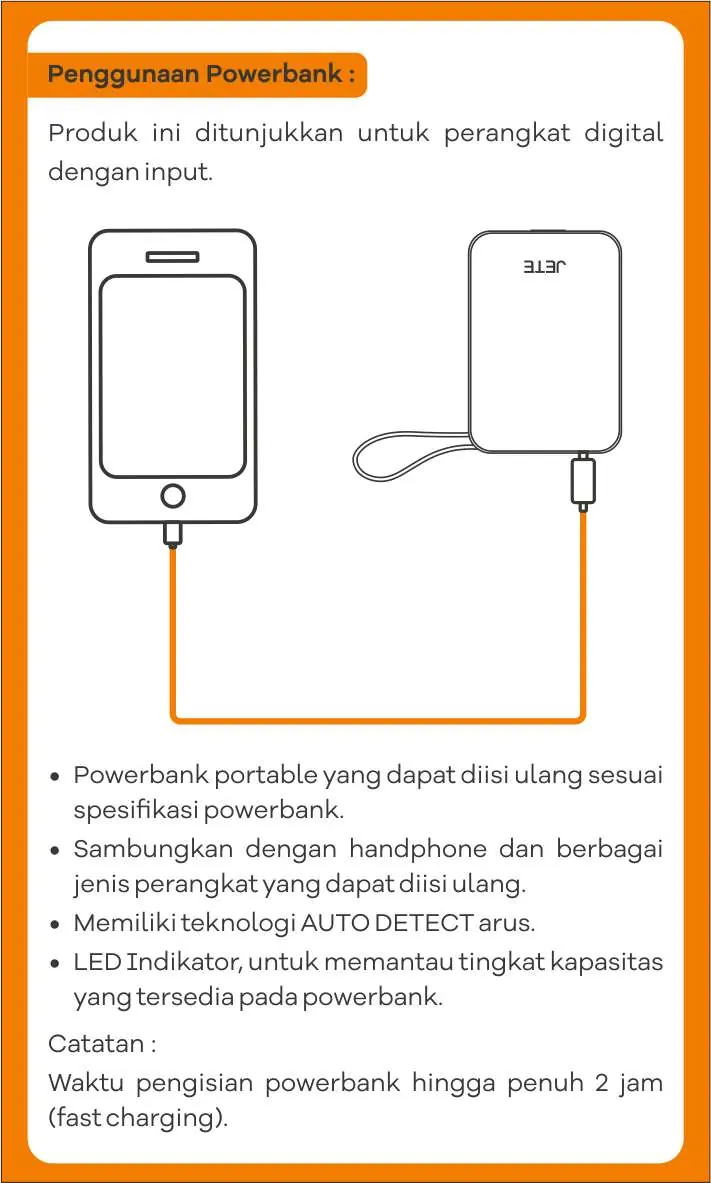
Connect your digital device to the power bank using the appropriate cable. The device features AUTO DETECT current technology. Use the LED indicator to monitor the remaining battery capacity. The power bank supports fast charging, with a full recharge time of approximately 2 hours.
Maintenance and Safety
- If the battery requires replacement, it must be performed by authorized maintenance personnel using the same or equivalent battery type to avoid explosion risks.
- Do not expose the battery to direct sunlight, fire, or other overheating conditions.
- When using a power adapter to charge the power bank, ensure it is CCC certified and meets standard requirements.
- Place the device on a stable surface (desktop) during use. If it must be in contact with the human body, limit contact time to less than 10 seconds.
- Do not use the device if it has been soaked in water.
- If not used for an extended period, store at 50% capacity and recharge every 3 months.
Technical Specifications
- Model: B7 20,000mAh
- Capacity: 20,000mAh | 3.85V | 77Wh
- Material: ABS + PC
- USB-C Input: DC 5V/3A, 9V/2A, 12V/1.5A (18W Max)
- USB-A Output: DC 5V/3A, 9V/2A, 10V/2.25A, 12V/1.5A (22.5W Max)
- USB-C Output: DC 5V/3A, 9V/2.22A, 10V/2.25A, 12V/1.67A (20W PD + 22.5W Max)
- Lightning Cable Output: DC 5V/2.4A (12W Max)
- Weight: 335g
Warranty and Support
The product includes a 2-year warranty for functional defects such as total failure, audio detection issues, indicator failure, or battery damage. The warranty is void if the product is broken, cracked, burned, dropped, modified, or water-damaged. For claims, contact customer service at 081217393609 or visit official outlets.
Practical help
Common problems
Device not charging or indicator not working
Check if the product is within the warranty period and contact customer service for functional failure assessment.
Battery damage or failure
Do not attempt to replace the battery yourself; contact authorized maintenance personnel.
Before use
- Ensure the power adapter used for charging is CCC certified.
- Store the device at 50% capacity if not in use for a long time.
- Recharge the device every 3 months if stored for long periods.
- Keep the device away from water, fire, and direct sunlight.
Specs in practice
- USB-A/C Output
- Supports up to 22.5W fast charging for connected devices.
Images and diagrams
- The structure diagram identifies the built-in Lightning and Type-C cables, the USB-A port, the power button, and the LED indicator for status monitoring.
Model compatibility
- Compatible with digital devices requiring standard USB input charging.

Manual page author
Emily Carter
User documentation editor
Prepares concise manual descriptions and highlights the most useful setup, operation, and maintenance information for readers.