Power / USB Chargers
User Guide for LogiLink USB-C GaN 20W Charger PA0384
Quick guide for the LogiLink USB-C GaN 20W Charger (PA0384). Learn about its features, technical specifications, safety protections, and how to use the USB-C and USB-A ports for fast charging.
Quick answers from the manual
Quick answer
- The LogiLink PA0384 is a compact 20W GaN wall charger featuring one USB-C PD port and one USB-A QC port, suitable for fast charging smartphones, tablets, and other USB-powered devices. p. 1, 2
Key actions
- Plug the charger into a standard wall outlet (110-240V). p. 3
- Connect your device using a compatible USB-C or USB-A cable. p. 2
Problems and fixes
Slow charging when using two devices
When both ports are used simultaneously, the total output is limited to 15W max.
p. 3Technical specifications
| Parameter | Value | Meaning | Pages |
|---|---|---|---|
| Total Output | 20 W max. | Maximum combined power output. | p. 3 |
| Input | 110–240 V~ 50/60 Hz, 0.5 A max. | Supported power grid voltage. | p. 3 |
Where to find it in the PDF
- Product Overview and Features p. 1, 2
- Technical Specifications p. 3
Table of contents
Quick Guide
The LogiLink USB-C GaN 20W Charger (PA0384) is a compact power adapter designed for fast charging. It utilizes Gallium Nitride (GaN) technology, which allows for a smaller physical size, better heat dissipation, and higher efficiency compared to traditional silicon-based chargers. It is compatible with a wide range of USB-C and USB-A enabled devices, including smartphones, tablets, digital cameras, and headphones.
Device Overview
The charger features two output ports:
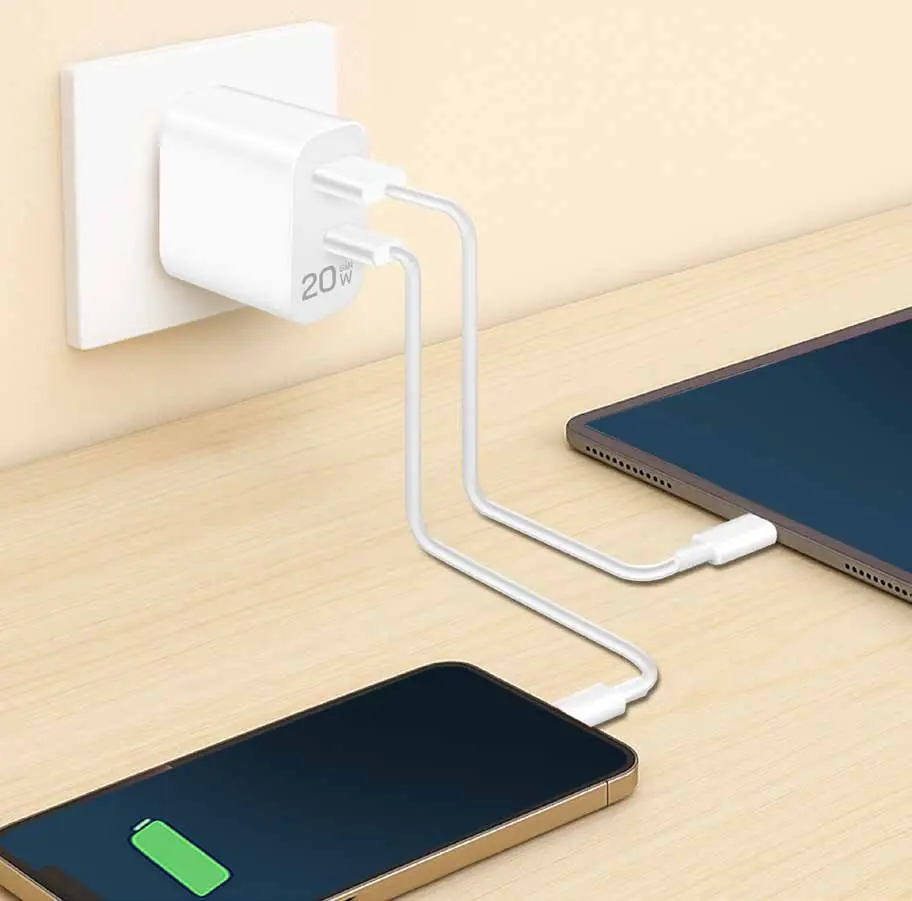
- USB-C Port: Supports Power Delivery (PD) 3.0 for fast charging.
- USB-A Port: Supports Quick Charge (QC) 3.0 for fast charging.
The device is designed for portability and is suitable for use in standard wall outlets.
Technical Specifications
The charger operates within the following parameters:
- Input: 110–240 V~ 50/60 Hz, 0.5 A max.
- Total Output: 20 W max.
- USB-A Output: 5 V/3 A (15 W), 9 V/2 A (18 W), 12 V/1.5 A (18 W)
- USB-C Output: 5 V/3 A (15 W), 9 V/2.22 A (20 W), 12 V/1.67 A (20 W)
- PPS Output: 3.3–5.9 V/3 A, 3.3–11 V/1.8 A
- Combined Output (USB-A + USB-C): 5 V/3 A (15 W max.)
- Efficiency: Level VI
- Operating Temperature: -10–35°C
- Operating Humidity: 35–85% RH (non-condensing)
- Dimensions: 8.3 x 4.3 x 2.6 cm (with plug)
- Weight: 48.5 g
Safety Features
The charger is equipped with built-in protections to ensure safe operation:
- Overcurrent protection
- Overvoltage protection
- Over temperature protection
- Short circuit protection
Package Contents
- 1 x USB Wall Charger
- 1 x User Manual
Practical help
Common problems
Device not charging
Ensure the wall charger is securely plugged into a power outlet and the USB cable is firmly connected to both the charger and your device.
Slow charging
Ensure you are using a high-quality cable compatible with PD 3.0 or QC 3.0 standards. Note that using both ports simultaneously may split the total power output to a maximum of 15W.
Before use
- Check that the input voltage of your wall outlet matches the charger's input range (110–240 V~).
- Ensure the USB cable is compatible with your device.
- Verify the device is within the operating temperature range of -10–35°C.
Specs in practice
- GaN Technology
- Gallium Nitride technology allows for a physically smaller charger with better heat dissipation and higher voltage handling compared to traditional silicon chargers.
- PD 3.0 / QC 3.0
- Fast charging protocols that allow the charger to negotiate the optimal power delivery for your connected device.
Images and diagrams
- The charger features two ports: one USB-C port for Power Delivery (PD) and one USB-A port for Quick Charge (QC).
Model compatibility
- Compatible with most USB-C and USB-A enabled devices including smartphones, tablets, digital cameras, and headphones.

Manual page author
Emily Carter
User documentation editor
Prepares concise manual descriptions and highlights the most useful setup, operation, and maintenance information for readers.