Electronics / Televisions
Philips 13PT30L Stereo Color Television User Guide
Quick guide for the Philips 13PT30L 13-inch portable television, covering remote control functions, A/V input setup, AutoLock V-chip features, and built-in alarm clock settings.
Table of contents
Quick guide from the manual
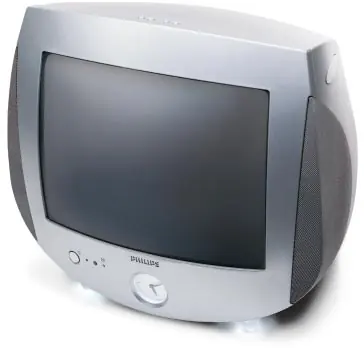
The Philips 13PT30L is a 13-inch portable stereo color television featuring an integrated backlit analog clock with wake-up alarms, ambient night lights, and a full-function remote control. This document provides an overview of the device's features, including A/V connectivity and advanced settings like AutoLock and AutoChron.
Remote Control
The 33-button remote provides full access to all TV functions. Key features include:
- Snooze feature: Press any button to activate a 5-minute snooze for the alarm.
- Reset button: Turns off the alarm and automatically resets it for the same time the following day.
- Multimedia mode: Instantly switches to the A/V input source and optimizes picture settings.
- Surf: Allows storing and quick-access switching between up to eight favorite channels.
Convenience Features
- Ambient Night Lights: Features three intensity levels for accent lighting.
- AutoLock: Utilizes V-chip technology to restrict programming based on MPAA and network rating systems.
- AutoChron: Automatically sets and maintains the correct time, including adjustments for power failures and daylight savings.
- A/V Input Labeling: Allows users to label inputs as A/V 1, VCR, DVD, SAT, or GAME.
- Backlit Analog Clock: Includes wake-up alarms with sounds like a rooster, xylophone, harp, or a selected TV channel.
Sound and Picture Settings
- AutoPicture: Optimizes brightness, contrast, color, tint, and sharpness for specific modes like sports, movies, or weak signals.
- AutoSound Plus: Offers four factory presets (theater, music, voice, personal) with adjustable bass, treble, and automatic volume leveling.
- Audio/Video Connections: The rear panel includes standard A/V input jacks, while a headphone jack is located on the side for private listening.
Manufacturer information
Philips
Practical help
Common problems
Alarm is sounding
Press any button on the remote to activate the 5-minute snooze, or use the reset button to turn it off and set it for the next day.
Incorrect time display
The AutoChron feature automatically sets and maintains the time; ensure the TV is connected to power to allow the system to function.
Before use
- Ensure the TV is placed on a stable surface.
- Connect your antenna or cable source to the 75-ohm UHF/VHF input.
- Connect external devices (VCR, DVD, etc.) to the rear A/V jacks.
- Insert batteries into the 33-button remote control.
- Use the menu to label your A/V inputs for easier source selection.
Specs in practice
- 181-channel capability
- The tuner supports a wide range of broadcast and cable channels.
- 75-ohm UHF/VHF
- Standard coaxial input for antenna or cable television signals.
Images and diagrams
- The rear panel features a 75-ohm antenna/cable input and RCA-style A/V jacks (Video, Audio L, Audio R).
- The side panel contains a dedicated stereo headphone jack.
Model compatibility
- Supports A/V devices labeled as VCR, DVD, SAT, or GAME.
- Compatible with standard 75-ohm antenna or cable signals.

Manual page author
Emily Carter
User documentation editor
Prepares concise manual descriptions and highlights the most useful setup, operation, and maintenance information for readers.