Industrial / Weighing Equipment
Operation Manual for Rice Lake 160-10-7N Low-Profile Digital Athletic Scale
Quick guide for the Rice Lake 160-10-7N Low-Profile Digital Athletic Scale. Includes setup, operation, BMI function, troubleshooting, and maintenance instructions.
Table of contents
Manual images
Click an image to enlargeQuick guide from the manual
The Rice Lake 160-10-7N is a low-profile digital athletic scale designed for accurate weight measurements. This manual provides instructions for assembly, operation, and maintenance. The scale features a stand-alone indicator that can be placed on a table or wall-mounted. It supports both battery and AC power operation.
Assembly
Proper assembly is required for accurate weighing:

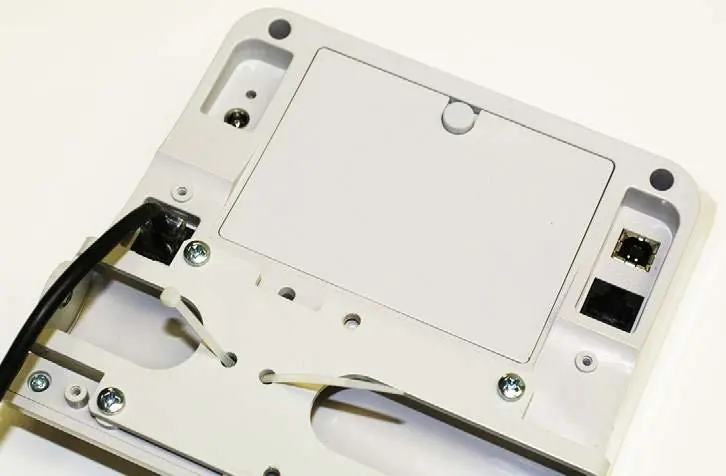
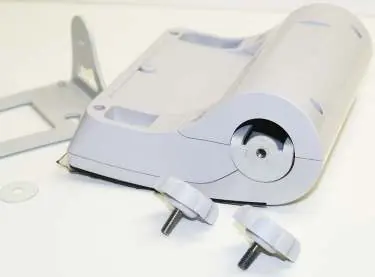
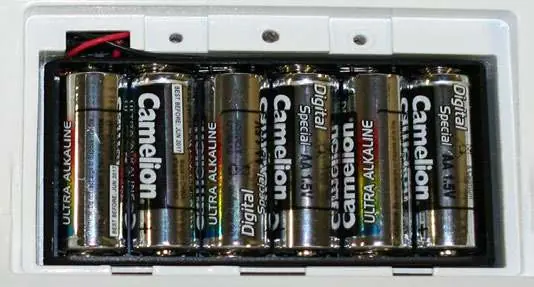
- Unpacking: Ensure all parts are included: scale base, indicator, six AA batteries, AC adapter, USB cable, and serial cable.
- Scale Setup: Place the scale on a hard, level surface. Avoid thick carpeting.
- Leveling: Adjust the scale feet until the bubble level indicates the scale is level.
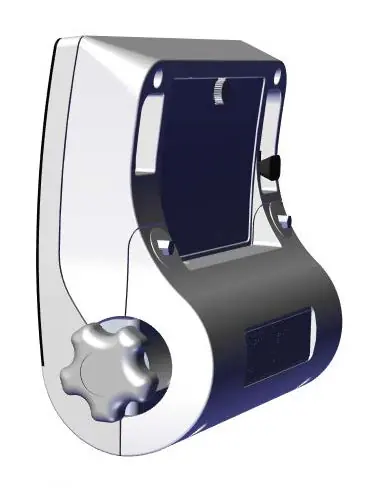
- Indicator Setup: Connect the load cell cable to the indicator. If necessary, remove the back cover to access the connection port.
- Power: Install six AA batteries in the battery chamber or connect the provided AC adapter.
Operation
The scale features several operational modes:
- Weighing: Turn on the scale, wait for 0.0, and step on. The LOCK annunciator indicates a stable weight.
- Hold/Release: Captures the weight value so it remains on the display after the patient steps off.
- Tare: Used to subtract the weight of additional items. Preset Tare allows for known item weights, while Toggle Tare allows adjustment of the tare value.
- BMI Function: Calculates Body Mass Index. Note that this function is disabled if the scale is set up as an NTEP-certified device.
Communications
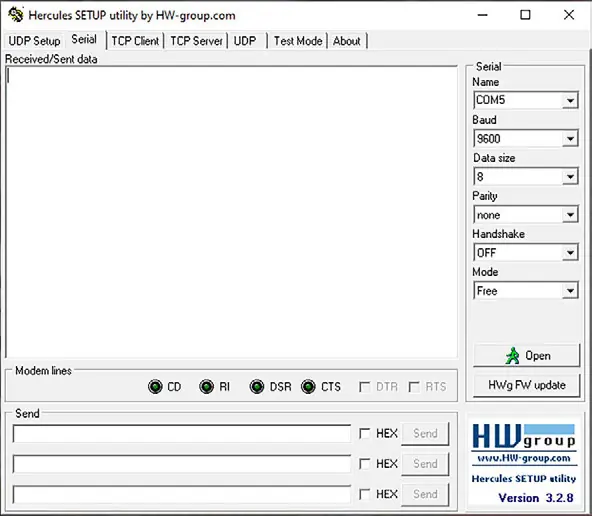
The unit includes RS-232 and USB ports for data transmission to a PC. Use a terminal emulation program (e.g., Hercules, PuTTY) to view weight data. Ensure the correct COM port is selected in the PC Device Manager.
Sealing of the Unit
For NTEP certification, the unit must not be opened. Weights and Measures stickers or foil labels must be applied to both sides of the unit to prevent unauthorized access.
Maintenance and Cleaning
Regular maintenance ensures long-term accuracy:
- Cleaning: Use a clean, damp cloth with mild soap and water. Do not immerse the scale in liquid.
- Display Care: Do not use Isopropyl alcohol or harsh solutions on the display surface.
- Inspection: Periodically check the scale for damage and inspect the AC adapter cord for fraying or bent prongs.
Troubleshooting
If the scale fails to operate correctly, check the following:
- Scale does not turn on: Check batteries or AC power source.
- Questionable weight: Ensure the scale is on a level surface and free of obstructions.
- STOP message: Indicates the load exceeds the scale capacity.
- Err 1: Load cell cable connection issue; verify the cable is plugged into the correct port.
Practical help
Common problems
Scale does not turn on
Replace batteries or connect to a working AC power outlet.
Questionable weight or scale does not zero
Remove interfering objects, ensure the scale is on a level floor, or recalibrate with a certified weight.
Display shows STOP message
The load exceeds the scale capacity; remove excess weight.
Err 1 message
Load cell cable may be plugged into the wrong port; ensure it is connected to the load cell connection port.
Before use
- Place the scale on a hard, level surface.
- Adjust scale feet until the bubble level is centered.
- Install six AA batteries or connect the AC adapter.
- Verify the load cell cable is securely connected to the indicator.
- Ensure the scale is disconnected from power before cleaning.
Specs in practice
- Operating Temperature
- 41°F to 95°F (5°C to 35°C)
- Battery Life
- Average of 25 hours of continuous use
Images and diagrams
- Bubble level: Adjust feet until the bubble is centered for accurate weighing.
- Load cell connection: Located inside the indicator, accessible by removing the back cover.
- Sealing: Apply stickers to both sides of the indicator to maintain NTEP certification.
Model compatibility
- BMI and Hold/Release functions are disabled when set up as an NTEP-certified scale.
- USB data transfer is not compatible with Apple/Macintosh computers; use a Windows PC.
- Only use power adapters supplied by Rice Lake Weighing Systems to avoid voiding the warranty.

Manual page author
David Miller
Documentation analyst
Organizes user manual content into clear summaries, with attention to model details, product context, and everyday usability.