Industrial / Weighing Equipment
Rice Lake 160-10-7N Low-Profile Digital Athletic Scale
Quick guide for the Rice Lake 160-10-7N Low-Profile Digital Athletic Scale. Includes setup, operation, communication, maintenance, and troubleshooting instructions.
Table of contents
Manual images
Click an image to enlargeQuick guide from the manual
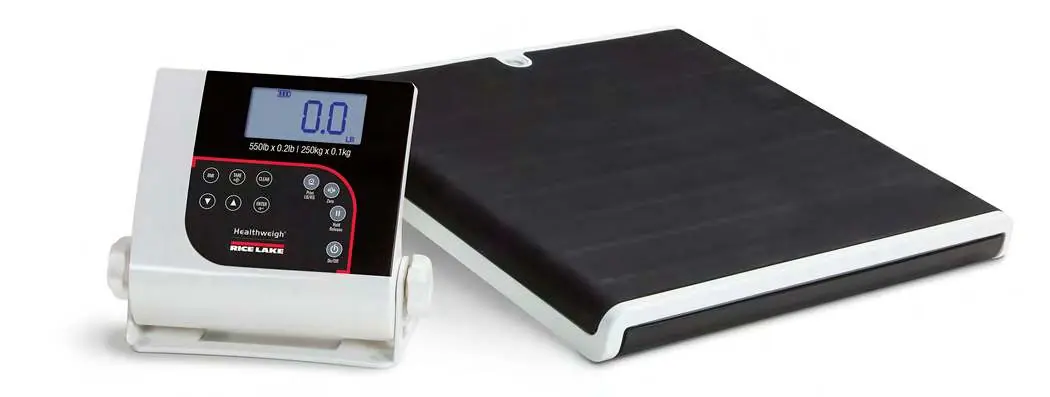
The Rice Lake 160-10-7N is a low-profile digital athletic scale designed for accurate weight measurements. It features a stand-alone indicator that can be placed on a table or wall-mounted. Note: If the scale is set up as an NTEP-certified device, the BMI and Hold buttons are disabled.
Safety
- Do not use on slippery surfaces or when feet are wet.
- Do not jump on the scale.
- Ensure the scale is placed on a flat, stable surface.
- Do not exceed the maximum capacity of 550 lb (250 kg).
- Do not use in the presence of flammable materials.
- If the LO Bat indicator appears, replace batteries or connect to an AC power source immediately.
Scale Assembly
Unpacking: Ensure the package includes the scale base, indicator, six AA batteries, AC adapter, USB cable, and serial cable.

Leveling: Place the scale on a hard, level surface. Use the bubble level to check for level and adjust the feet as needed.
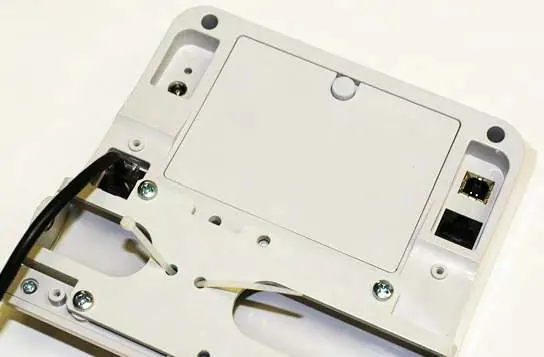
Indicator Setup: The indicator comes connected to the scale. If you need to replace the load cell cable, remove the tilt stand and back cover to access the connection point.
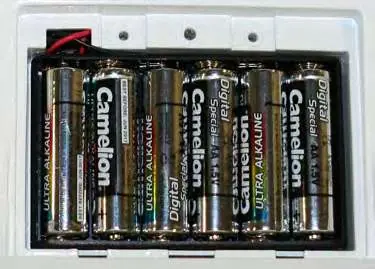
Power: Install six AA batteries in the battery chamber or use the provided AC power adapter. Using non-Rice Lake adapters voids the warranty.
Operation
Basic Functions:
- On/Off: Press to turn on; press and hold to turn off.
- Zero: Sets weight to 0.0.
- Units: Toggle between lb and kg.
- Tare: Subtracts weight of accessory items.
- BMI: Calculates Body Mass Index (disabled in NTEP mode).
- Hold/Release: Keeps the current weight displayed (disabled in NTEP mode).
Communication
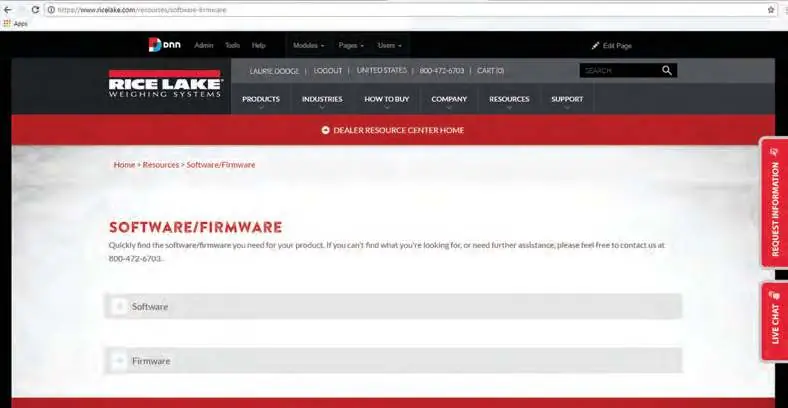
The scale features an RS-232 port and a USB connection for data transmission. To use the USB connection, download the Titanium USB Driver from the Rice Lake website. Always use medical-grade isolators for USB and RJ45 connections when connected to non-medical equipment.
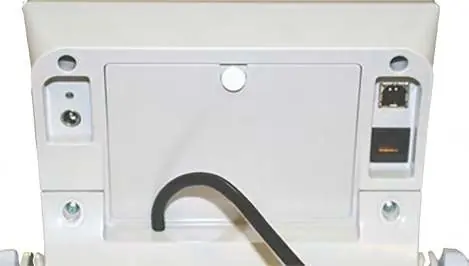
Sealing of the Unit
To maintain NTEP certification, the unit must not be opened. Weights and Measures stickers or lead wire seals are used to prevent unauthorized access to the internal components.
Maintenance and Troubleshooting
Maintenance: Clean external surfaces with a clean, damp cloth and mild soap. Do not immerse the scale in liquid. Do not use isopropyl alcohol on the indicator display surface.
Troubleshooting:
- Scale does not turn on: Check batteries or AC power source.
- Questionable weight: Remove interfering objects, ensure the scale is level, or recalibrate.
- LOBAT: Replace batteries.
- -SAT-: Check load cell cable connection.
- OL: Scale is overloaded; remove weight.
Specifications
- Capacity: 550 lb x 0.2 lb (250 kg x 0.1 kg)
- Platform Dimensions: 14.4" x 14.4" x 1.65"
- Power: 9 VDC (6 AA batteries or AC adapter)
- Operating Temperature: 41 to 95°F (5 to 35°C)
Practical help
Common problems
Scale does not turn on
Check if batteries are dead or if the AC power source is faulty. Replace batteries or try a different outlet.
Questionable weight or scale does not zero
Remove any external objects interfering with the scale, ensure the scale is level, or check calibration with a known weight.
LOBAT message
The batteries are low; replace them immediately.
-SAT- message
The load cell cable is disconnected or damaged. Check the connection or replace the cable.
OL message
The scale is overloaded. Remove the weight from the platform.
Before use
- Place the scale on a hard, level surface.
- Check the bubble level to ensure the scale is level; adjust feet if necessary.
- Install six AA batteries or connect the AC adapter.
- Ensure the scale is not on carpet, which can cause weight discrepancies.
- Verify the scale is not in NTEP-certified mode if you require BMI or Hold functions.
Specs in practice
- Operating Temperature
- The scale functions correctly between 41°F and 95°F (5°C to 35°C).
- Data Communications
- Supports RS-232 and USB for connecting to printers or computers.
Images and diagrams
- Indicator Front Panel: Shows button layout for BMI, Tare, Clear, Print, Zero, Hold, and Power.
- Load Cell Connection: Shows how to access and connect the load cell cable inside the indicator.
- Sealing: Shows where to place stickers or wire seals to maintain NTEP/Measurement Canada compliance.
Model compatibility
- BMI and Hold buttons are disabled when the scale is set up as an NTEP-certified device.
- Only use power adapters supplied by or purchased from Rice Lake Weighing Systems to avoid voiding the warranty.
- Always use medical-grade isolators for USB and RJ45 connections when connected to non-medical equipment.

Manual page author
Michael Turner
Technical manual editor
Reviews PDF manuals for structure, safety notes, and practical product details so readers can find the right information quickly.