Power / Batteries Chargers
Ring Stick Up Cam Battery User Guide
Comprehensive setup, installation, and safety guide for the Ring Stick Up Cam Battery. Learn how to charge the battery, mount the camera, and configure it using the Ring app.
Table of contents
Getting Started
The Ring Stick Up Cam Battery is a versatile security camera designed for both indoor and outdoor use. To begin, download the Ring app from your preferred app store or visit ring.com/app. The app will guide you through the setup process. You will need to scan the QR code provided with your device to quickly identify and register your camera.
Charging the Battery
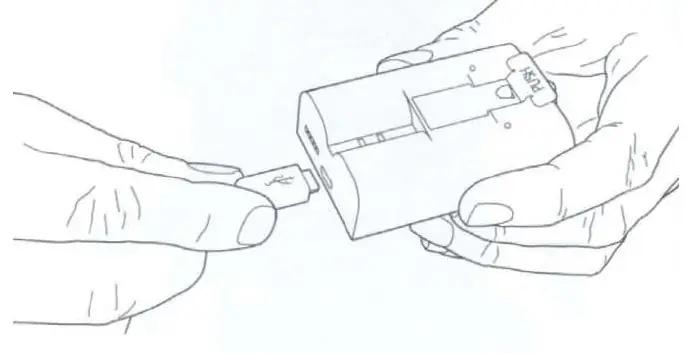
Before initial use, fully charge the provided battery. Connect it to a USB power source using the included orange cable. The battery is fully charged when only one LED remains lit. A red LED indicates the battery is charging, while a green LED indicates it is fully charged.
Installation and Mounting
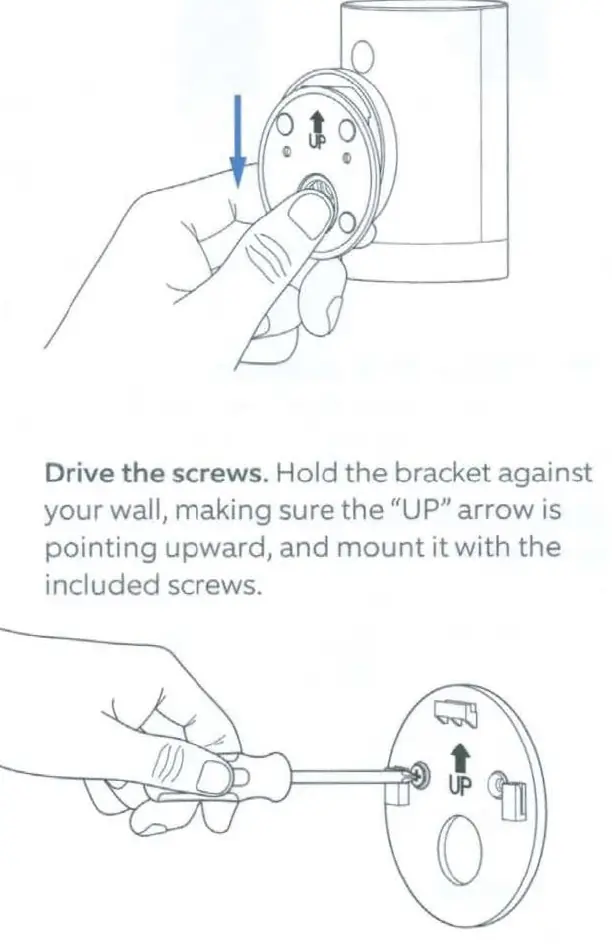
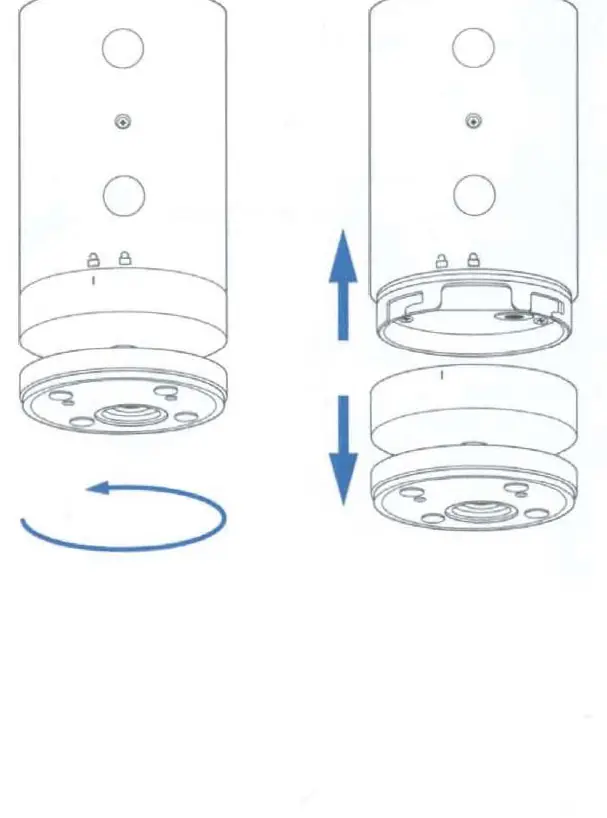
To insert the battery, remove the battery cover by twisting it counterclockwise. Insert the charged battery into the bottom of the camera until it clicks into place, then replace the cover. The camera can be placed on a flat surface like a table or shelf, or mounted to a wall. For wall mounting, remove the base, re-attach it to the back of the camera with the UP arrow pointing upward, and secure it to the wall using the provided bracket and screws. Optional security screws can be installed to secure the battery compartment and the mounting bracket.
Operation and Maintenance
After setup, use the Live View button in the Ring app to monitor your camera. If the light on the front of the camera is flashing after setup, it is performing a software update; do not remove the battery during this time. The camera is weather-resistant but should not be intentionally submerged in water or exposed to high-pressure water jets.
Safety and Disposal
Handle the lithium-ion battery with care. Do not disassemble, crush, or expose the battery to extreme heat or liquids. If the device or battery is damaged, discontinue use immediately. Dispose of electronic devices and batteries in accordance with local laws and regulations. For further assistance, visit ring.com/help or contact customer support.
Related manuals
Related manuals from the same brand or category.
Electronics / Cameras
Ring Stick Up Cam Plug-in User Manual
RINGGeneral / Accessories
Ring Indoor Cam (2nd Gen) Setup and Installation Guide
RINGGeneral / Other Manuals
Ring Floodlight Cam Wired Pro User Guide
RING
Manual page author
David Miller
Documentation analyst
Organizes user manual content into clear summaries, with attention to model details, product context, and everyday usability.