Toys / Scale Models
User Manual for Roco Diesel Locomotive BR 218
Comprehensive user guide for the Roco Diesel Locomotive BR 218. Includes instructions for unpacking, running-in, digital decoder installation, maintenance, lubrication, and traction tyre replacement.
Table of contents
Manual images
Click an image to enlargeQuick guide from the manual
This manual provides essential instructions for the operation and maintenance of the Roco Diesel Locomotive BR 218. Key points for the user include:
- Running-in: Before regular use, run the locomotive for 30 minutes forward and 30 minutes backward without load to ensure optimal performance.
- Track Requirements: The locomotive requires a minimum track radius of R2 (358 mm). Only operate on clean tracks to ensure smooth running.
- Maintenance Interval: Perform service tasks approximately every 30 hours of operation.
- Digital Mode: To operate in digital mode, remove the jumper from the interface and install the decoder chip.
Unpacking and initial setup
Handle the model with care when unpacking. Use the provided foil to lift the locomotive from the packaging. The accessory bag contains small, prototypical parts that can be fitted to the model. Mount these parts cautiously. Note that the original packaging is designed to be tight for transport safety; you may need to cut out specific sections to accommodate the model once fitted with all accessory parts.
Digital operation
The locomotive is equipped with a digital interface. To switch to digital operation:
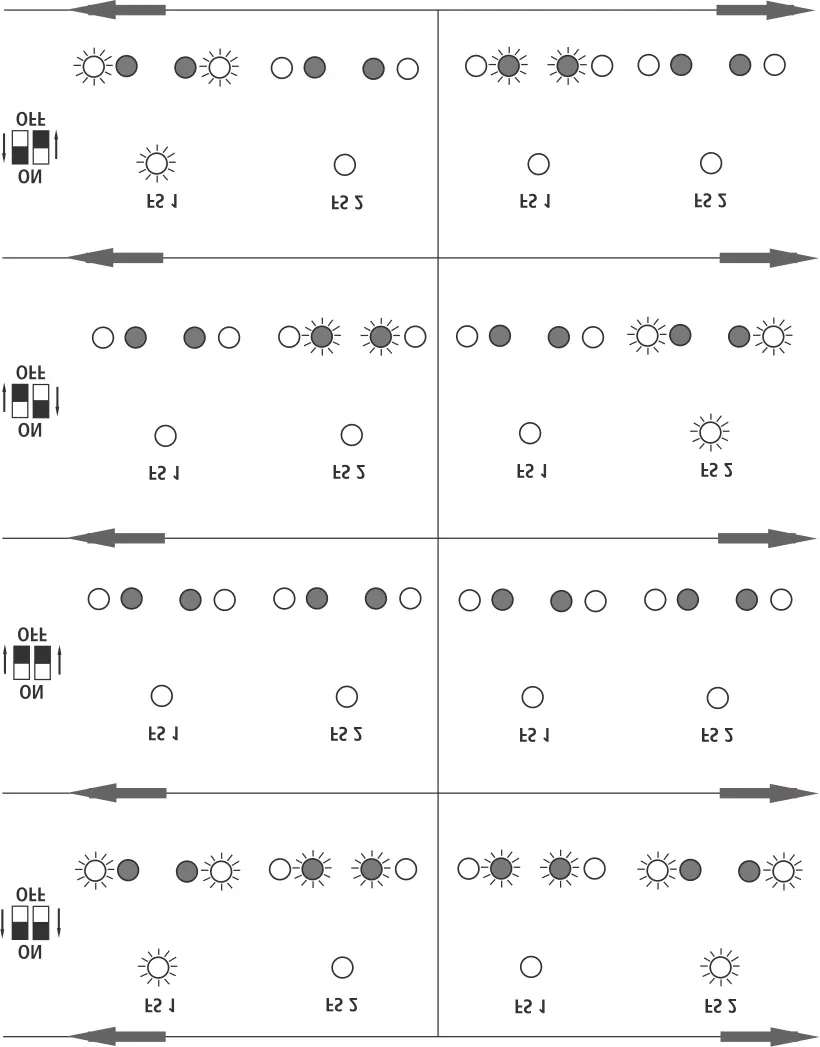
- Remove the locomotive body (see Fig. 3).
- Locate the interface and remove the jumper plug (keep this safe).
- Insert the decoder chip plug into the interface, ensuring correct orientation (see Fig. 6).
Maintenance and care
Regular maintenance is required to ensure the longevity of your model:
- Cleaning: Wheel contacts can accumulate dirt from tracks. Use a small brush to clean the spots marked in Fig. 4.
- Lubrication: Apply tiny drops of oil to the points marked in Fig. 7. Use Roco oiler (item no. 10906) and Roco special grease (item no. 10905) for gear parts. Do not oil parts where grease is applied.
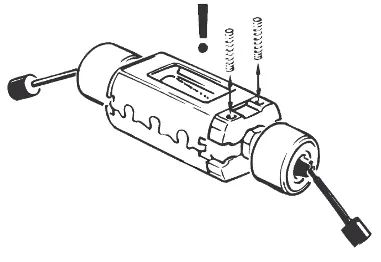
- Traction Tyres: If traction is poor, replace the tyres. Remove the gear cover (Fig. 8), take out the wheel set, and replace the tyres using a pin or fine screwdriver. Ensure they are not twisted during installation.
- Motor: If the motor requires service or replacement, remove the locomotive body (Fig. 3) and then the motor (Fig. 9).
Practical help
Common problems
Locomotive runs poorly or stutters
Clean the tracks using the Roco track cleaning van (46400) or Roco cleaning rubber (10002).
Dirty wheel contacts
Use a small brush to remove dirt from the contacts as indicated in Fig. 4.
Poor traction
Check the traction tyres for wear or twisting. Replace if necessary (Fig. 8).
Before use
- Unpack the model carefully using the provided foil.
- Perform a 30-minute running-in period (30 mins forward, 30 mins backward) without load.
- Ensure your track layout meets the minimum radius requirement of R2 (358 mm).
- Check the accessory bag for small parts to be fitted.
Images and diagrams
- Fig. 1-4: Unpacking, coupling selection, and body removal.
- Fig. 6: Digital decoder installation.
- Fig. 7: Lubrication points.
- Fig. 8: Traction tyre replacement procedure.
Model compatibility
- Compatible with Roco track systems.
- Designed for H0 scale operation.

Manual page author
David Miller
Documentation analyst
Organizes user manual content into clear summaries, with attention to model details, product context, and everyday usability.