HVAC / Heat Pumps
User Manual for Steinbach Solid 4.3 Heat Pump
Quick guide for the Steinbach Solid 4.3 heat pump. Includes installation, operation, app pairing, troubleshooting, and maintenance instructions.
Table of contents
Manual images
Click an image to enlargeQuick guide from the manual
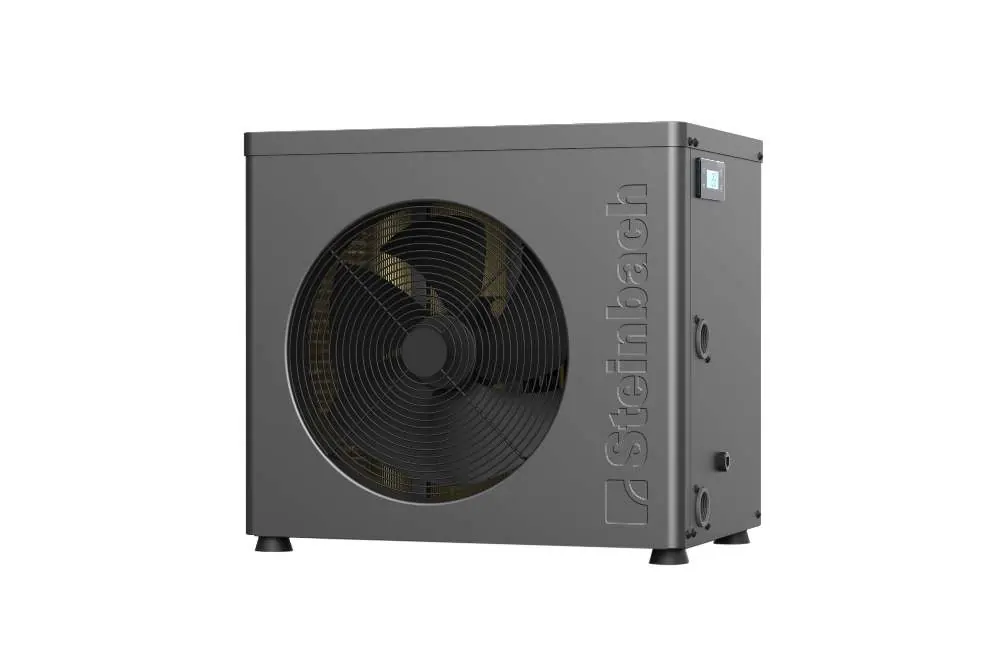
This heat pump is designed for heating or cooling water in private swimming pools. It must be installed outdoors and operated with filtered water. The device features an automatic defrost function and can be controlled via the Steinbach Control app.
Safety instructions
- Fire and explosion risk: The refrigerant circuit contains flammable gas. Operate only outdoors and keep away from ignition sources.
- Electric shock: Connect only to RCD-protected sockets (max 30 mA).
- Heavy equipment: Always lift or move the device with at least two people.
Installation
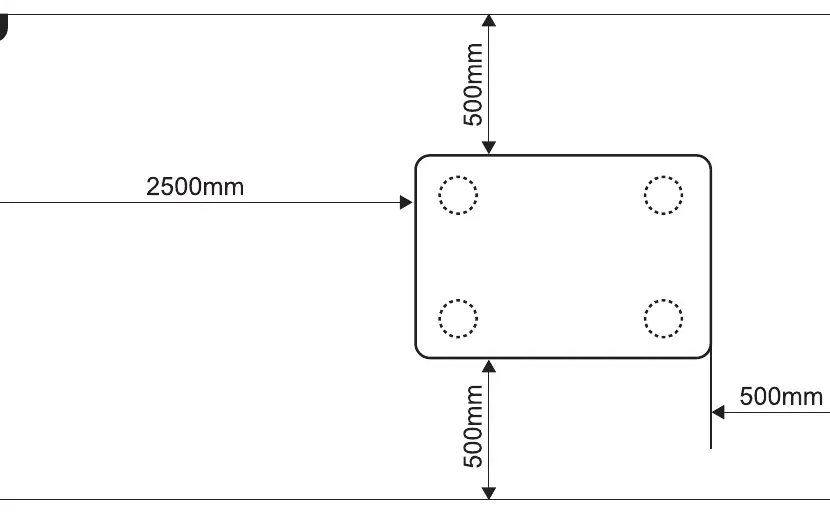
Preparation: Ensure a stable, level, and waterproof surface. Maintain a minimum distance of 2m from the pool and follow the clearance requirements (500mm sides, 2500mm front).
Water connections:
- Clean the water connection inlet and outlet.
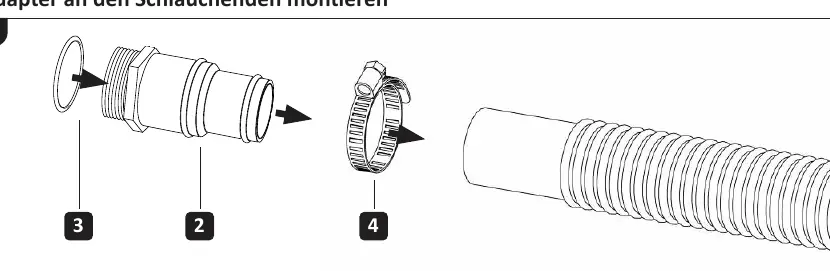
- Fit the adapters to the hose ends using the provided hose clamps and seals.
- Screw the inlet and outlet pipes onto the respective connections on the heat pump.
Power supply: Connect the mains plug to a suitable power source. All display elements will light up upon connection.
Operation
Display and controls: Use the buttons to navigate modes and settings. The key lock activates automatically after 60 seconds of inactivity; hold Up and Down buttons for 3 seconds to deactivate.
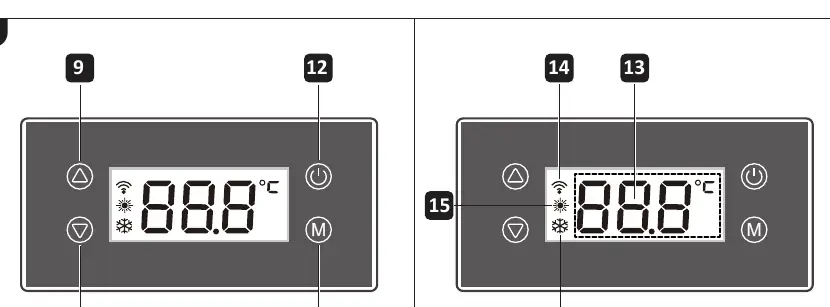
Operating modes:
- Heating: Heats water to the set temperature.
- Defrost: Automatically activated by the device when the heat exchanger ices up.
App pairing:
- Press On/Off to activate.
- Hold Up and On/Off for 3 seconds until the WiFi indicator blinks.
- Use the Steinbach Control app to add the device (2.4 GHz WiFi only).
Maintenance and storage
Cleaning: Wipe surfaces with a dry cloth. Regularly clean the fan grille and heat exchanger fins to ensure proper airflow.
Winterizing: When temperatures drop below +5°C, disconnect all pipes, drain the water completely, and store the unit in a dry, frost-free location.
Troubleshooting
If the device does not start, wait 3 minutes. If the water is not heating, wait 24-48 hours for the target temperature to be reached. For error codes like E03 (low water flow), check the filter system and increase flow if necessary.
Manufacturer information
Steinbach International GmbH
Practical help
Common problems
Heat pump does not switch on
Check installation, reset the switch, or replace the fuse.
Heat pump does not start
Wait 3 minutes, check if water temperature is different from set temperature, or check operating mode.
Water is not heating
Wait 24-48 hours for the set temperature to be reached.
Ice on heat exchanger
Wait for the automatic defrost function to start.
Error code E03
Water flow is too low. Increase flow through the heat pump or check the filter pump.
Before use
- Check for visible damage to the device or controls
- Ensure accessories and pipes are in perfect condition
- Verify the inlet is not blocked
- Ensure ventilation slots are clear and clean
- Confirm the surface is stable and level
Specs in practice
- Protection class
- IPX4
Images and diagrams
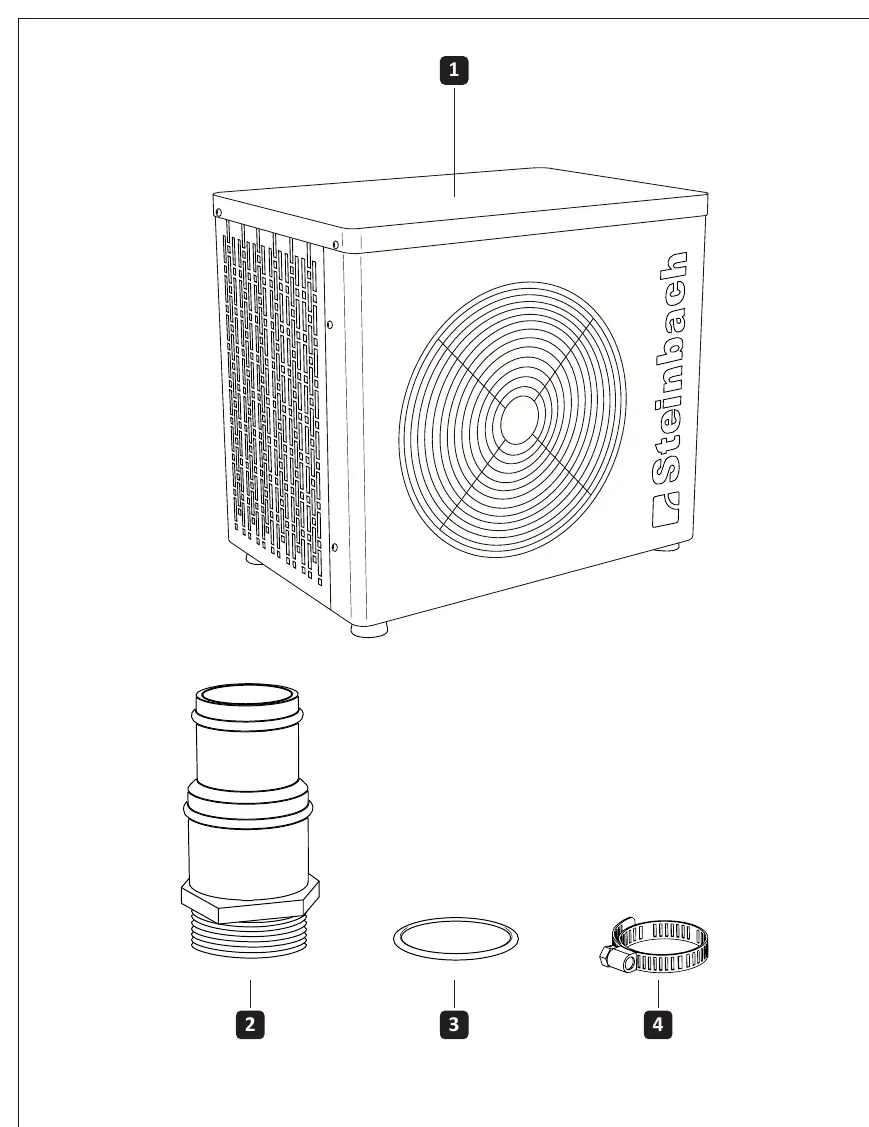
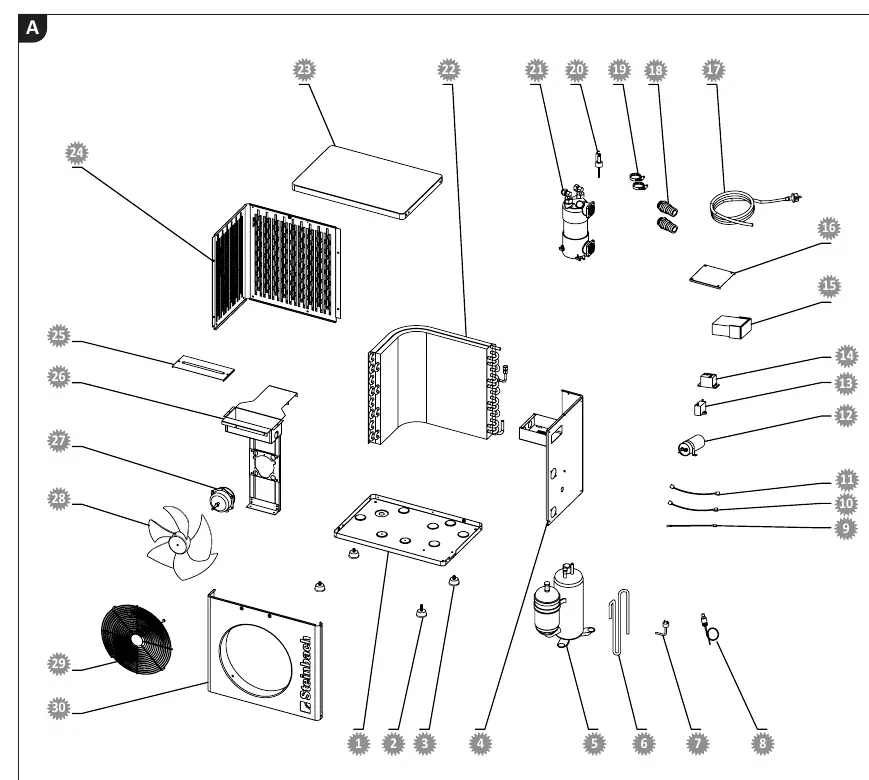
- Overview: Shows the heat pump and connection parts (1-4)
- Device parts: Identifies heat exchanger, connections, and display elements
- Installation: Shows required distances (500mm/2500mm)
- Adapter fitting: Step-by-step hose connection
Model compatibility
- Requires filtered water
- Salt concentration must not exceed 0.5%
- Outdoor use only
- App supports 2.4 GHz WiFi only

Manual page author
Michael Turner
Technical manual editor
Reviews PDF manuals for structure, safety notes, and practical product details so readers can find the right information quickly.