Home / Weather Stations & Thermometers
User Manual for Testo 174T and 174H Data Loggers
Quick guide for Testo 174T and 174H data loggers. Includes setup, operation, display icons, technical specifications, and battery management.
Table of contents
Manual images
Click an image to enlargeQuick Guide
This document provides essential information for the Testo 174T and 174H data loggers. For full commissioning, programming, and software setup, please refer to the complete instruction manual and the Testo ComSoft software manual. The software is available as a free download at www.testo.com/download-center.
Safety Instructions
- Use the product only for its intended purpose and within the parameters specified in the technical data.
- Do not use force.
- Never measure on or near live parts. Keep the read-out contacts on the rear of the data logger away from live parts.
- Perform only the maintenance and repair work described in the manual. Use only original Testo spare parts.
- Dispose of batteries according to local legal regulations.
- Do not use the device in polluted environments (heavily dusty, oil, foreign matter, volatile chemicals).
Technical Data
Testo 174T: Temperature measurement (NTC internal), -30 to +70 °C, IP 65 protection.
Testo 174H: Temperature and Humidity measurement (NTC/Humidity sensor internal), -20 to +70 °C, 0 to 100% RH, IP 20 protection. Not for condensing atmospheres.
Common Specifications:
- Measuring cycle: 1 min to 24 h (freely selectable).
- Memory capacity: 16,000 readings.
- Battery: 2 x 3 V button cell (CR 2032 Lithium).
- Dimensions: 60 x 38 x 18.5 mm.
- Weight: 35g.
Display and Operation
The display shows current readings, alarm values, and status icons. The operation flow allows you to cycle through stored values using the 'Go' button.
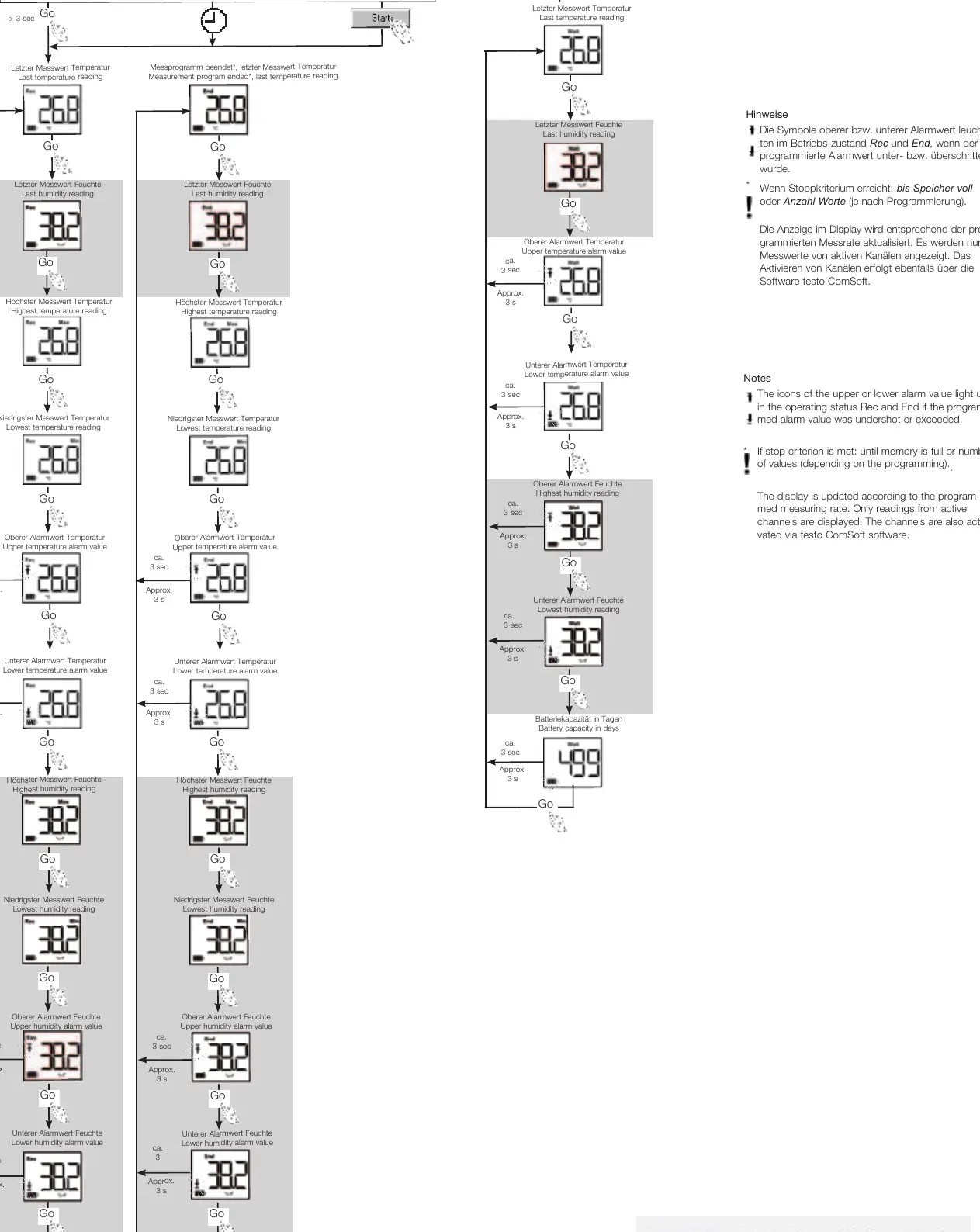
- Rec: Measurement program running.
- End: Measurement program ended.
- Alarm icons: Light up if the programmed alarm value was undershot or exceeded.
- Start criteria: Can be set via button, date/time, or PC start.
Releasing the Data Logger
The data logger is delivered secured in a wall bracket.
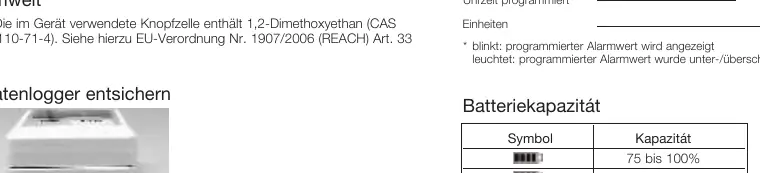
- Push both locks on the bottom of the wall bracket outwards.
- Slide the data logger out of the wall bracket.
Battery Management
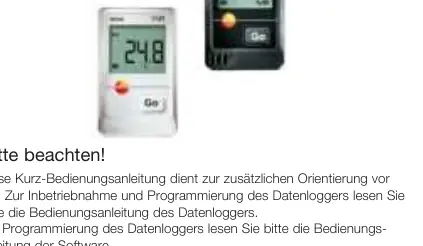
The battery capacity is indicated by an icon on the display. When the battery is empty, data must be read out, and the battery replaced. The button cell contains 1,2-Dimethoxyethane (CAS 110-71-4).
Official resources from the manual
Manufacturer information
Testo SE & Co. KGaA
Practical help
Common problems
Battery empty icon displayed
Read out data immediately and replace the battery.
Alarm icons flashing
The programmed alarm value has been undershot or exceeded.
High humidity usage (>80% RH)
For continuous use in high humidity, contact Testo via www.testo.com/service-contact.
Before use
- Download and install the Testo ComSoft software.
- Check the battery capacity icon on the display.
- Ensure the device is not used in a polluted or condensing environment.
- Verify the device is properly secured in the wall bracket if wall-mounted.
Specs in practice
- Measuring cycle
- The frequency at which the device records data (1 min to 24 h).
Images and diagrams
- The display shows the highest/lowest saved readings and alarm thresholds.
- The operation flow chart illustrates how to navigate through temperature and humidity readings using the 'Go' button.
Model compatibility
- 174T complies with EN 12830 standards.
- 174H is not suitable for condensing atmospheres.

Manual page author
Michael Turner
Technical manual editor
Reviews PDF manuals for structure, safety notes, and practical product details so readers can find the right information quickly.