HVAC / Air Conditioners
User Manual for AKO 15724/15725 Temperature Data Logger
Quick guide for the AKO 15724/15725 Temperature Data Logger. Learn how to install, wire, configure parameters, and download data via SD card.
Table of contents
Manual images
Click an image to enlargeQuick Guide
The AKO 15724/15725 is a temperature data logger designed for monitoring and recording temperature data. Key operations include configuring inputs, setting alarms, and downloading recorded data to an SD card. Upon first use, you must set the date and time.
Installation and Wiring
Warnings: Install the device away from vibrations, water, and corrosive gases. Ensure the ambient temperature does not exceed the specified limits. Always disconnect power before wiring. The power supply circuit must include a switch (min 2A, 230V) near the device.
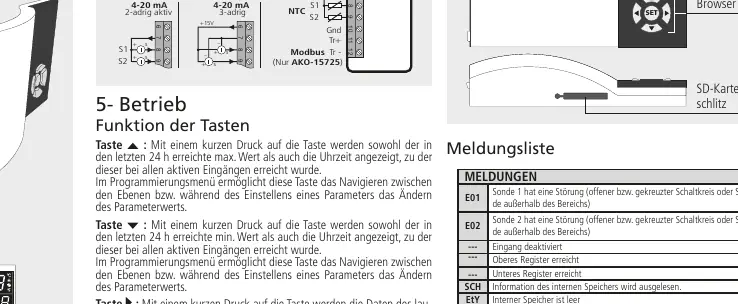
Wiring: Use shielded cables for NTC probe extensions and connect the braid to ground. Do not install probe cables alongside power or control cables. The device supports various input types including NTC, 4-20mA (active/passive), and digital inputs.
Operation and Buttons
The device features several buttons for navigation and data management:
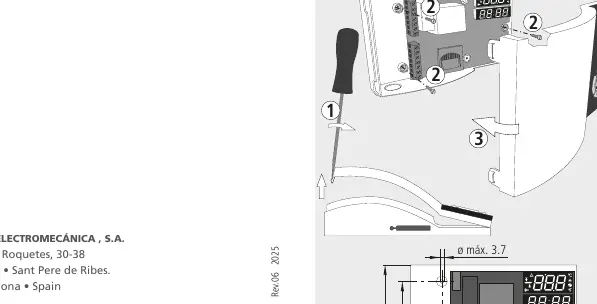
- N (Up): View max value/time in the last 24h; navigate menus.
- Q (Down): View min value/time in the last 24h; navigate menus.
- O (Download): Download current recording data to SD card.
- P (Download All): Download all registered data to SD card; exit programming.
- SET: Download last completed recording; mute alarm; confirm settings.
To access the programming menu, press N + Q simultaneously for 10 seconds.
Data Management
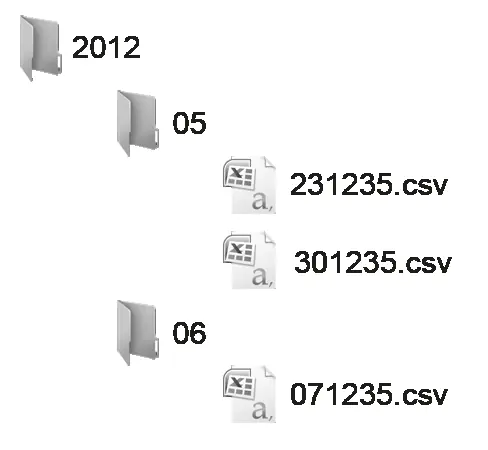
The device stores data in internal memory blocks. You can transfer this data to a PC using an SD card. Data is saved in .csv format. Important: Do not remove the SD card until the SD card indicator light has turned off.
Programming Menu
The programming menu allows you to configure inputs (InP), alarms (AL), general settings (CnF), data logger settings (dLG), date/time (rtC), and access control (tid). If no button is pressed for 20 seconds, the device returns to the previous level without saving changes.
Troubleshooting
The device displays error codes to indicate issues:
- E01/E02: Probe 1 or 2 failure (open/short circuit or out of range).
- E13: SD card not detected.
- E14: Write error on SD card.
- E15: SD card format error (must be FAT/FAT32).
- E16: SD card is write-protected.
- EtY: Internal memory is empty.
Technical Specifications
- Power Supply: 90-240 V~ 50/60Hz
- Alarm Relay: 8 A cos φ=1
- NTC Range: -50 ºC to 99.9 ºC
- Protection: IP40
- Internal Buzzer: 70 dB at 30 cm
- SD Card: SD/SDHC (FAT/FAT32)
Manufacturer information
AKO Group
Practical help
Common problems
E01 or E02 error code
Probe failure. Check for open or short circuits or if the temperature is out of range.
E15 error code
SD card format error. Ensure the SD card is formatted as FAT or FAT32.
E13 error code
SD card not detected. Ensure it is inserted correctly.
E16 error code
SD card is write-protected. Disable the write protection switch on the SD card.
Before use
- Disconnect power before performing any wiring.
- Ensure the power supply circuit has a switch (min 2A, 230V) nearby.
- Use shielded cables for NTC probe extensions and ground the braid.
- Set the date and time during initial startup.
- Ensure the SD card is formatted as FAT or FAT32 before use.
Specs in practice
- Power Supply
- 90-240 V~ 50/60Hz
Images and diagrams
- Wiring diagram shows connections for 4-20mA (active/passive), NTC probes, and digital inputs.
- Button functions diagram illustrates how to navigate menus and trigger data downloads.
- CSV file structure diagram shows how data is organized in folders by year, month, and file.
Model compatibility
- Only use probes supplied by AKO for proper operation.
- SD card must be formatted as FAT or FAT32.
- Maximum deviation for extended NTC cables is 0.25 °C.

Manual page author
Emily Carter
User documentation editor
Prepares concise manual descriptions and highlights the most useful setup, operation, and maintenance information for readers.