Lighting / Fixtures
Aigostar LED Under Cabinet Light (101000H3E) Instruction Manual
Comprehensive user guide for the Aigostar LED under cabinet light, covering installation, gesture control operation, safety precautions, and maintenance.
Table of contents
Product Overview
The Aigostar LED under cabinet light is a versatile lighting solution designed for home, office, and hallway environments. This movable light fixture features advanced gesture control technology, allowing for touch-free operation, which enhances convenience and hygiene in various settings. The product is designed for indoor use and provides efficient illumination for under-cabinet spaces, work surfaces, or decorative accents.
Installation and Setup
Installation is straightforward and flexible, offering two primary mounting methods: using the included 3M adhesive tape for a non-invasive setup or using the provided screws for a more permanent fixture. Ensure the surface is clean and dry before applying the adhesive. The light requires a 5V/0.7A or 5V/1.5A USB power adapter (not included) to function correctly. Always disconnect the power supply before beginning any installation or maintenance work to prevent the risk of electric shock.
Operation
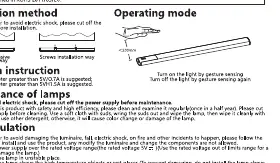
The light is equipped with a gesture sensor located on the unit. To turn the light on or off, simply move your hand within a 200mm range of the sensor. This touchless interface is ideal for kitchen environments where hands may be wet or dirty. Ensure the sensor area is kept clean to maintain optimal responsiveness.
Safety and Maintenance
For your safety, strictly follow these guidelines: do not use a power supply that exceeds the rated voltage, as this may damage the internal components. Do not install the light in unstable locations or near high-temperature objects. The light source is non-replaceable; once it reaches the end of its lifespan, the entire unit should be replaced. Regularly inspect the light for any signs of damage or loose connections. Clean the unit periodically with a soft, dry cloth. Do not use abrasive cleaners or chemicals, as these can damage the surface finish. If you notice any abnormal phenomena, such as flickering or overheating, immediately disconnect the power and contact the vendor for assistance. Do not attempt to disassemble or modify the product, as this voids the warranty and may pose a safety risk.
Disposal
When the product reaches the end of its service life, please dispose of it according to local environmental regulations. Do not discard the unit with regular household waste. Proper recycling helps minimize environmental impact and ensures that electronic components are handled safely.
Manufacturer information
Aigostar
Practical help
Common problems
Light does not turn on
Check if the USB power adapter is properly connected and provides the required 5V/0.7A or 5V/1.5A output.
Gesture sensor unresponsive
Ensure the sensor area is clean and free of dust or obstructions. Keep hand movement within 200mm of the sensor.
Before use
- Verify the power supply meets the 5V requirement.
- Ensure the mounting surface is clean and dry.
- Check that the USB cable is securely connected.
- Confirm the installation location is away from high-temperature sources.
Specs in practice
- Rated Voltage
- The required input voltage (5V) for safe operation.
- Waterproof Level
- IP20 rating, indicating the light is for indoor use and not protected against water ingress.
Images and diagrams
- Gesture control range is indicated as less than 200mm from the sensor.
- Two mounting options are shown: 3M adhesive tape and screw-based installation.
- The USB connection is required for power input.
Model compatibility
- Requires a 5V/0.7A or 5V/1.5A USB power adapter.
- Designed exclusively for indoor use.
- Not compatible with external dimmers.

Manual page author
Emily Carter
User documentation editor
Prepares concise manual descriptions and highlights the most useful setup, operation, and maintenance information for readers.