Tools / Power Tools
User Manual for Bosch EasyGrassCut 23/26 Lawn Trimmer
Quick guide for the Bosch EasyGrassCut 23 and 26 lawn trimmers. Includes assembly, operation, maintenance, and troubleshooting instructions.
Table of contents
Manual images
Jump to the sectionQuick guide from the manual
The Bosch EasyGrassCut 23 and 26 are lawn trimmers designed for domestic use, specifically for trimming grass, weeds, and nettles in areas inaccessible to lawn mowers, such as slopes, under obstacles, and along lawn edges. This tool is not designed for commercial or industrial use.
Safety Information
- General: Read all safety warnings and instructions. Failure to follow them may result in electric shock, fire, or serious injury.
- Work Area: Keep the work area clean and well-lit. Do not operate in explosive atmospheres (flammable liquids, gases, or dust). Keep children and bystanders away.
- Electrical Safety: Ensure the plug matches the outlet. Do not modify the plug. Use only approved extension cables for outdoor use. Use a residual current device (RCD) with a tripping current of max 30 mA.
- Personal Safety: Stay alert, use common sense, and wear appropriate protective equipment (eye protection, sturdy footwear, long trousers).
Assembly
- Shaft: Remove the transport safety (7). Connect the individual parts of the shaft until they audibly engage. Note: A connected shaft cannot be disassembled.
- Handle: Adjust the handle (1) to the desired position by pressing the release buttons (5).
- Protection Guard: Before mounting, pull the plant-protection frame from the delivery position to the storage position. Position the protection guard (6) on the trimmer head and fasten it with the provided screw. Once mounted, do not disassemble. Pull the plant-protection frame to the working position.
Operation
- Switching On/Off: Press the lock-off button (2), then press and hold the On/Off switch (3). Release the switch to turn off.
- Line Feeding: The trimmer features a semi-automatic feeding system. It feeds 10 mm of line with every press of the On/Off switch. For manual feeding, press the line-feed button (13) and pull the line to the desired length.
Maintenance and Cleaning
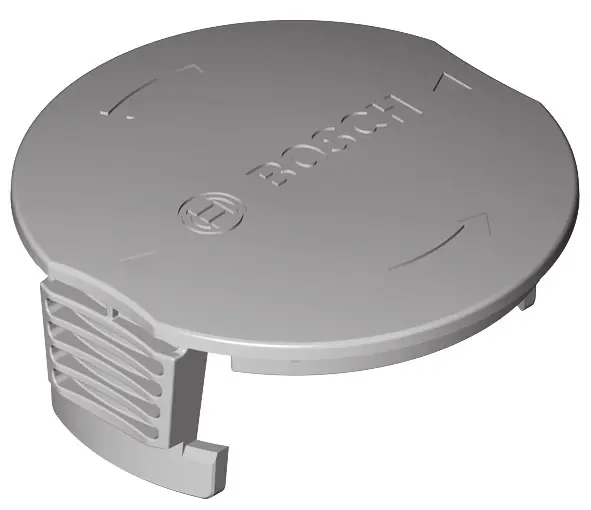
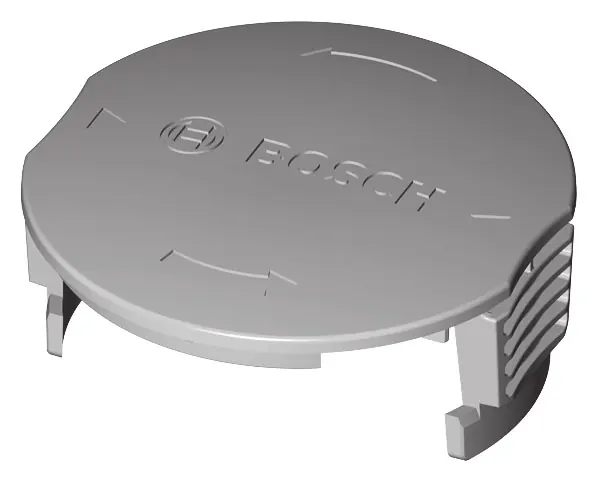
- Spool Maintenance: Before replacing the spool, disconnect the mains plug. Press the latches on the spool cover (9) to remove it. Remove the empty spool (10). Cut approx. 4.0 m of line, insert one end into the spool's line-wind-up hole (11), and wind it uniformly and tightly. Feed the other end through the hole (12) in the trimmer head and reassemble.
- Cleaning: Always wear protective gloves when cleaning the product or replacing the cutting line.
Troubleshooting
If the motor does not start, check the power supply, socket, extension cable, and fuse. If the tool functions intermittently, check the extension cable or contact Bosch customer service. If the tool is overloaded, cut the grass in stages. If the line does not feed, check the spool and refill if necessary.
Manufacturer information
Bosch
Practical help
Common problems
Motor does not start
Check power supply, mains socket, extension cable, and fuse.
Tool functions intermittently
Check extension cable for damage or contact Bosch customer service.
Tool does not cut
Manually feed the cutting line or replace the empty spool.
Line does not feed
Check if the line is tangled in the spool or if the spool is empty.
Heavy vibrations
Check if the line is broken, the cutting system is damaged, or if grass is stuck in the spool housing.
Before use
- Check the area for wildlife and pets.
- Remove stones, sticks, wires, and other foreign objects from the work area.
- Ensure the protection guard is correctly mounted.
- Check the extension cable for damage.
- Wear eye and ear protection.
Specs in practice
- Rated power input
- 280 W
- No-load speed
- 12500 min-1
- Cutting line diameter
- 1.6 mm
- Cutting diameter
- 23 cm (EasyGrassCut 23) / 26 cm (EasyGrassCut 26)
- Spool capacity
- 4.0 m
Images and diagrams
- A: Product components overview.
- B: Delivery scope check.
- C: Removing transport safety.
- D: Assembling the shaft.
- E: Adjusting the handle.
Model compatibility
- Use only Bosch-approved cutting elements.
- Operating voltage: 230V AC, 50Hz.

Manual page author
David Miller
Documentation analyst
Organizes user manual content into clear summaries, with attention to model details, product context, and everyday usability.