Home Appliances / Washing Machines
User Manual for Candy CST 07LE-1-S Washing Machine
Quick guide and user manual for the Candy CST 07LE-1-S washing machine. Includes installation, operation, maintenance, Smart Touch features, and troubleshooting.
Table of contents
Manual images
Click an image to enlargeQuick guide from the manual
This washing machine automatically adjusts water levels based on the type and quantity of laundry, optimizing energy and water consumption. To start a wash, turn on the machine, select the desired program, adjust temperature or options if needed, and press the START/PAUSE button. If power is lost, the machine will resume from the point it stopped once power is restored.
Safety instructions
- This appliance is intended for domestic use only.
- Children aged 8 and above can use the appliance under supervision.
- Water pressure must be between 0.05 MPa and 0.8 MPa.
- Ensure the power plug is accessible after installation.
- Do not use adapters, multiple sockets, or extension cords.
Installation
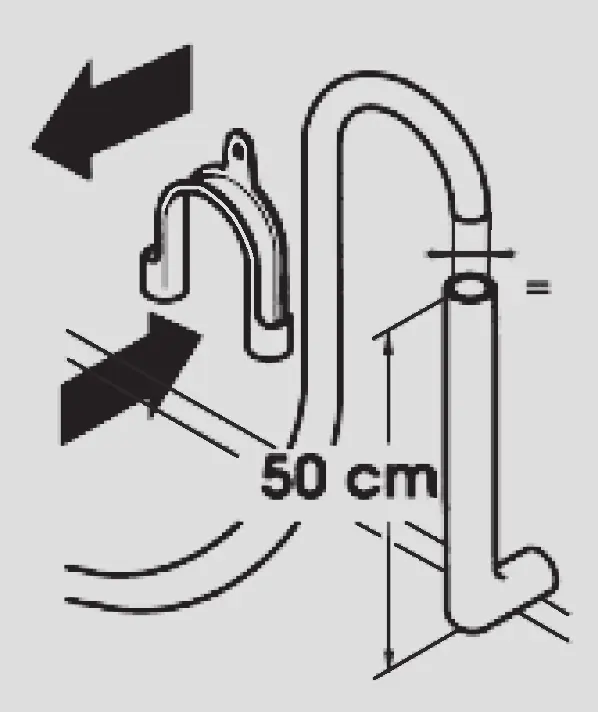
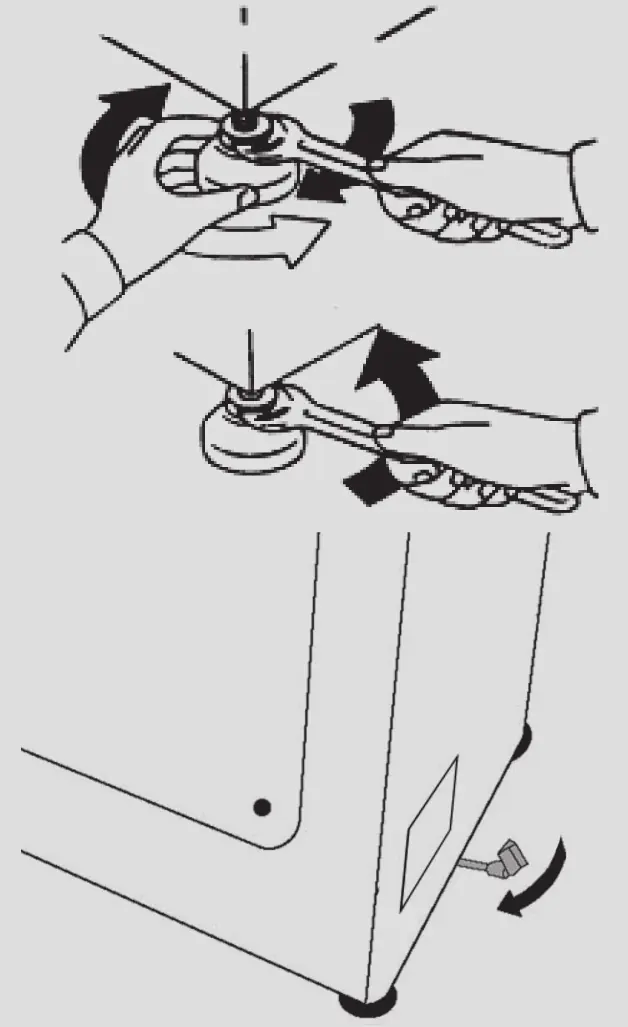
Before use, remove the transit bolts (A) and spacers (B) from the back of the machine. Level the machine using the front feet to ensure stability. Connect the water inlet hose to a 3/4" threaded tap and the drain hose to a fixed drain or sink edge at a height between 50 cm and 75 cm.
Practical tips
- Sort laundry by fabric type, color, and soil level.
- Load the machine to its maximum capacity to save energy and water.
- Use the prewash option only for heavily soiled items.
- Use detergents suitable for machine washing and follow manufacturer dosage instructions.
Maintenance
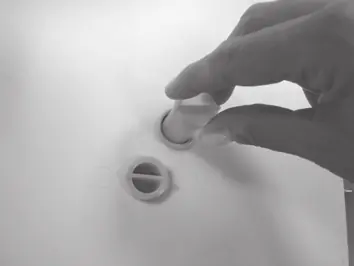
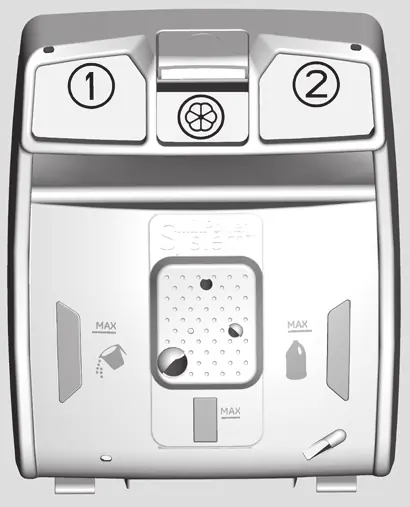
Clean the filter monthly to trap large residues like coins or buttons. Clean the detergent dispenser regularly to prevent buildup. If the machine is stored in an unheated room, drain all water from the tubes.
Smart Touch technology
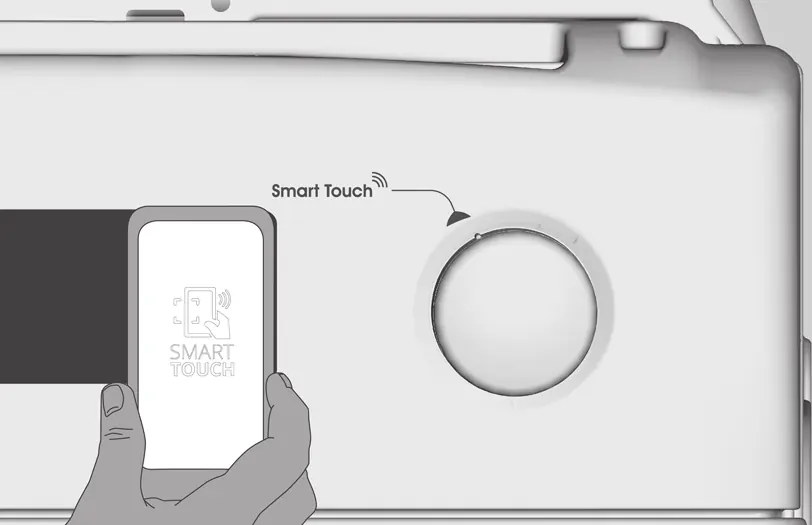
This machine features Smart Touch technology for interaction via the Candy simply-Fi app on Android smartphones with NFC. Enable Smart Touch on the program knob, ensure NFC is active on your phone, and hold the phone against the Smart Touch logo on the machine to interact.
Troubleshooting
If the machine displays an error (E2, E3, E4, E7), consult the troubleshooting section. E2 indicates water loading issues, E3 indicates drainage issues, E4 indicates excessive foam, and E7 indicates a door problem.
Manufacturer information
Candy
Practical help
Common problems
E2 error (Machine not loading water)
Check if the water tap is open, the inlet hose is not bent or trapped, and the filter is clean.
E3 error (Machine not draining)
Check if the filter is clogged, the drain hose is not bent, and the home drainage system is not blocked.
E4 error (Excessive foam)
Ensure the correct amount of detergent is used and that it is suitable for washing machines.
E7 error (Door problem)
Ensure the door is correctly closed and no clothes are obstructing it.
Before use
- Remove transit bolts and spacers from the back
- Level the machine using the front feet
- Connect the water inlet hose to a 3/4" tap
- Ensure the drain hose is at the correct height (50-75 cm)
- Unlock phone screen and enable NFC for Smart Touch
Specs in practice
- Water pressure
- Must be between 0.05 MPa and 0.8 MPa for proper operation.
Images and diagrams
- Transit bolt removal (A and B)
- Drain hose installation height (50-85 cm)
- Smart Touch NFC antenna position on the machine
- Detergent dispenser compartments (1, 2, and softener)
Model compatibility
- Smart Touch features require an Android smartphone with NFC technology.

Manual page author
Michael Turner
Technical manual editor
Reviews PDF manuals for structure, safety notes, and practical product details so readers can find the right information quickly.