Electronics / Routers
Cisco IOS Release 15.1M&T: Key Updates and Supported Platforms
Release notes for Cisco IOS Release 15.1M&T, covering supported hardware platforms, system requirements, feature support, and troubleshooting information.
Table of contents
Overview
Cisco IOS Release 15.1M&T integrates over 2000 key capabilities spanning multiple technology areas, including Security, Voice, Multiprotocol Label Switching (MPLS), IP Services, and Embedded Management. This release is designed for the latest features and hardware support, providing a standard maintenance bug-fix cycle.
Supported Hardware Platforms
Cisco IOS Release 15.1M&T supports a wide range of Cisco hardware, including:
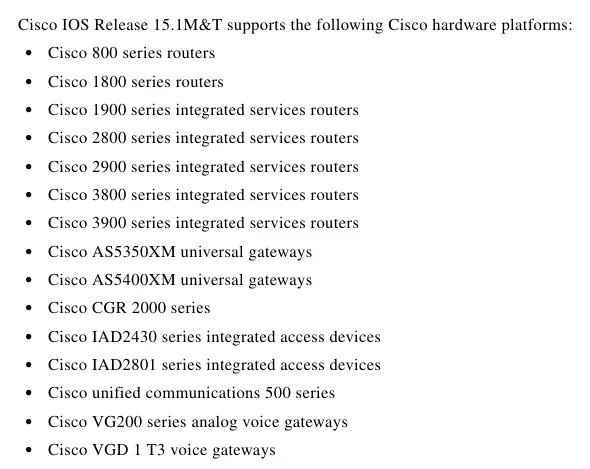
- Cisco 800, 1800, 1900, 2800, 2900, 3800, and 3900 series routers
- Cisco AS5350XM and AS5400XM universal gateways
- Cisco CGR 2000 series
- Cisco IAD2430 and IAD2801 series integrated access devices
- Cisco unified communications 500 series
- Cisco VG200 series analog voice gateways and VGD 1 T3 voice gateways
Software Version and Upgrades
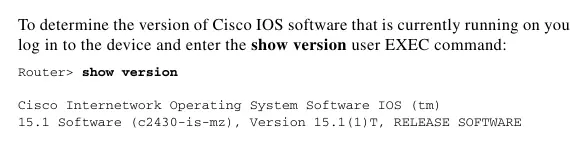
To determine your current software version, log in to your device and enter the show version command. For information on selecting and upgrading to a new release, users should consult the platform-specific installation guides or use the Cisco Feature Navigator, a web-based tool for comparing feature support and memory requirements across different software images.
Feature Support and Security
Cisco IOS software is packaged in feature sets. Images with strong encryption (such as 168-bit 3DES) are subject to U.S. government export controls and may require an export license for installation outside the United States. Users should verify feature support using the Cisco Feature Navigator.
Troubleshooting
A variety of resources are available for troubleshooting hardware and software issues, including the Hardware Troubleshooting Index, documentation on bus error exceptions, and guides for resolving configuration loss during reboots, router hangs, memory problems, and high CPU utilization.
MIBs and Support
MIBs can be located and downloaded using the Cisco MIB Locator. For additional support, users are encouraged to review field notices for their specific hardware and software platforms and subscribe to Cisco software notifications via the Software Center.
Related manuals
Related manuals from the same brand or category.
Electronics / Routers
Cisco Business 142AC Mesh Extender Quick Start Guide
CiscoElectronics / Routers
Cisco Business 141AC Mesh Extender User Guide
CiscoElectronics / Routers
Cisco Business 140AC Access Point User Guide
CiscoSoftware / Apps Services
Cisco Unity Connection 12.x Server Maintenance Guide
CiscoDocuments / Warranty Safety