Software / Apps Services
Release Notes for Cisco IOS XE Catalyst SD-WAN Release 17.14.x
Official release notes for Cisco IOS XE Catalyst SD-WAN Release 17.14.x, detailing new features, enhancements, resolved bugs, and important configuration considerations.
Table of contents
Product Overview
Cisco SD-WAN has been rebranded as Cisco Catalyst SD-WAN. This release, 17.14.x, introduces significant enhancements to the platform, focusing on simplification, consistency, and improved operational capabilities for network administrators.
Key Features and Enhancements
- Cloud Services: New procedures for enabling Cisco SD-AVC Cloud Connector without requiring an OTP or TAC case.
- License Management: Enhanced compliance messaging, manual license release capabilities, and multitenant license management at the provider level.
- Security: Added support for custom application traffic matching, IPv6 support for UTD security policies, Zscaler integration, and IPv6 GRE/IPsec tunnels to third-party devices.
- Cloud OnRamp: Configuration groups for AWS and Azure for US Government integration, plus Pay-As-You-Go (PAYG) license support for Megaport.
- AppQoE: IPv6 protocol support and DRE optimization via configuration groups.
- Monitoring and Maintenance: Cellular modem firmware upgrades, protocol pack management, and configuration export/import functionality.
- System and Interfaces: Layer 2 VPN support on the overlay network and load balancing for EtherChannels on the transport side.
- NAT: Support for multiple NAT types, NAT66 route redistribution, and PPP dialer interfaces for NAT66 DIA.
Important Notes and Known Behaviors
Users should be aware of specific hardware and software behaviors:
- Cisco IOS XE Catalyst SD-WAN devices with SFP-10G-SR modules do not support online insertion and removal (OIR).
- BFD session behavior on Private TLOC has been improved to remain unaffected by changes in Public IP or port from transit NAT devices starting from release 17.14.1.
- Auto-correct options in Cisco SD-WAN Manager have been replaced by a manual audit process under Configuration > Cloud OnRamp for Multicloud.
Support and Troubleshooting
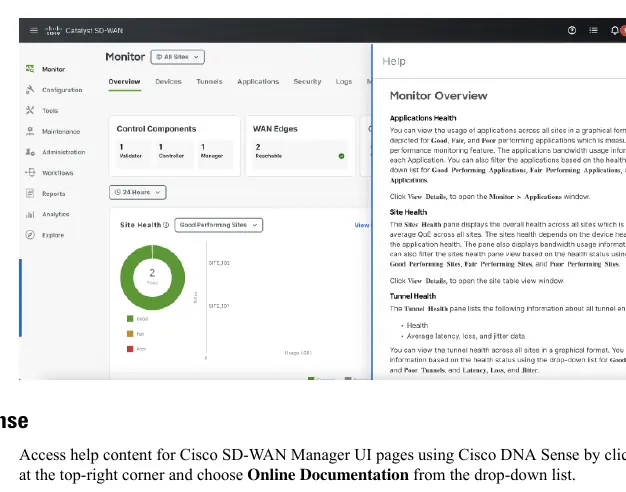
For technical assistance, users can access the Cisco Bug Search Tool to view detailed information on resolved and open bugs. In-product help is available directly within the Cisco SD-WAN Manager UI by clicking the Help icon, providing access to documentation and the Cisco Networking Bot for interactive support.
Related manuals
Related manuals from the same brand or category.
Software / Apps Services
Release Notes for Cisco Prime Collaboration Deployment, Release 15SU3
CiscoSoftware / Apps Services
Cisco Unity Connection 12.x Server Maintenance Guide
CiscoSoftware / Apps Services
Verified Scalability Guide for Cisco Nexus Dashboard Fabric Controller, Release 12.0.2f
CiscoGeneral / Other Manuals
Cisco IOS XE 17.x Ethernet Operations, Administration, and Maintenance (OAM) Guide
CiscoGeneral / Other Manuals
Cisco IOS XE 17.x Routing Information Protocol (RIP) Configuration Guide
CiscoGeneral / Other Manuals
Preserve 802.1Q Tagging with 802.1P Marking over ATM PVCs for xDSL Uplinks
CiscoGeneral / Other Manuals
Cisco 17.X NAT IP Address Conservation User Guide
CiscoElectronics / Monitors
Cisco IOS XE IP SLAs HTTPS Operations Configuration Guide
CiscoDocuments / Warranty Safety
Programmability Configuration Guide for Cisco IOS XE Cupertino 17.9.x
Cisco
Manual page author
Michael Turner
Technical manual editor
Reviews PDF manuals for structure, safety notes, and practical product details so readers can find the right information quickly.