Home Appliances / Ovens
Cuisinart Dual Zone 11-Qt Basket Air Fryer ADZ-110 User Guide
Comprehensive user guide for the Cuisinart ADZ-110 Dual Zone 11-Qt Basket Air Fryer, including setup, cooking functions, maintenance, and troubleshooting.
Table of contents
Manual images
Jump to the sectionProduct Overview
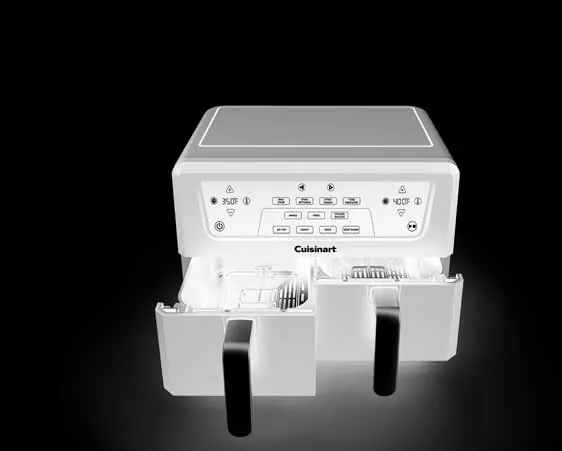
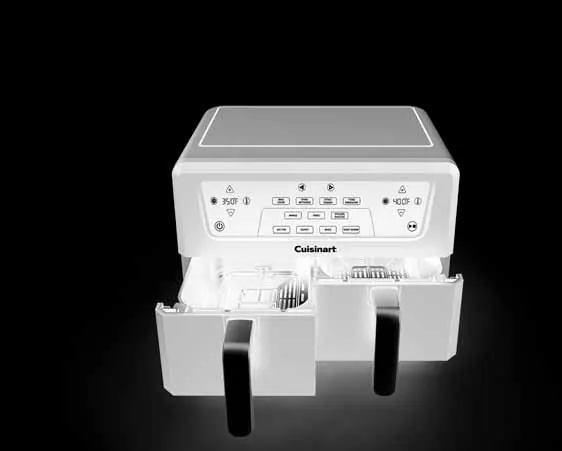
The Cuisinart Dual Zone 11-Qt Basket Air Fryer (ADZ-110) is a versatile kitchen appliance designed for air frying, roasting, baking, and keeping food warm. It features two independent baskets, allowing you to cook two different foods simultaneously with separate time and temperature settings.
Key Features
- Dual Baskets: Independent control for each basket.
- Sync Finish: Ensures both baskets finish cooking at the same time.
- Sync Settings: Duplicates settings from one basket to the other for identical dishes.
- Max Crisp: High-temperature function (405°F-450°F) for faster, crispier results.
- Toss Reminder: Audio alert to flip or toss food halfway through the cooking cycle.
- Auto Keep Warm: Automatically activates after the cooking cycle ends.
Safety and Setup
Always place the unit on a flat, heat-resistant surface with 2-4 inches of clearance from walls or other objects. Never store items on top of the air fryer. Ensure crisper plates are inserted into the baskets before cooking. Do not use metal scouring pads for cleaning, as they can damage the finish and pose an electrical risk.
Operation
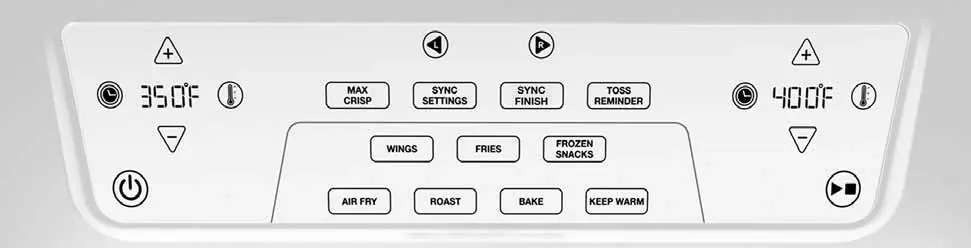
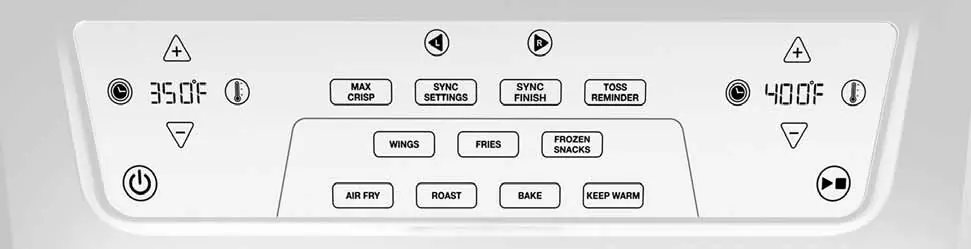
Wake the control panel using the Power/Standby icon. Select the desired basket, cooking function (Air Fry, Roast, Bake, Keep Warm), and adjust time and temperature as needed. The unit enters sleep mode after 5 minutes of inactivity. For baking, use the Preheat feature to ensure optimal results.
Cleaning and Maintenance
Always unplug the unit and allow it to cool completely before cleaning. Baskets and crisper plates are dishwasher safe, or they can be hand-washed with hot, sudsy water and a nylon brush. For tough residue, soak the accessories. Do not immerse the main body in water.
Support
For assistance, contact Cuisinart Consumer Service at 1-800-726-0190.
Manufacturer information
Cuisinart
Practical help
Common problems
Unit will not turn on
Ensure the unit is plugged into a functional outlet and the baskets are securely in place.
OUT error message
The basket is not correctly inserted into the unit.
Food is not crispy or evenly cooked
Ensure food is in a single layer without overlap. Use the Toss Reminder to flip food halfway through. Add a light coating of oil if necessary.
Food is undercooked
Avoid overcrowding the basket. If using both baskets simultaneously, increase total cooking time by 10-15 minutes.
Before use
- Unpack the unit and remove all promotional labels.
- Place on a flat, level, heat-resistant surface.
- Ensure 2-4 inches of clearance from walls.
- Check that the interior is empty.
- Wash baskets and crisper plates in warm, soapy water and dry thoroughly.
Specs in practice
- Temperature Adjustment
- Adjustable in 5°F increments.
- Time Adjustment
- Adjustable in 1-minute increments.
Images and diagrams
- The digital control panel allows independent selection of left and right baskets.
- Icons for Air Fry, Roast, Bake, and Keep Warm are located centrally.
- Time and temperature arrows are positioned on either side of the display for each basket.
- Start/Stop and Power icons are clearly marked for easy operation.
Model compatibility
- Not intended for commercial use.
- Designed for use with 120V outlets only.
- Use heat-safe baking pans (not included) for baked goods, quiches, or casseroles.

Manual page author
David Miller
Documentation analyst
Organizes user manual content into clear summaries, with attention to model details, product context, and everyday usability.