Power / Solar Systems
User Manual for EcoFlow 160W Portable Solar Panel
Quick guide for the EcoFlow 160W Portable Solar Panel. Learn how to set up, connect, maximize power output, and maintain your solar panel for optimal performance.
Table of contents
Manual images
Click an image to enlargeQuick Guide for EcoFlow 160W Solar Panel
This guide provides essential instructions for setting up and using your EcoFlow 160W Portable Solar Panel. Always ensure the panel is positioned correctly to maximize sunlight exposure and verify compatibility with your power station before connection.
Overview
The solar panel features a built-in solar angle guide, a junction box with a 1.5m output cable, and pre-drilled holes for mounting. The kickstand includes elastic straps for easy angle adjustment.
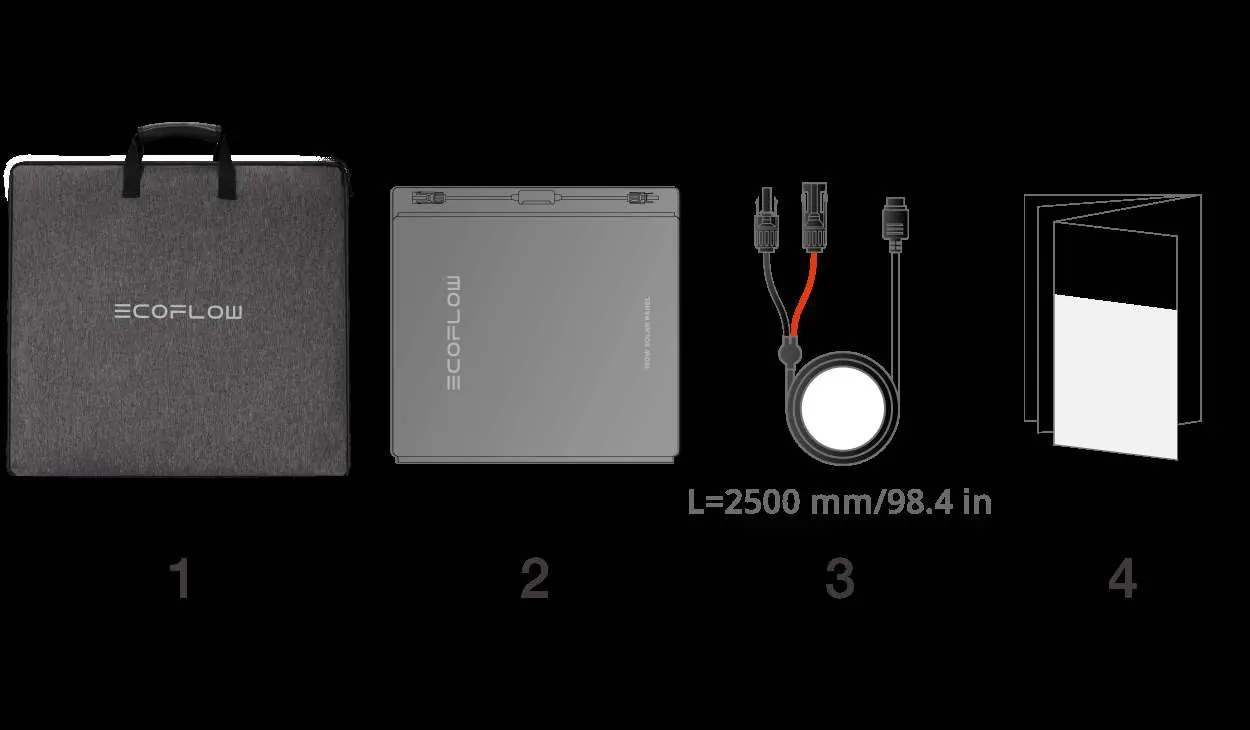
Getting Started
To set up the panel:
- Place the panel on a flat surface.
- Unfold the kickstand first, then unfold the solar panel.
- Position the panel facing the sun.
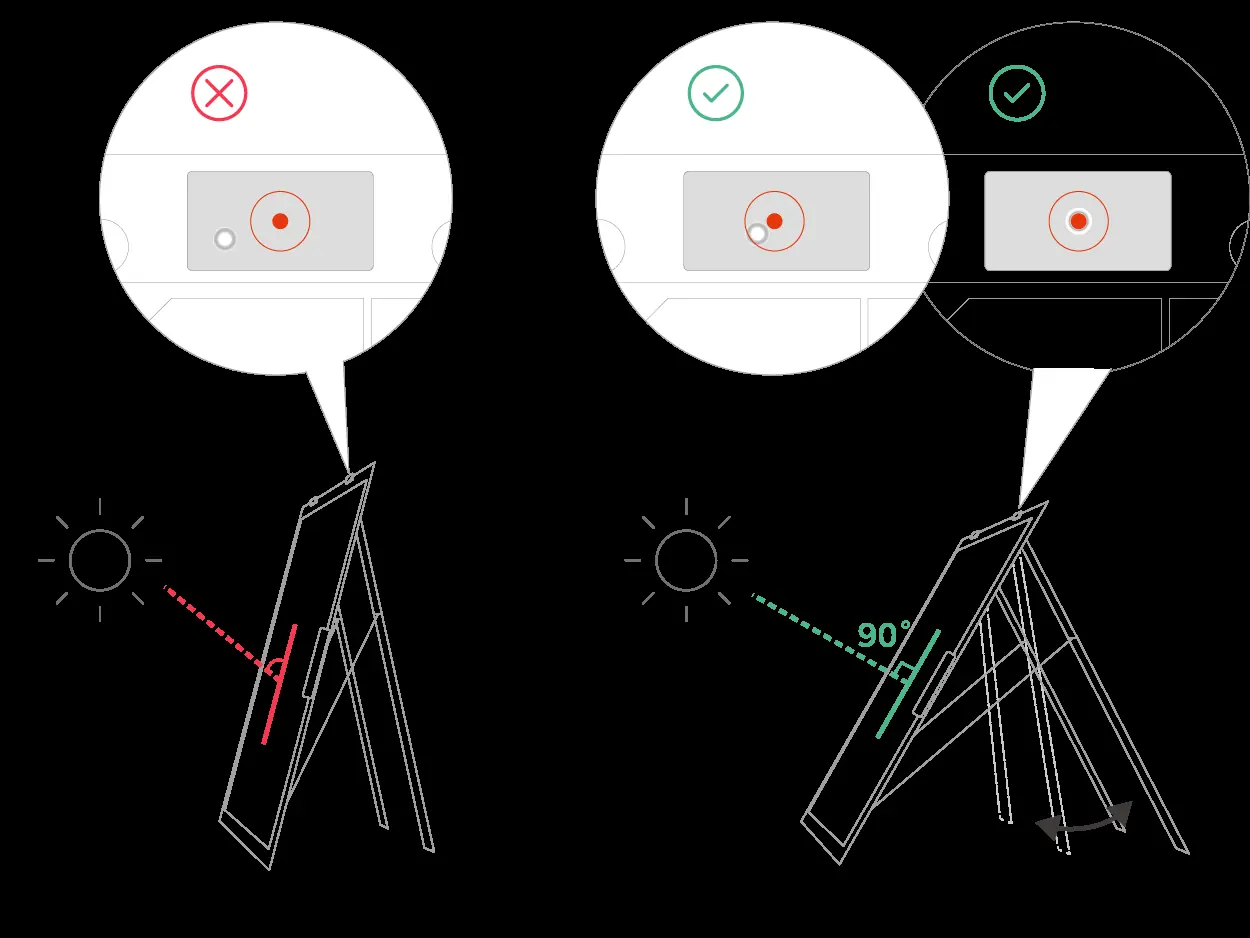
- Use the solar angle guide: adjust the panel until the shadow of the dot falls into the center of the red circle. This indicates a 90° angle, which provides maximum power output.
Powering Your Devices
You can connect the panel to an EcoFlow portable power station or other compatible devices.
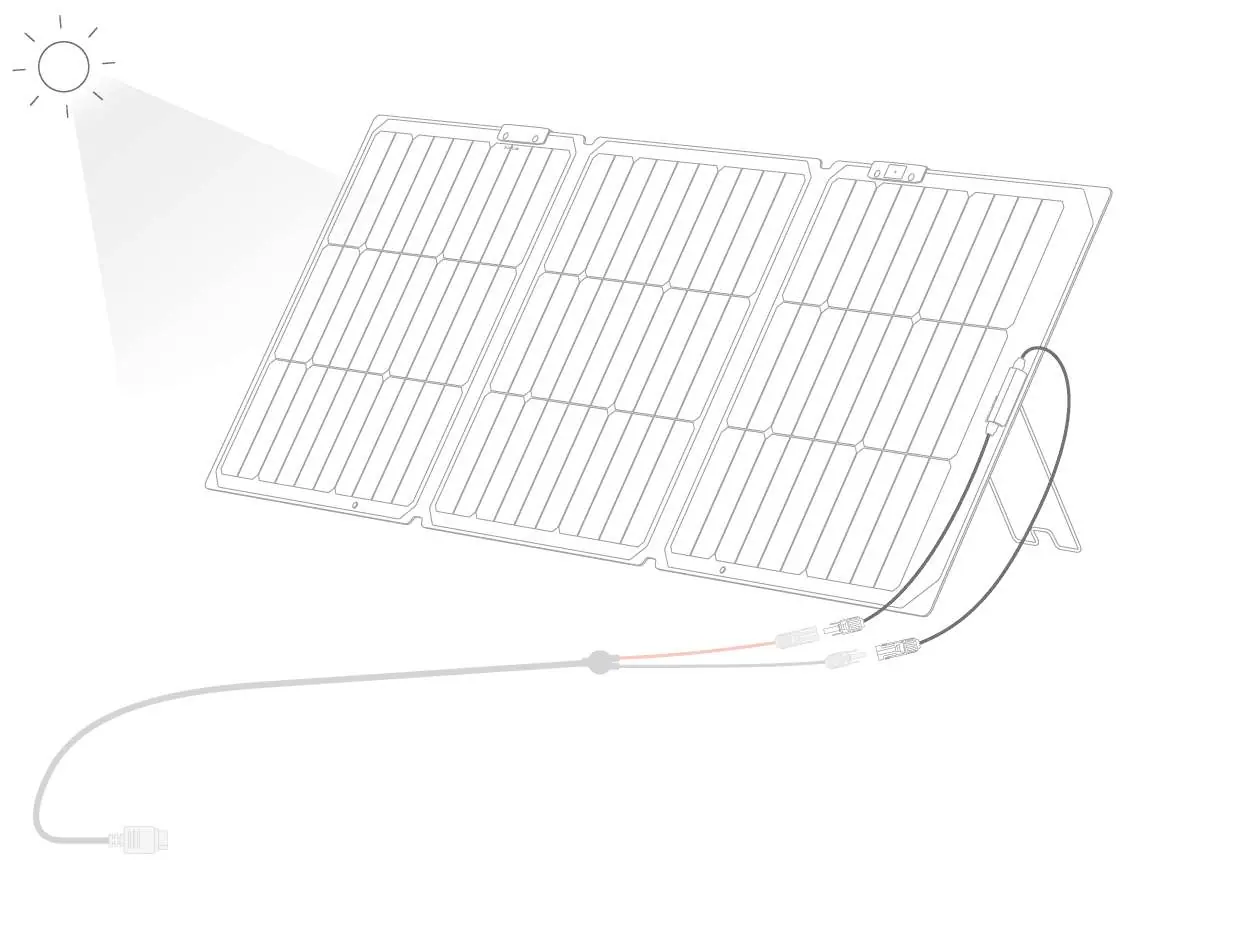
- Ensure the panel's maximum output parameters are within the input range of your device to prevent damage.
- Connect the solar panel output cable to the XT60i solar charging cable.
- Connect the other end of the charging cable to the solar input port (XT60) of your device.
- If using a third-party device, verify that it supports solar input and that the electrical parameters match the panel's requirements.
Maximizing Power Output
To ensure optimal performance:
- Sunlight: Use the panel on sunny days. Cloudy or rainy weather significantly reduces power production.
- Shading: Keep the panel free from shadows, dust, leaves, and debris. Even partial shading can drastically reduce output.
- Angle: Periodically check the solar angle guide throughout the day to maintain a 90° angle to the sun.
Connecting Multiple Panels
You can connect panels in series or parallel to increase power output.
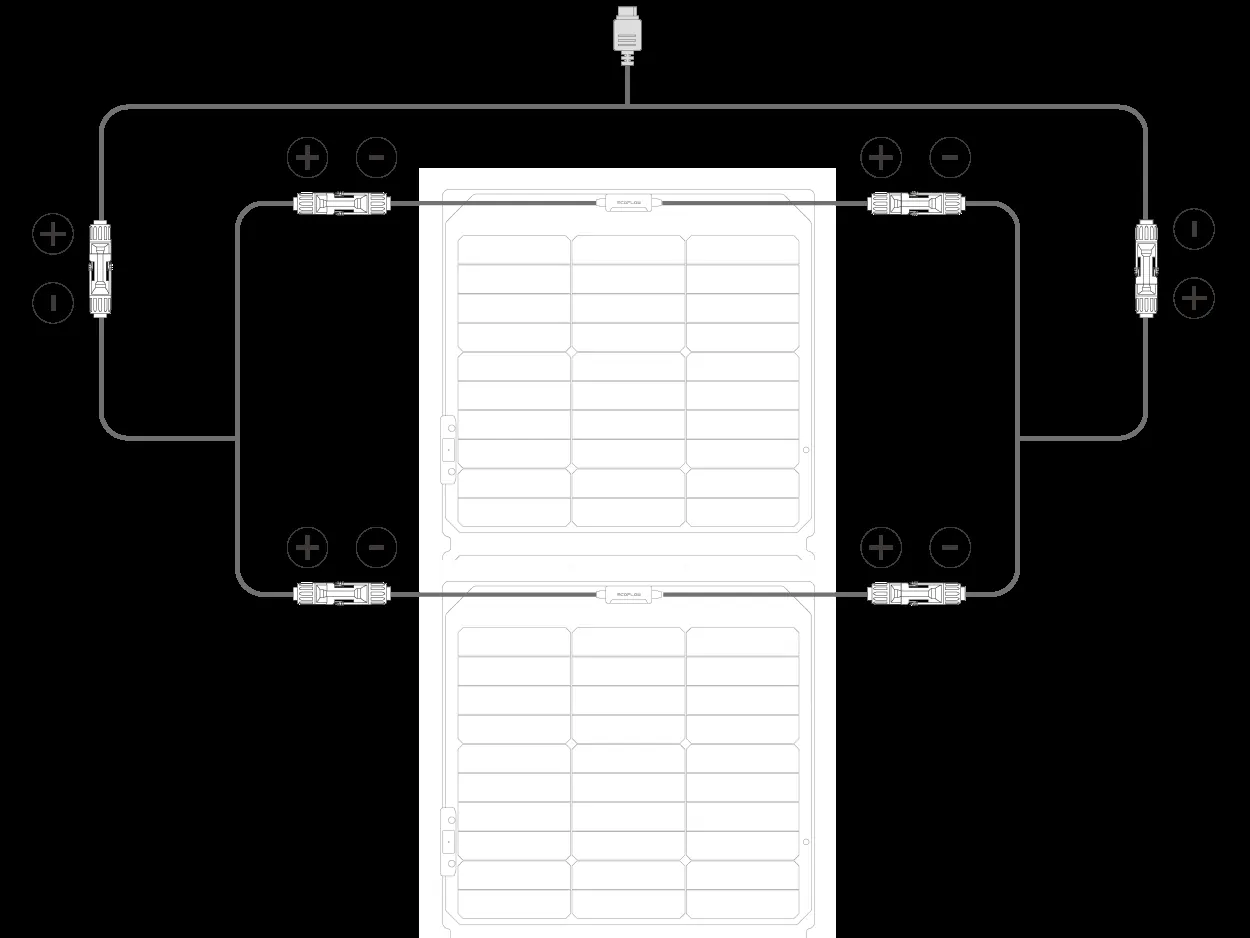
- Series Connection: Connect the male connector of the first panel to the female connector of the next. Use the XT60i solar charging cable to connect the first and last panels to the power station.
- Parallel Connection: Use a parallel solar connection cable to join all positive ends and all negative ends of the panels. Then, connect the parallel cable to the XT60i solar charging cable.
- Important: Always verify that the total voltage and current of the combined panels are within the input limits of your power station.
Maintenance and Storage
- Storage: When not in use, disconnect, fold, and store the panel. For long-term storage, secure the output cable to prevent contact with the solar module.
- Cleaning: Ensure the panel is disconnected and cooled to ambient temperature. Clean the surface with a soft cloth dampened with clean water. Do not wash or clean the photovoltaic connectors.
FAQ
- Is the panel waterproof? It has an IP68 rating. If it gets wet, dry the connectors immediately. Do not submerge the panel in water.
- Why is it not generating power? Check all connections, ensure the terminals are tight, and verify that environmental conditions (sunlight) are sufficient.
- Can it generate power indoors? Performance is very limited under indoor lighting or weak sunlight due to the monocrystalline cell technology.
Specifications
- Model: EF-Fold-P160-04
- Rated Power: 160W (±5W)
- Open Circuit Voltage: 21.3V
- Short Circuit Current: 9.1A
- Weight: Approx. 5.6 kg
- Cell Type: Monocrystalline Silicon TOPCon
Safety Guidelines
- Do not expose the panel to highly corrosive materials or organic solvents.
- Do not use near open flames or explosive materials.
- Do not pierce the panel with sharp tools or clean with abrasive materials.
- Do not step on, bend, or place heavy objects on the panel.
- Keep out of reach of children and pets.
Manufacturer information
EcoFlow
Practical help
Common problems
Panel not generating power
Check all cable connections, ensure terminals are tight, and verify that the panel is in direct sunlight without shading.
Panel exposed to water
The panel is IP68 rated. If it gets wet, dry the connectors immediately with a cloth. Do not submerge the panel.
Before use
- Ensure the panel surface is clean and free of dust, leaves, or debris.
- Verify that the device input voltage and current are compatible with the panel's output.
- Check that all cables are firmly connected.
- Ensure the panel is positioned in direct sunlight.
Specs in practice
- Open Circuit Voltage
- 21.3V - The voltage of the panel when no load is connected.
- Short Circuit Current
- 9.1A - The maximum current the panel can produce.
Images and diagrams
- Angle Guide: Use the shadow on the dot to align the panel at 90° to the sun for maximum efficiency.
- Series Connection: Connect male to female connectors of consecutive panels.
- Parallel Connection: Use a parallel solar connection cable to join positive and negative ends.
Model compatibility
- Compatible with EcoFlow portable power stations and third-party devices if electrical parameters match.
- Use only the included XT60i solar charging cable.

Manual page author
David Miller
Documentation analyst
Organizes user manual content into clear summaries, with attention to model details, product context, and everyday usability.