Home Appliances / Small Kitchen Appliances
User Manual for Gorenje K 17DWD Kettle
Quick guide for the Gorenje K 17DWD kettle. Learn how to operate, clean, descale, and use the temperature control and keep warm functions.
Table of contents
Manual images
Click an image to enlargeQuick Start Guide
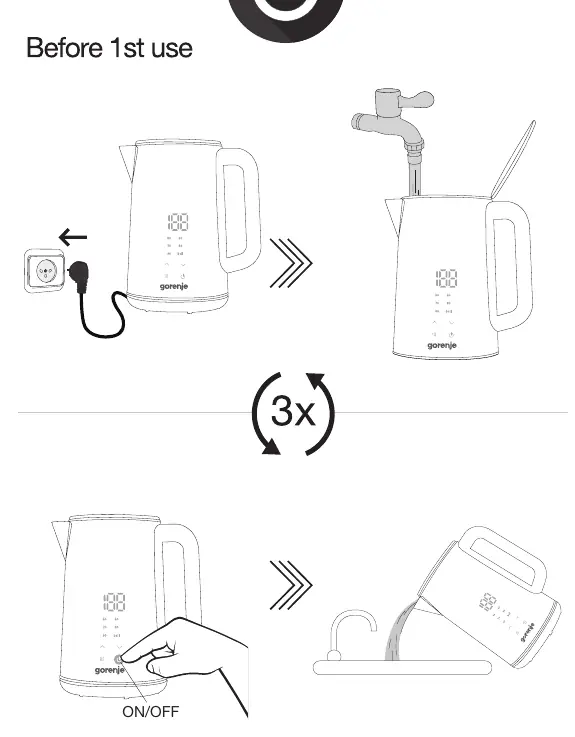
Before using your Gorenje K 17DWD kettle for the first time, it is essential to clean the interior. Fill the kettle with water, boil it, and discard the water. Repeat this process 3 times to ensure the kettle is ready for use.
Components
- Kettle unit
- Power base
Operation
To operate the kettle:
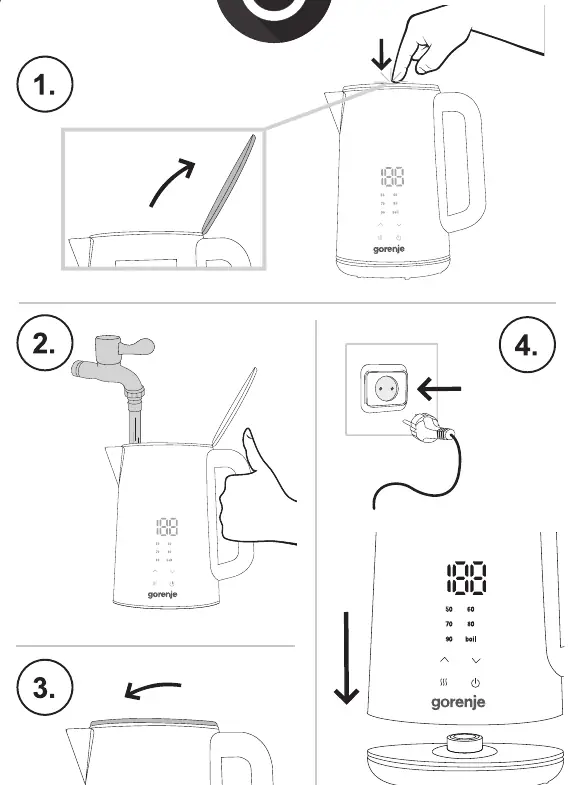
- Open the lid and fill the kettle with water.
- Place the kettle on the power base.
- Connect the power base to an electrical outlet.
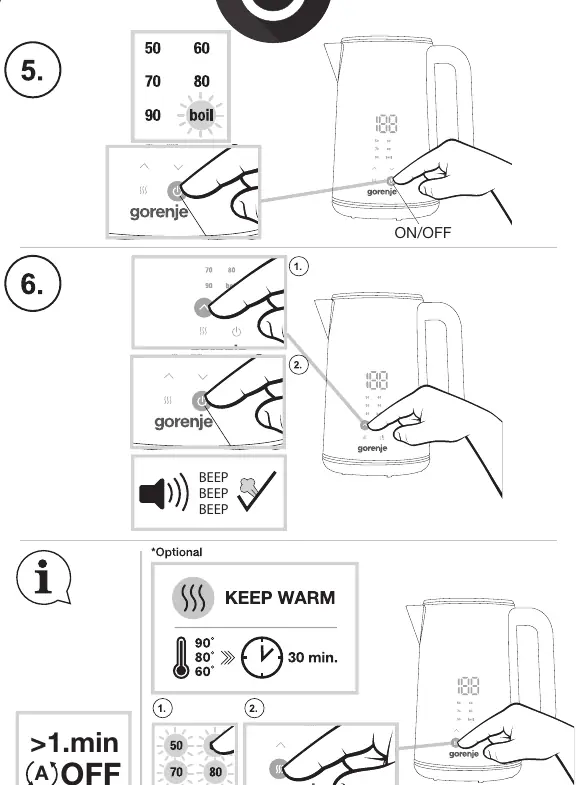
- Use the control panel to select the desired temperature (50, 60, 70, 80, 90, or boil).
- Press the power button to start the heating process.
Keep Warm Function: The kettle features an optional Keep Warm function that maintains the selected temperature for 30 minutes.
Cleaning and Maintenance
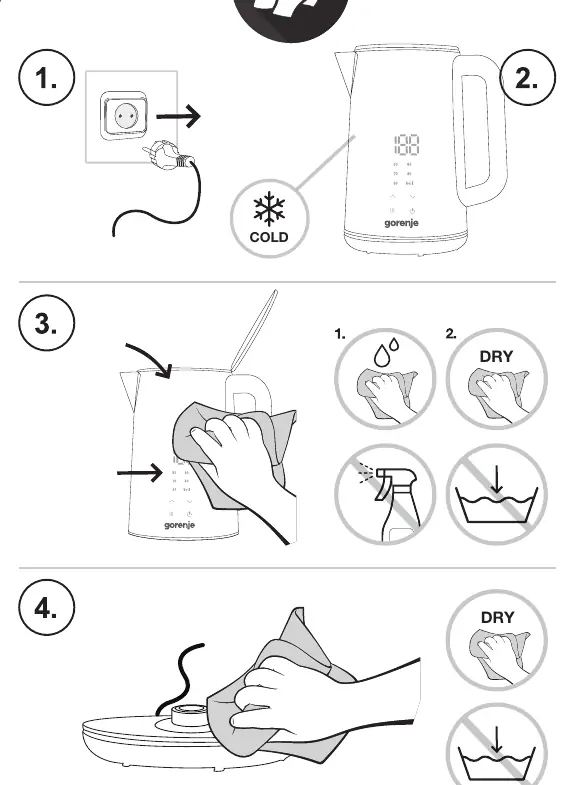
Always unplug the kettle from the power source before cleaning. Allow the unit to cool down completely. Wipe the exterior and the power base with a damp cloth. Do not submerge the kettle or the power base in water.
Descaling
To maintain performance, descale the kettle every 3 months:
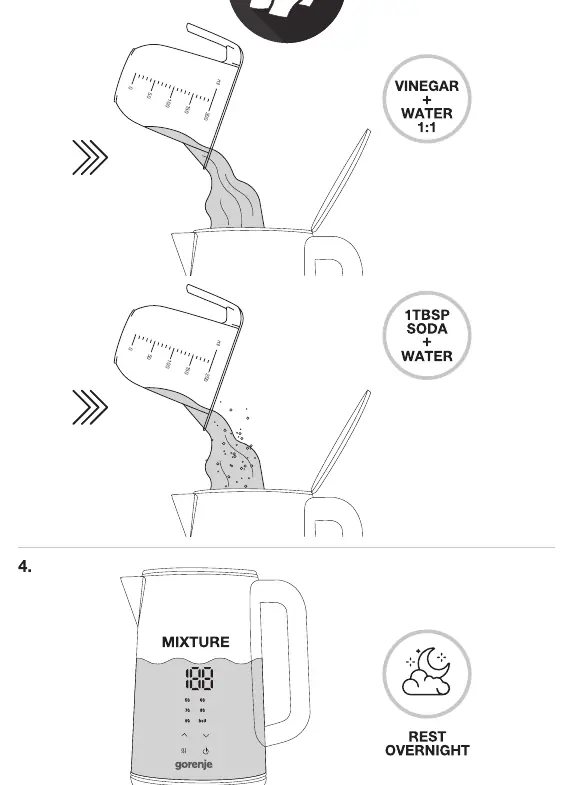
- Fill the kettle with a mixture of vinegar and water (1:1 ratio) or a solution of 1 tablespoon of soda and water.
- Boil the mixture.
- Let the mixture rest for 15 minutes.
- Empty the kettle and rinse thoroughly.
- Repeat the boiling process with fresh water twice to remove any residue.
Manufacturer information
Gorenje
Practical help
Common problems
Kettle does not heat
Ensure the power base is properly connected to an electrical outlet and the kettle is correctly seated on the base.
Scale buildup inside
Perform the descaling procedure using vinegar or soda solution every 3 months.
Before use
- Unpack the kettle and power base.
- Fill the kettle with water.
- Boil and discard the water 3 times to clean the interior.
Specs in practice
- Temperature settings
- Allows selection of 50, 60, 70, 80, 90 degrees Celsius or full boil.
Images and diagrams
- The control panel features temperature indicators and buttons for power and keep warm functions.
Model compatibility
- Equipped with Strix technology for reliable heating control.

Manual page author
Emily Carter
User documentation editor
Prepares concise manual descriptions and highlights the most useful setup, operation, and maintenance information for readers.