Furniture / Sofas & Couches
Assembly and User Guide for Homcom 2-Seater Sofa IN240200005V01_GL
A comprehensive assembly and user guide for the Homcom 2-Seater Sofa (IN240200005V01_GL). Includes a detailed parts list, step-by-step assembly instructions, safety precautions, and maintenance tips to ensure proper setup and care.
Quick answers from the manual
Quick answer
- This manual provides assembly instructions for the Homcom 2-Seater Sofa (IN240200005V01_GL). It includes a parts list, step-by-step assembly guide, and safety/maintenance advice. p. 1, 8, 9
Key actions
- Do not tighten bolts fully until all parts are connected. p. 9
Maintenance and reset
- Clean with a soft fabric and check the seating regularly. p. 2
Technical specifications
| Parameter | Value | Meaning | Pages |
|---|---|---|---|
| Max Load (Sofa) | 180kg | Maximum weight capacity for the sofa | p. 1 |
| Max Load (Ottoman) | 120kg | Maximum weight capacity for the ottoman | p. 1 |
Where to find it in the PDF
- Parts List p. 8
- Assembly Steps p. 9, 10, 11, 12
Table of contents
Manual images
Click an image to enlargeImportant Information from the Manual
This document provides assembly and safety instructions for the Homcom 2-Seater Sofa. Please read all instructions carefully before beginning assembly. The product is intended for domestic use only. Ensure the sofa is placed on a flat, stable surface and avoid overloading the furniture.
Safety Precautions
- Assembly Safety: Beware of crushing and cutting hazards during assembly.
- Stability: Always place the chair on a flat floor.
- Usage: Keep away from open flames and heat sources.
- Overload: Do not exceed the maximum weight capacity (180kg for the sofa, 120kg for the ottoman).
- Professional Repair: If the seating is fitted with powered seat height adjustments, only trained personnel may replace or repair those components.
Parts List
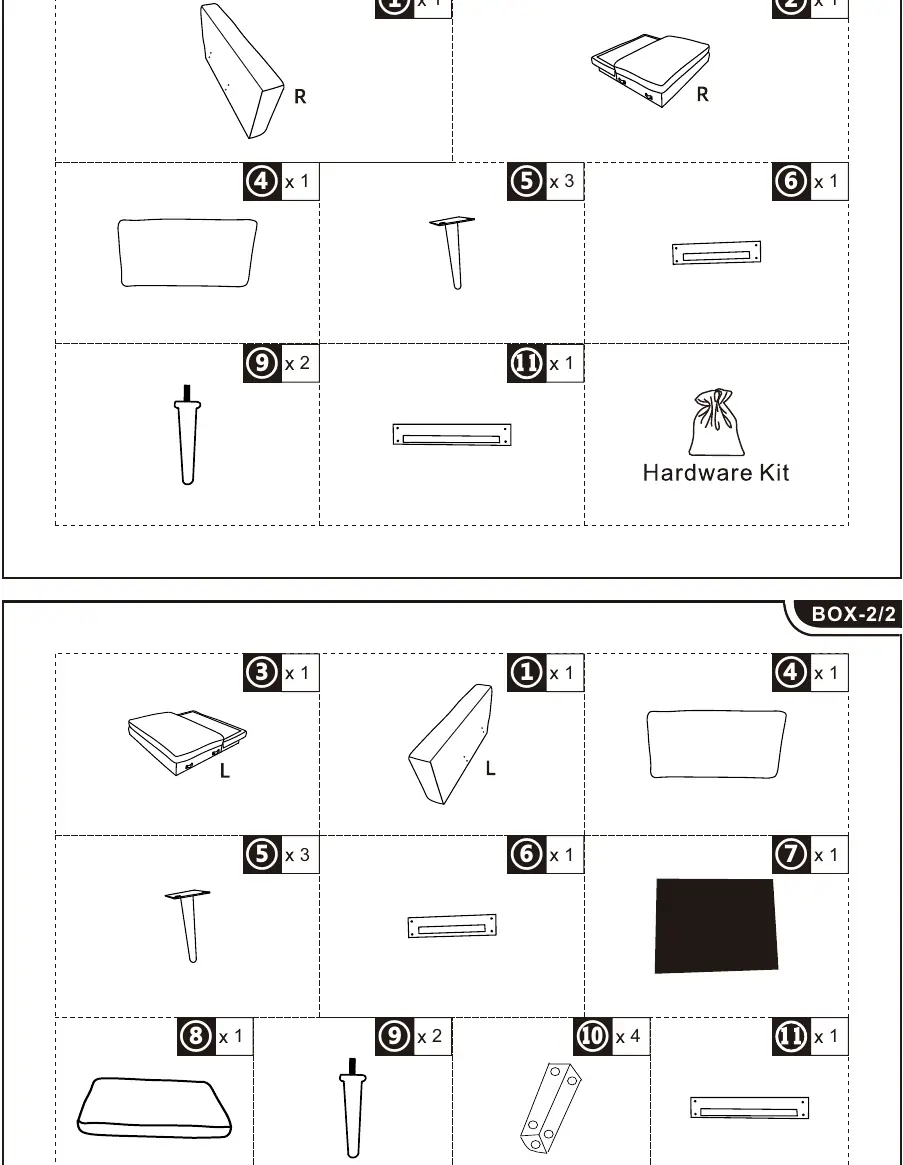
Before starting, verify that all parts are present. The manual includes a detailed parts list on page 8, identifying components 1 through 11 and the hardware kit.
Assembly Instructions
Follow these steps to assemble your sofa:
- Armrest Connection: Attach the armrests to the main frame. Important: Do not tighten bolts fully until all parts are connected.
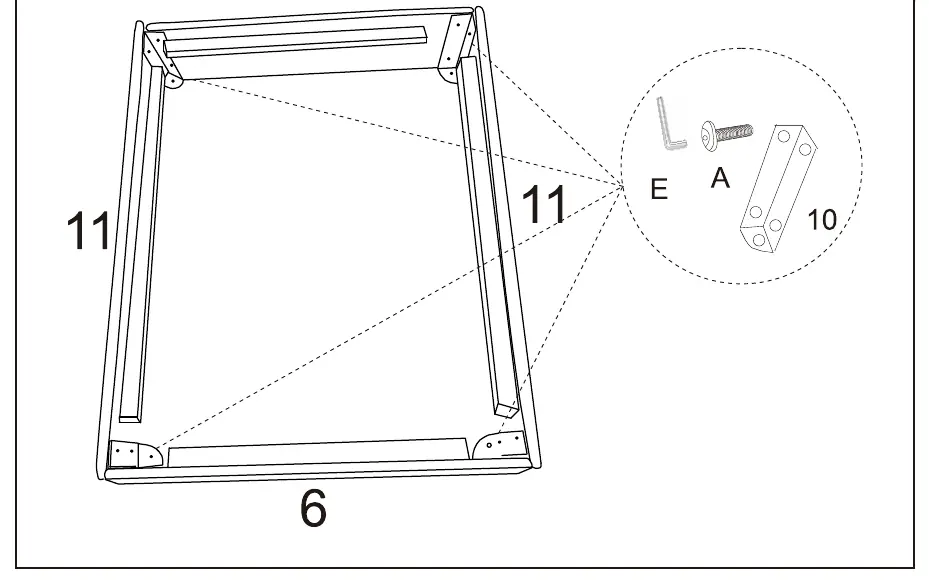
- Frame Assembly: Connect the main frame sections using the provided hardware (bolts, nuts, and washers).
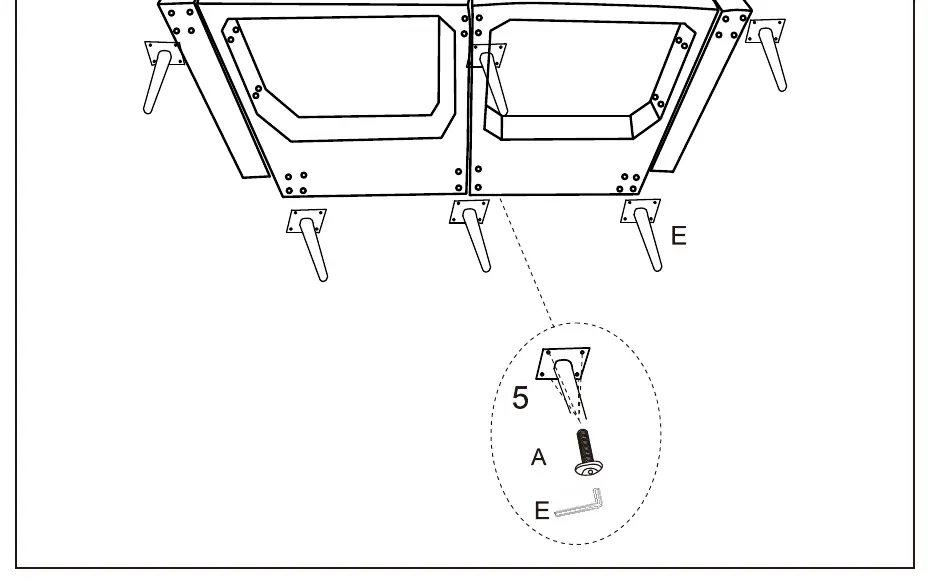
- Leg Attachment: Secure the legs to the base of the sofa and ottoman using the provided screws and Allen key.
- Final Assembly: Ensure all bolts are tightened securely once the structure is aligned.
Maintenance and Care
- Cleaning: Clean the fabric with a soft cloth.
- Regular Checks: Inspect the seating regularly to ensure all connections remain secure.
- Storage: Store the product in a clean, dry place to avoid the risk of mold.
Manufacturer information
HOMCOM
Practical help
Common problems
Bolts are difficult to align or fit
Do not tighten bolts fully until all parts are connected. This allows for slight adjustments during the assembly process.
Sofa feels unstable
Ensure the sofa is placed on a flat, level floor and check that all legs are securely tightened.
Before use
- Check that all parts are present according to the parts list on page 8.
- Ensure the assembly area is clean and dry.
- Verify that the product is not damaged before starting assembly.
- Ensure you have the necessary tools (Allen key provided).
Specs in practice
- Max Load (Sofa)
- 180kg maximum weight capacity.
- Max Load (Ottoman)
- 120kg maximum weight capacity.
Images and diagrams
- Page 8: Exploded view of parts and hardware identification.
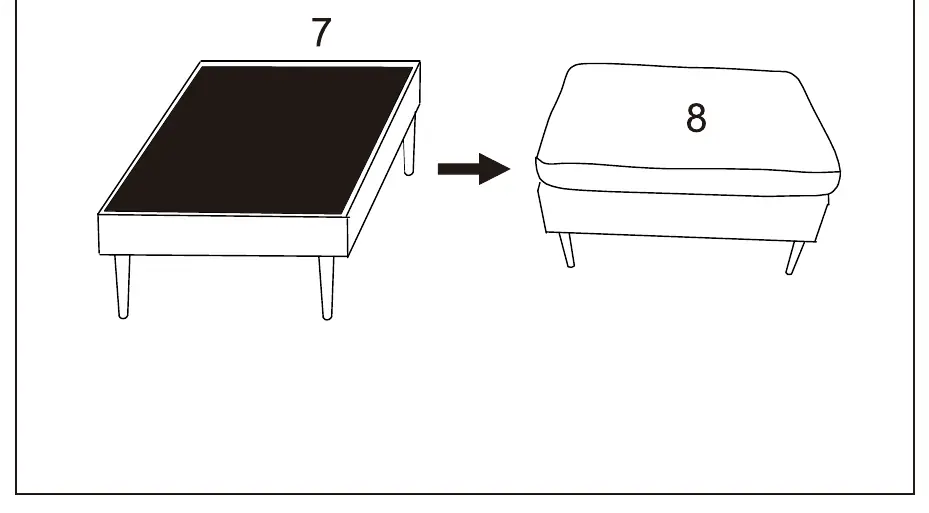
- Pages 9-13: Step-by-step assembly sequence.
Model compatibility
- For domestic use only.

Manual page author
Emily Carter
User documentation editor
Prepares concise manual descriptions and highlights the most useful setup, operation, and maintenance information for readers.