Power / Batteries Chargers
Operating Instructions for Pronomic MOVE 112MA-A and 115MA-A Battery-Powered Active Speaker
Comprehensive operating instructions for the Pronomic MOVE 112MA-A and 115MA-A battery-powered active speaker systems, covering setup, Bluetooth, TWS, wireless microphone usage, and technical specifications.
Table of contents
Product Overview
The Pronomic MOVE 112MA-A and 115MA-A are versatile, battery-powered active speaker systems designed for mobile audio applications. These units feature integrated MP3 players, Bluetooth connectivity, and support for wireless microphones, making them ideal for events, presentations, and portable sound reinforcement.
Safety and Setup
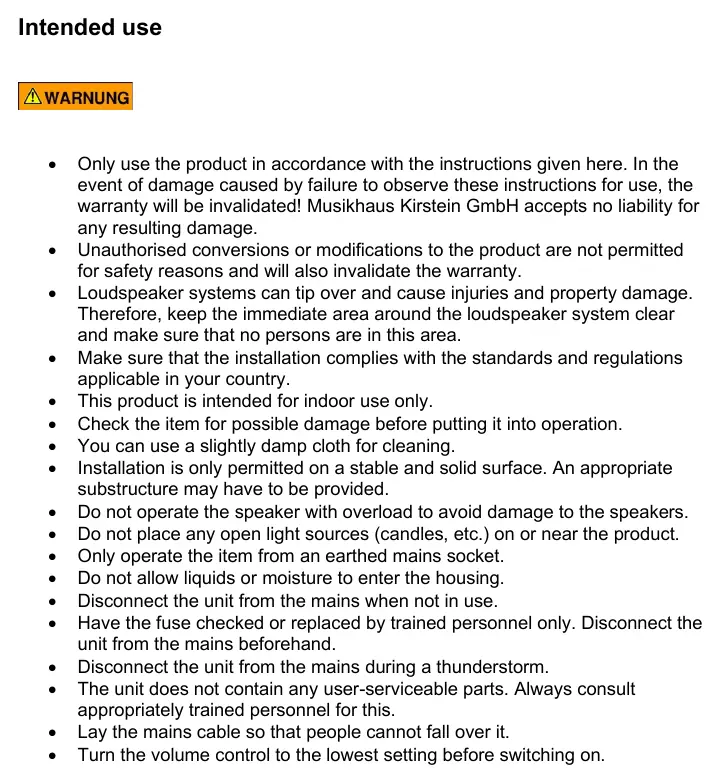
Before operation, ensure the speaker is placed on a stable, solid surface. The system is intended for indoor use only. Always turn the volume control to the lowest setting before switching the unit on to prevent damage. Keep the area around the speaker clear to avoid tipping hazards. Do not expose the housing to liquids or moisture, and disconnect the unit from the mains during thunderstorms or when not in use.
Operation and Connections
The rear panel provides comprehensive control over audio inputs, including XLR and 6.3mm jack inputs for microphones and instruments, as well as RCA (cinch) connections for external line-level devices. Users can adjust individual microphone volume, treble, middle, and bass frequencies, as well as the overall master volume. The 'Clip' LED indicator warns of overriding signal strength; if it lights up, reduce the volume immediately to prevent damage.
Bluetooth and TWS Functionality
To use Bluetooth, press the MODE button on the integrated player to select Bluetooth mode, then pair your mobile device. The system also supports TWS (True Wireless Stereo) functionality, allowing you to connect two Pronomic MOVE speakers wirelessly. To enable TWS, press and hold the MODE/TWS button on both units until they pair automatically.
Wireless Microphones
The system includes wireless microphone support. Ensure batteries are inserted into the transmitter/body pack, connect the headset or microphone, and switch on the transmitter. Use the dedicated wireless microphone volume controls on the rear panel to adjust levels. Antennas can be adjusted to improve reception quality.
Maintenance and Support
The unit does not contain user-serviceable parts. If the fuse is blown, it must be replaced by trained personnel with an identical model. For technical support or inquiries, contact Musikhaus Kirstein GmbH, Bernbeurener Str. 11, 86956 Schongau, Germany, or call 0049-8861-909494-0.
Manufacturer information
Musikhaus Kirstein
Practical help
Common problems
Clip LED is lit
Reduce the volume immediately to prevent damage to the unit.
Bluetooth device not connecting
Ensure the speaker is in Bluetooth mode by pressing the MODE button on the player before attempting to pair.
TWS connection failing
Ensure both speakers are in Bluetooth mode, then press and hold the MODE/TWS button on both units simultaneously.
Before use
- Check the unit for any physical damage.
- Ensure the speaker is placed on a stable, solid surface.
- Turn the volume control to the lowest setting before switching on.
- Ensure the mains cable is laid safely to prevent tripping.
- Verify that the battery is charged or the unit is connected to an earthed mains socket.
Specs in practice
- Bluetooth Version
- Bluetooth 5.0 for wireless audio streaming.
- Frequency Range (Mic)
- 863-865MHz for wireless microphone operation.
Images and diagrams
- The rear panel features numbered controls for volume, EQ (Treble, Middle, Bass), and input selection.
- Inputs 7, 8, and 10 are for wired microphones or instruments.
- Input 11 provides RCA connections for external audio sources.
- Switch 16 is the main power switch, while 17 is the AC power input.
Model compatibility
- Intended for indoor use only.
- Compatible with external 12V DC sources (e.g., car batteries) for charging.
- Wireless microphone frequency range is 863-865MHz.

Manual page author
David Miller
Documentation analyst
Organizes user manual content into clear summaries, with attention to model details, product context, and everyday usability.