Home Appliances / Washing Machines
User Guide for Schneider Electric Wifer SmartPlug 16A
Quick guide for the Wifer SmartPlug 16A, covering installation, safety precautions, technical specifications, and operational limits for remote power monitoring.
Table of contents
Manual images
Jump to the sectionQuick guide from the manual
The Wifer SmartPlug 16A allows you to remotely control and monitor the power consumption of connected electrical loads. This device is designed for indoor use and integrates with the Wiser system via Zigbee 3.0.
Safety and installation
To ensure safe operation and prevent equipment damage, follow these requirements:
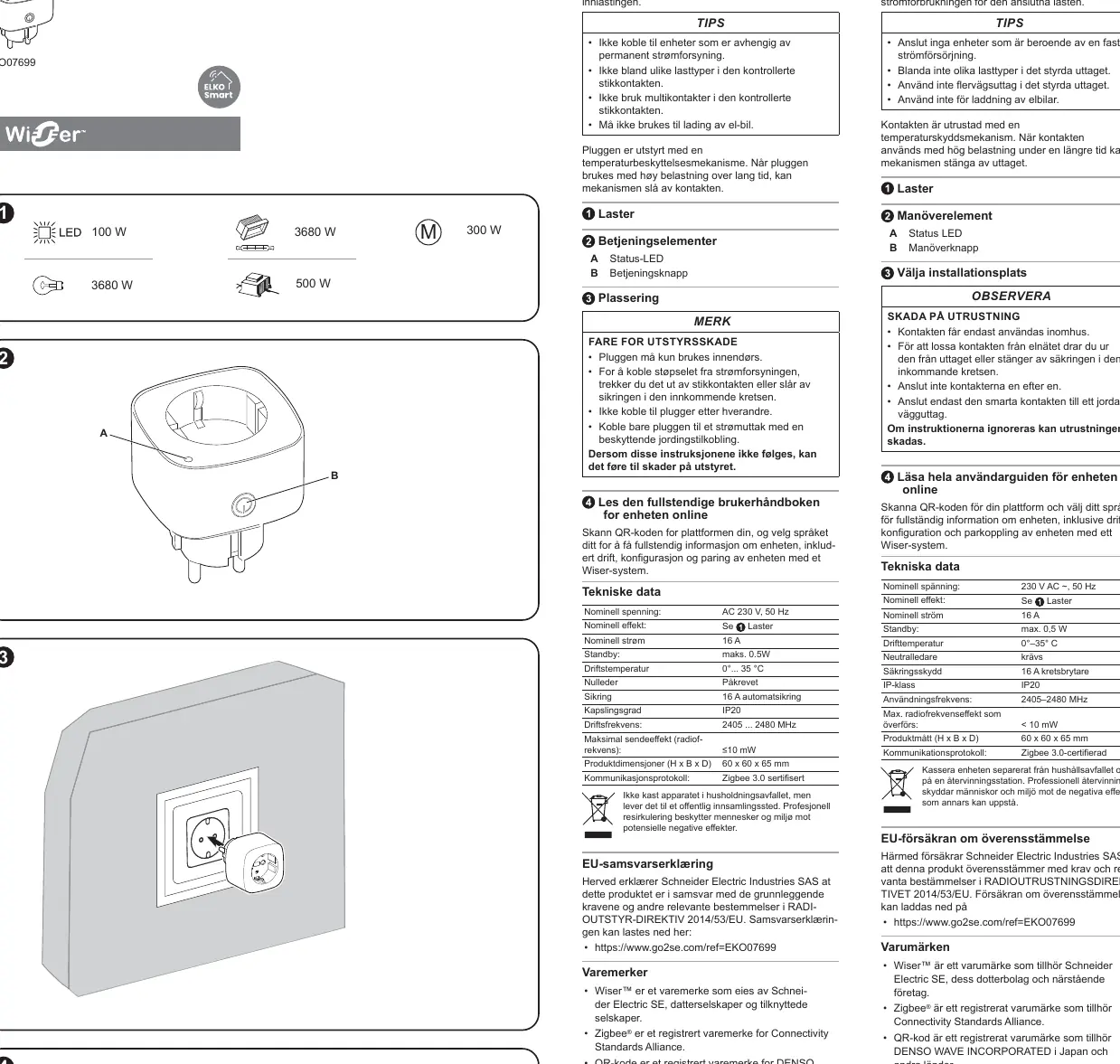
- Use indoors only.
- Connect only to a mains socket outlet with a protective earthing connection.
- Do not connect devices that require a permanent power supply.
- Do not use multi-sockets or connect plugs in series.
- Do not use for electric vehicle (EV) charging.
- Do not mix different load types in the controlled socket.
The device features a built-in temperature protection mechanism. If the plug is used under high load for an extended period, it may automatically switch off to prevent overheating.
Operating elements
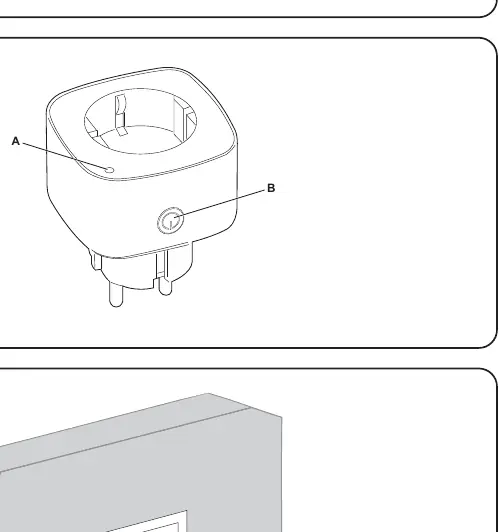
- Status LED: Indicates the operational state of the plug.
- Operation button: Used for manual control and pairing.
Technical data
- Nominal voltage: AC 230 V, 50 Hz
- Nominal current: 16 A
- Standby power: max. 0.5 W
- Operating temperature: 0°C to 35°C
- Communication: Zigbee 3.0 certified
- Dimensions: 60 x 60 x 65 mm
- IP rating: IP20
Support and configuration
For full configuration, pairing with the Wiser system, and advanced settings, scan the QR code provided on the device or in the manual to access the online user guide. For cybersecurity information, visit the Schneider Electric Cybersecurity Portal at https://www.se.com/ww/en/work/support/cybersecurity/security-notifications.jsp.
Official resources from the manual
Manufacturer information
Schneider Electric
Practical help
Common problems
Plug switches off unexpectedly
The internal temperature protection mechanism may have triggered due to high load over a long period. Allow the device to cool down.
Before use
- Ensure the installation location is indoors.
- Verify the wall socket has a protective earthing connection.
- Check that the connected load does not exceed 16A.
- Ensure no multi-sockets are used with the plug.
Specs in practice
- Nominal current 16A
- The maximum current the plug can safely handle.
Images and diagrams
- The diagram shows the Status LED (A) and the Operation button (B) located on the front of the plug.
- The device is designed to be plugged directly into a standard wall outlet.
Model compatibility
- Requires a neutral conductor in the installation.
- Compatible with Wiser systems via Zigbee 3.0.

Manual page author
Emily Carter
User documentation editor
Prepares concise manual descriptions and highlights the most useful setup, operation, and maintenance information for readers.