Power / Batteries Chargers
Scosche MagicMount Pro2 Extendo Telescoping Phone Mount
Comprehensive setup and installation guide for the Scosche MagicMount Pro2 Extendo, a versatile magnetic telescoping phone mount for vehicle windows and dashboards.
Table of contents
Product Overview
The Scosche MagicMount Pro2 Extendo is a high-quality magnetic mounting solution designed for smartphones. It features a telescoping arm for adjustable reach and a flexible ball-joint head for optimal viewing angles. The system includes a versatile mounting base compatible with both vehicle windows and dashboards.
Device Setup
The mounting process depends on your specific device and case configuration:
- iPhone 12 or Later: If using a case, it must be a MagSafe-compatible case. The MagicPlate is not required for these models.
- Wireless Charging Smartphones: For iPhone 11, Pixel 4, and newer models, a case is required because manufacturing materials may prevent adhesives from bonding directly to the device.
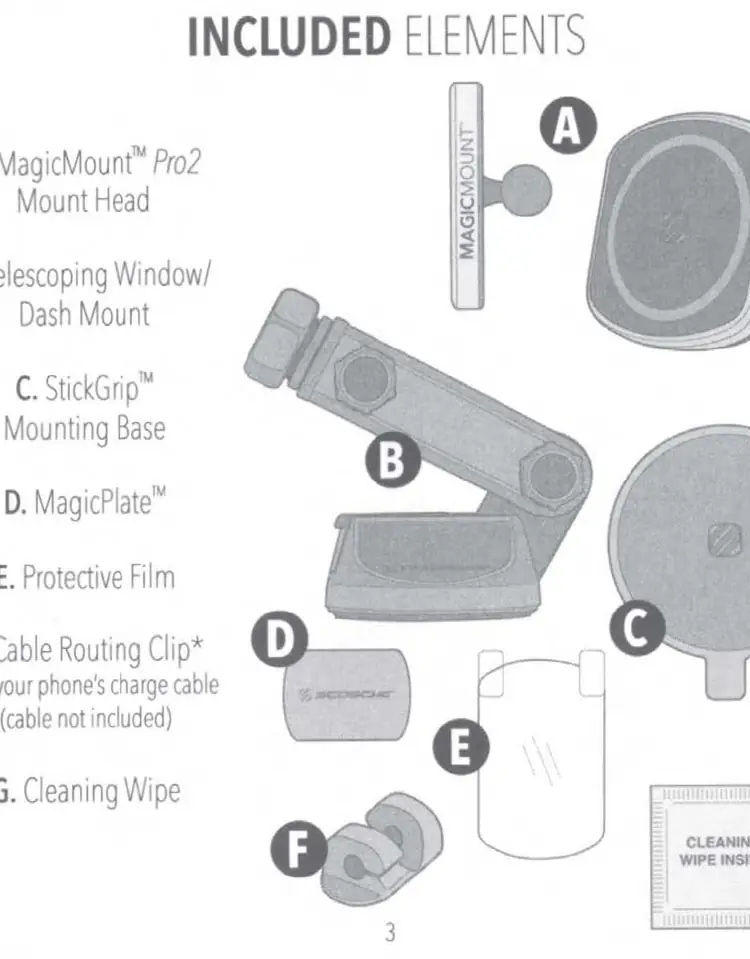
- General Usage: For devices without a case, it is recommended to use the included protective film before applying the MagicPlate. This simplifies removal later. Do not use sharp or hard objects to remove the plate, as this may damage your device.
Mounting and Adjustment
The mount offers several points of adjustment to ensure the perfect position:
- Mount Head: Assemble the head onto the arm and use the ball-joint collar to adjust the angle or rotate the device 360 degrees.
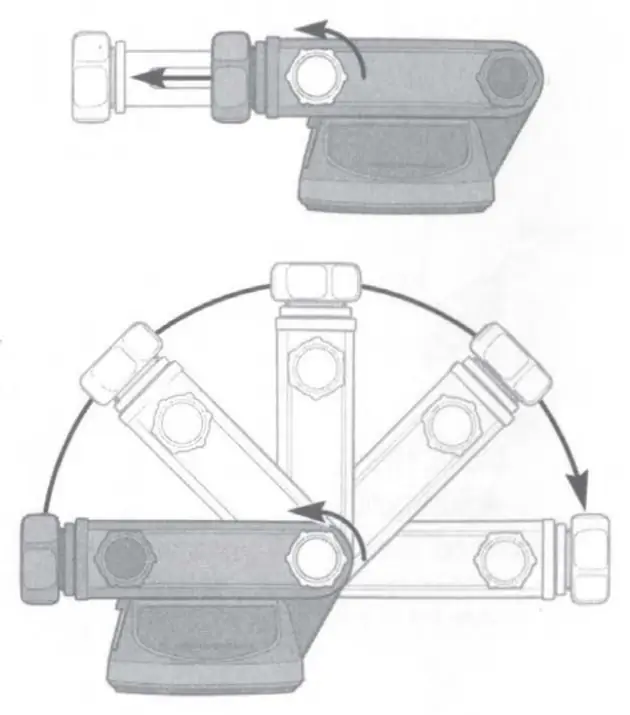
- Telescoping Arm: Loosen the front knob to extend the arm length and the rear knob to adjust the arm's angle.
Installation Instructions
Follow these steps for secure mounting:
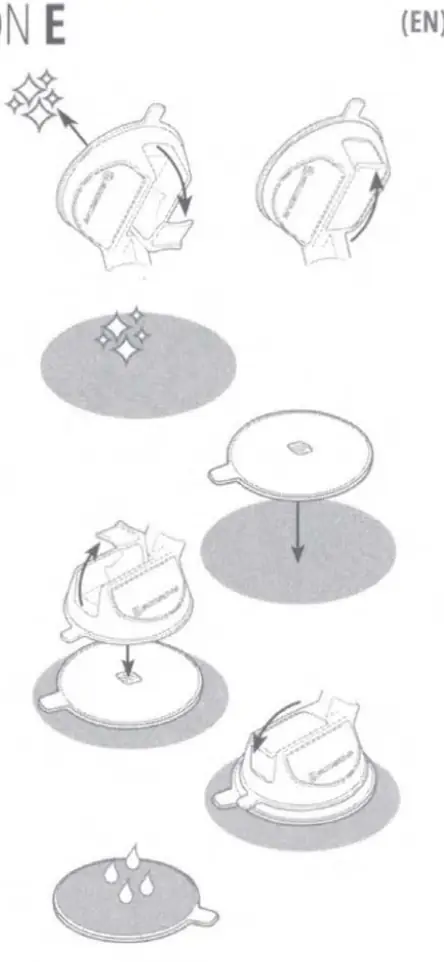
- Window Mount: Clean the glass surface thoroughly. Place the mount with the lever in the UP position, then press the lever down to lock it securely.
- StickGrip Dash Mount: Select a flat surface and clean it with the provided wipe. Remove the protective film from the StickGrip base and press it firmly onto the surface. Place the mount on the base and lock it using the lever.
Important Safety Note: The included cleaning wipe may cause discoloration on certain plastics, vinyls, or painted surfaces. Always test on an inconspicuous area first. The StickGrip base may leave residue on some surfaces. To renew the StickGrip base, rinse it under warm water and allow it to air dry.
Related manuals
Related manuals from the same brand or category.
Electronics / Monitors
Scosche Rhythm+ 2.0 Waterproof Armband Heart Rate Monitor User Guide
ScoschePower / Batteries Chargers
Scosche MagicMount Travel Folding 2-in-1 Wireless Charging Stand
ScoscheTools / Generators
Scosche 142PI100CL 100W Portable Power Inverter
ScoscheHome Appliances / Washing Machines