Power / Batteries Chargers
Spektrum DX Pro+ 12-Channel Radio System User Manual
Comprehensive user guide for the Spektrum DX Pro+ 12-Channel 2.4GHz DSMR Radio System. Includes setup, binding, programming, firmware updates, and troubleshooting.
Table of contents
Quick guide from the manual
The Spektrum DX Pro+ is a high-performance 12-channel 2.4GHz DSMR radio system. This manual provides essential instructions for safe operation, setup, and advanced programming. Always ensure batteries are fully charged before use and never operate the model near spectators or in adverse weather conditions. The system is not a toy and is intended for users aged 14 and older.
Device Overview
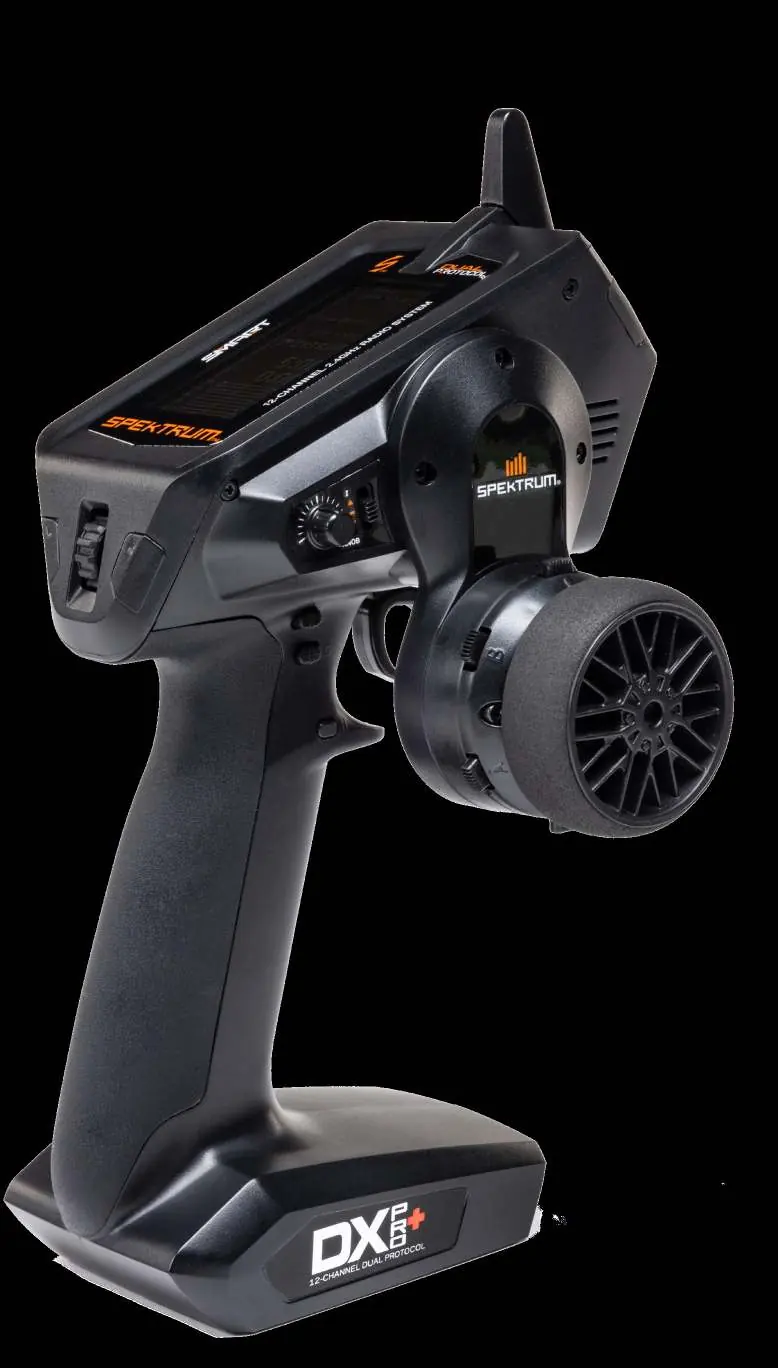
The transmitter features a scroll wheel for navigation, a large LCD screen, and various programmable switches (A-H, I, L, R). The main screen displays active model information, including battery voltage, model name, and timer status. To access the main screen at any time, press and hold the scroll wheel for 6 seconds.
Getting Started
To begin, install 4 AA batteries into the base of the transmitter. Ensure all servos, linkages, and electrical cables are properly connected in your model. The system supports binding to DSMR and SLT receivers. To bind, put the receiver in bind mode, turn on the transmitter, select the desired model memory, and choose the 'Bind' option from the menu.
Firmware and SD Card
The transmitter includes a micro SD card slot for firmware updates, sound file installation, and model data transfer. Use a Class 6 or lower SD card (32GB or smaller, FAT/FAT32 formatted). Firmware updates can be performed automatically via the Spektrum website or manually through the SD card menu.
Programming and Functions
The Function List provides access to extensive settings, including:
- Servo Setup: Adjust travel, sub-trim, reverse, and speed.
- Mixing: Configure 4WS, dual steering, dual throttle, dual brake, and MOA (Motor on Axle) settings.
- AVC (Active Vehicle Control): Manage steering/throttle gain and priority settings for compatible receivers.
- ABS and Traction Control: Fine-tune braking and acceleration performance.
- Launch Control: Customize start sequences for consistent racing performance.
- Telemetry: Monitor and configure sensors directly on the transmitter.
Maintenance and Adjustments
The DX Pro+ allows for physical adjustments, including trigger/steering tension, trigger position, and grip size. The dropdown steering wheel can be rotated or removed for a standard configuration. Always perform a range check and ensure the transmitter is calibrated after making physical modifications.
Troubleshooting
If the system fails to connect, ensure the transmitter and receiver are at least 2.4 to 3.6 meters apart and not near large metal objects. Verify that the correct model memory is selected and that the transmitter is bound to the receiver. For persistent issues, check all cable connections and battery levels.
Manufacturer information
Spektrum
Practical help
Common problems
System fails to connect
Ensure transmitter and receiver are 2.4-3.6m apart, check for nearby metal objects, and verify the correct model memory is selected.
Receiver enters Failsafe mode unexpectedly
Ensure the receiver antenna is properly positioned and protected.
Receiver unresponsive during operation
Check for low battery voltage or loose/damaged cables between the battery and receiver.
Before use
- Ensure all batteries are fully charged.
- Verify all servos, linkages, and electrical cables are properly connected.
- Ensure the correct model memory is selected.
- Perform a range check.
- Ensure the transmitter is calibrated if physical adjustments were made.
Specs in practice
- Operating Voltage
- 4-8.4V (4 AA batteries included).
Images and diagrams
- The transmitter features a scroll wheel (P) for menu navigation and a main power switch (T).
- The battery compartment is located at the base of the transmitter handle.
- The SD card slot (R) is located on the side of the transmitter.
Model compatibility
- Compatible with Spektrum DSMR 5.5, DSMR, DSMR+, and SLT receivers.
- SD card must be Class 6 or lower, 32GB or smaller, formatted to FAT or FAT32.
- SR2100 receiver is optimized for racing and does not support telemetry.

Manual page author
Michael Turner
Technical manual editor
Reviews PDF manuals for structure, safety notes, and practical product details so readers can find the right information quickly.