Power / Batteries Chargers
Spektrum DX Rugged+ 12-Channel 2.4 GHz DSMR Radio System User Manual
Quick guide for the Spektrum DX Rugged+ 12-Channel 2.4 GHz DSMR Radio System. Includes setup, binding procedures, AVC fine-tuning, menu navigation, and troubleshooting.
Table of contents
Quick guide from the manual
The Spektrum DX Rugged+ is a 12-channel 2.4GHz DSMR radio system designed for hobby-grade RC vehicles. This guide covers essential setup, binding, and configuration procedures. Always ensure batteries are fully charged before use and avoid operating near spectators or in adverse weather conditions.
Device Overview
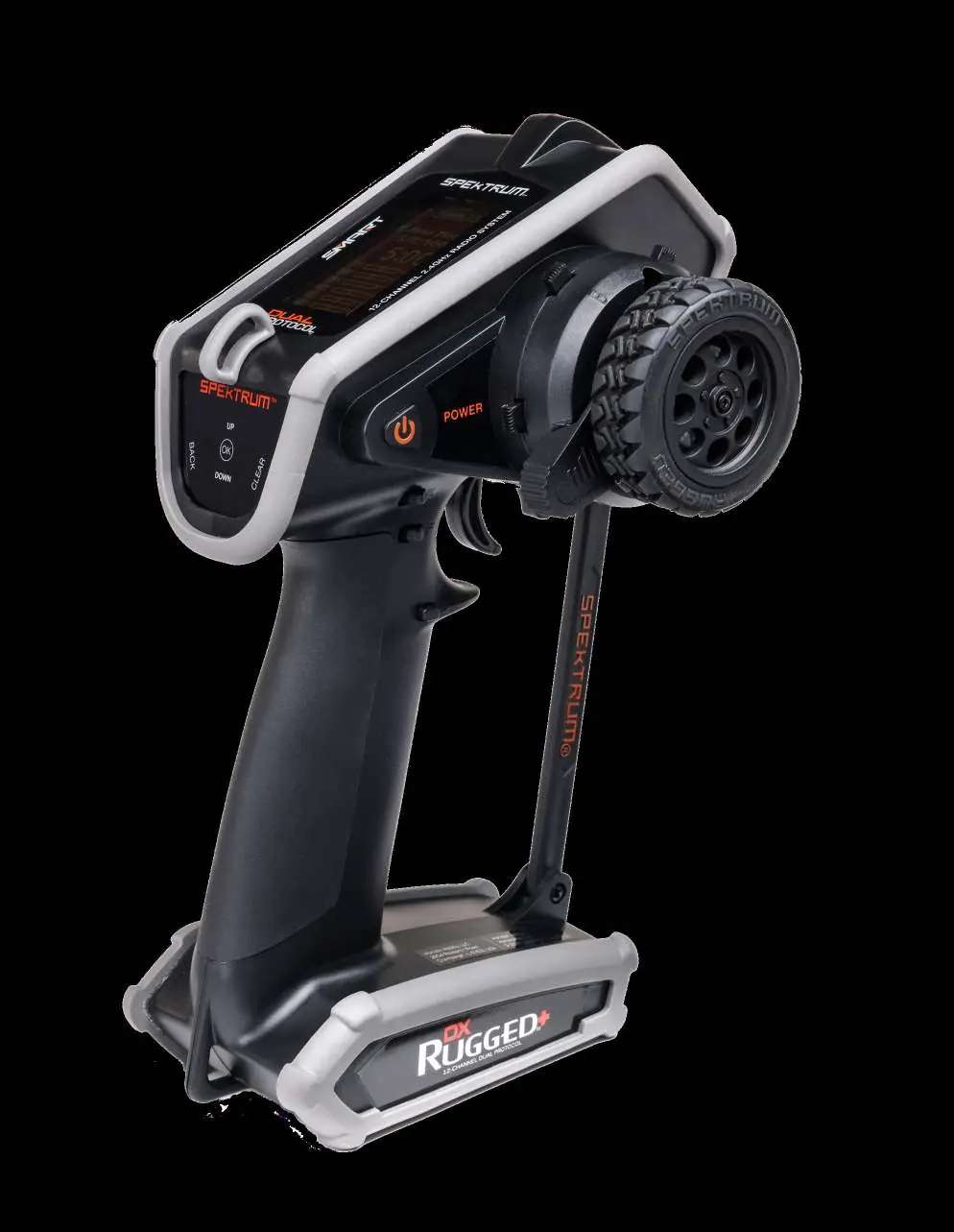
The transmitter features a touch interface, steering wheel, throttle/brake trigger, and various trim buttons. The main screen displays model information, battery voltage, and active timers. Navigation is performed using the scroll wheel and touch interface.
Initial Setup
- Install 4 AA batteries in the transmitter base.
- Power on the transmitter and the vehicle.
- Perform the binding process to link the receiver to the transmitter.
- Configure steering, throttle, and sub-trim settings as needed.
- Set failsafe positions to ensure vehicle safety in case of signal loss.
Binding Procedure
- Set the receiver to binding mode (LED flashes rapidly).
- Power on the transmitter and select the desired model memory.
- Select 'Bind' from the function list.
- Move the throttle channel to the desired failsafe position.
- Select 'Bind' on the transmitter. Once the LEDs on both units turn solid, the binding is complete.
- Remove the bind plug from the receiver.
AVC Fine-Tuning
The Active Vehicle Control (AVC) system optimizes performance based on driving style. Key parameters include:
- Steering Sensitivity: Adjusts the degree of electronic steering intervention.
- Throttle Sensitivity: Adjusts the degree of electronic throttle intervention.
- Priority: Determines how much the system ignores electronic stability when steering input is applied.
Adjust these values in 5-point increments to find the optimal balance for your vehicle and surface conditions.
Maintenance and Troubleshooting
The transmitter is water-resistant but not waterproof; avoid submersion. If the system fails to connect, ensure the transmitter and receiver are 2.4-3.6 meters apart and away from large metal objects. For technical support, contact Horizon Hobby at [email protected] or +49 (0) 4121 2655 100.
Manufacturer information
Spektrum
Practical help
Common problems
System will not connect
Ensure transmitter and receiver are 2.4-3.6m apart, away from large metal objects, and that the correct model memory is selected.
Receiver enters failsafe mode during use
Check battery voltage and ensure receiver antenna is not damaged or cut.
Model oscillates at high speeds
Reduce the steering sensitivity in the AVC menu.
Cannot assign functions to buttons
Functions may already be assigned to other buttons; reassign or clear existing assignments first.
Before use
- Ensure transmitter and receiver batteries are fully charged.
- Check all servos and linkages for proper operation.
- Verify the model memory selected matches the vehicle.
- Ensure the receiver is mounted level.
- Remove the bind plug from the receiver after binding.
Specs in practice
- Voltage Range
- Operates between 3.5V and 9.6V.
Images and diagrams
- The transmitter features a scroll wheel for menu navigation and a touch interface for quick selections.
- The battery compartment is located at the base of the transmitter.
- The data port and tool holder are accessible by removing the rear cover.
Model compatibility
- Compatible with Spektrum DSMR 5.5, DSMR, DSMR+, and SLT receivers.
- Requires a compatible Spektrum ESC and telemetry receiver for SMART Throttle features.
- Not a toy; recommended for users 14 years and older.

Manual page author
Emily Carter
User documentation editor
Prepares concise manual descriptions and highlights the most useful setup, operation, and maintenance information for readers.