Health / Mobility Aids
Spex Clinical Wheelchair Seating Scripting and Ordering Guide
A comprehensive scripting and ordering guide for Spex clinical wheelchair seating systems, including cushions, back supports, lateral supports, and accessories. This guide provides configuration options, sizing tables, and build codes for...
Table of contents
Manual images
Click an image to enlargeQuick guide to using this manual
This document serves as a comprehensive scripting and ordering guide for Spex clinical wheelchair seating products. It is designed to assist clinicians and suppliers in configuring the correct seating solutions for users. To order a product, identify the specific product series, select the required size (width/length), choose the appropriate hardware, and build the final product code using the provided tables.
Product categories
The guide covers a wide range of seating components, including:
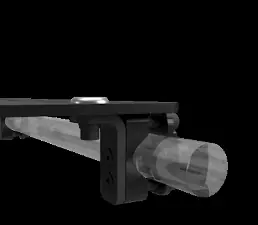
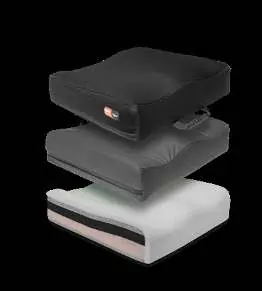
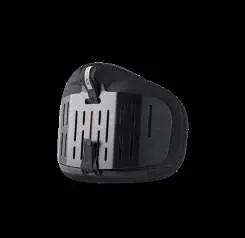
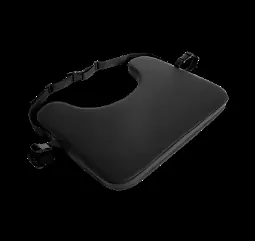
- Seat Bases: Including the Spex Seat Base.
- Cushions: Vigour Standard/High Contour, Spex Standard Contour, Constructa, and XLella cushions.
- Back Supports: Zygo, Vigour, Growth-Adjust, Manta, Adapta, Comfi, Spex Classic, T-Shape, SuperShape, and XLella back supports.
- Lateral Trunk Supports: Standard and Axial Biangular options.
- Arm and Thigh Supports: Various hardware and pad configurations.
- Head Supports: Stylo series.
- Harnesses and Hip Belts: Various styles and buckle options.
- Limb Supports: Forearm straps, heel loops, footfast stabilisers, and calf straps.
How to order and configure
Each product section follows a standard configuration workflow:
- Select Size: Use the provided tables to match the required width and length to the corresponding product code.
- Select Hardware: Choose the mounting hardware compatible with the wheelchair and the selected support.
- Select Colour/Options: Choose from available colours or specific contouring options.
- Build Code: Combine the base product code with the selected options to create the final order code.
Customisation and accessories
Many products offer customisation options to meet specific clinical needs. These include:
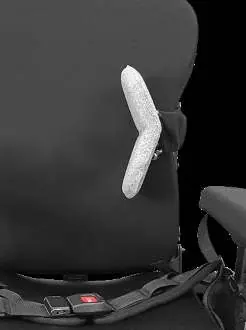
- Cushion Customisations: Medial thigh support, leg length discrepancy adjustments, and pressure-relieving foam overlays.
- Back Support Accessories: Additional lumbar pads, asymmetric contour wedges, and rigidiser base panels.
- Hardware Upgrades: Various mounting brackets, reinforcement plates, and swing-away mechanisms.
For full custom options not listed in the standard tables, refer to the specific 'Build-Your-Own-Cushion' or 'Script Form' documents provided by Spex.
Practical help
Common problems
Incorrect part code selected
Verify width and length measurements against the specific product table for the chosen model.
Hardware incompatibility
Ensure the selected hardware (e.g., Fixed vs. Quick-Release) is compatible with the chosen base or back support.
Custom size lead times
Note that custom size back supports may have extended lead times of up to 12 working days.
Before use
- Measure wheelchair width and depth accurately.
- Identify the required cushion or back support type.
- Select appropriate hardware (Fixed, Quick-Release, etc.).
- Check compatibility between base and hardware.
- Verify customisation requirements (e.g., cut-outs, wedges).
Specs in practice
- Trough Height
- The depth of the contour in the cushion, affecting pelvic positioning.
- Back Support Height
- The vertical measurement of the back support shell.
Images and diagrams
- The guide uses tables to match dimensions (Width/Length) with specific product codes.
- Build codes are constructed by combining base codes with selected options.
Model compatibility
- Hardware must be selected separately for most back supports.
- Custom sizes may have extended lead times of up to 12 working days.

Manual page author
Emily Carter
User documentation editor
Prepares concise manual descriptions and highlights the most useful setup, operation, and maintenance information for readers.