Health / Mobility Aids
User Manual for Drive 10257BL-1 4-Wheel Rollator
Quick guide for the Drive 10257BL-1 4-Wheel Rollator. Includes assembly instructions, brake adjustment, safety precautions, and maintenance tips.
Table of contents
Manual images
Click an image to enlargeQuick Guide from the Manual
The Drive 10257BL-1 is a 4-wheel rollator designed as a walking aid. It features a weight capacity of 300 lbs (136 kg). Before use, ensure the unit is fully opened, the seat is down, and the folding bar is locked. Always test the stability and the loop locks before applying your full weight to the hand grips.
Assembly Instructions
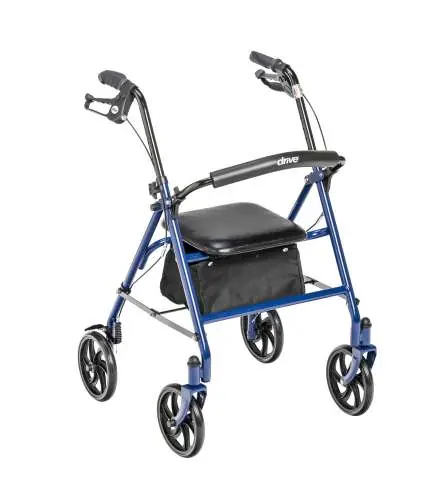
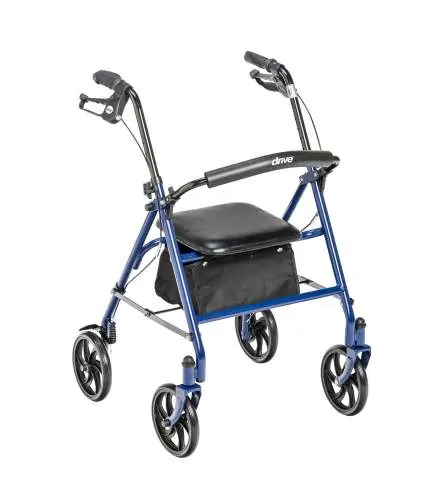
- Remove all contents from the carton.
- Open the frame and slide the padded backrest into the frame brackets, ensuring the snap buttons protrude through the holes.
- Remove the packaging caps from the handle receptacle.
- Insert the handle tube into the frame. Ensure the brake cable is positioned on the outside of the frame.
- Set the handle to the desired height.
- Insert the bolt into the clamp from the inside of the frame, then slide the washer onto the bolt from the outside.
- Attach the tightening knob to the bolt and turn clockwise until secure.
- Ensure both handles are set to the same height before use.
Loop Lock Operation
Always engage and disengage wheel locks on both sides simultaneously.
- To Slow Down or Stop: Pull up slowly on the loop locks with four fingers until the unit slows down or comes to a temporary stop.
- To Lock Wheels in Position: Press down on both loop locks with your palms until you hear a click.
- To Release Wheel Locks: Pull up on both loop locks with your palms to return them to the original position.
Hand Brake System Adjustment
The hand brake system is preset at the factory but may require adjustment over time due to normal wear.
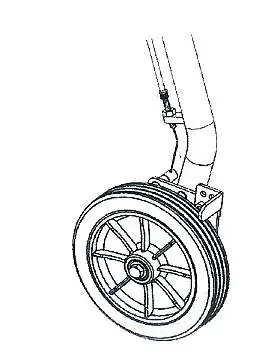
- To Tighten: Turn the adjustment nut clockwise.
- To Loosen: Turn the adjustment nut counter-clockwise.
- Hold the brake mechanism firmly in place while turning the nut.
Safety Precautions
- Do not attempt to adjust or operate the rollator without reading the manual.
- Ensure the folding bar under the seat is locked in the down position.
- Always lock the loop locks before sitting.
- Do not use the seat on an incline or uneven ground.
- Do not have anyone push you while you are seated; this is a walking aid, not a transportation device.
- Replace tires when significantly worn or damaged.
Maintenance and Warranty
Perform periodic visual inspections to ensure all parts and hardware are secure and in good working order. If any part appears unsafe or compromised, do not use the product. For assistance, contact the provider that sold you the product or visit www.drivemedical.com/help.
The product comes with a lifetime limited warranty for the original consumer purchaser, covering defects in materials and workmanship. This warranty does not cover normal wear and tear, misuse, or non-durable components like rubber accessories, casters, and grips.
Official resources from the manual
Manufacturer information
Drive Medical
Practical help
Common problems
Rollator rolls while brakes are locked
Take the unit back to the dealer for adjustment.
Brakes are too loose or too tight
Adjust the nut on the brake cable (clockwise to tighten, counter-clockwise to loosen).
Before use
- Ensure the rollator is fully opened.
- Verify the seat is down and the folding bar is locked.
- Check that both handle knobs are fully tightened and at equal heights.
- Test the loop locks before operating.
- Test stability before applying full weight to the hand grips.
Specs in practice
- Weight Capacity
- 300 lbs (136 kg)
Images and diagrams
- Loop locks: Pull up to slow down, push down to lock.
- Brake adjustment: Nut on the cable controls tension.
Model compatibility
- This is a walking aid only and is not to be used as a transportation device.

Manual page author
David Miller
Documentation analyst
Organizes user manual content into clear summaries, with attention to model details, product context, and everyday usability.