Power / Batteries & Chargers
Truper PRO 20V Dual Port Charger User Manual
Quick guide for the Truper PRO 20V Dual Port Charger. Learn how to charge batteries, interpret LED indicators, troubleshoot charging issues, and maintain your device safely.
PDF source: español · summary: English
Quick answers from the manual
Quick answer
- The Truper PRO 20V Dual Port Charger charges one or two batteries simultaneously. It includes automatic temperature protection and a repair mode for defective batteries. p. 1
Key actions
- Charging batteries p. 1
- Cleaning the charger p. 1
First start
- Plug the charger into an outlet and slide the battery into the slot. p. 1
Show 4 more answers Show less
Problems and fixes
Red flashing light
Battery temperature protection active (below 0°C or above 45°C).
p. 1
Red solid light
Battery is defective.
p. 1Maintenance and reset
- The charger automatically attempts to repair defective batteries for 30 minutes. p. 1
Technical specifications
| Parameter | Value | Meaning | Pages |
|---|---|---|---|
| 4Ah Battery Charge Time | 150 min | Time to fully charge a 4Ah battery. | p. 1 |
| 2Ah Battery Charge Time | 75 min | Time to fully charge a 2Ah battery. | p. 1 |
Where to find it in the PDF
- Charging Instructions and Specifications p. 1
Table of contents
Quick Guide
The Truper PRO 20V Dual Port Charger is designed to charge one or two batteries simultaneously. It features automatic temperature protection and a defective battery detection system. For optimal performance, charge batteries in an ambient temperature between 18°C and 24°C.
Charging Procedure
To charge your batteries, follow these steps:
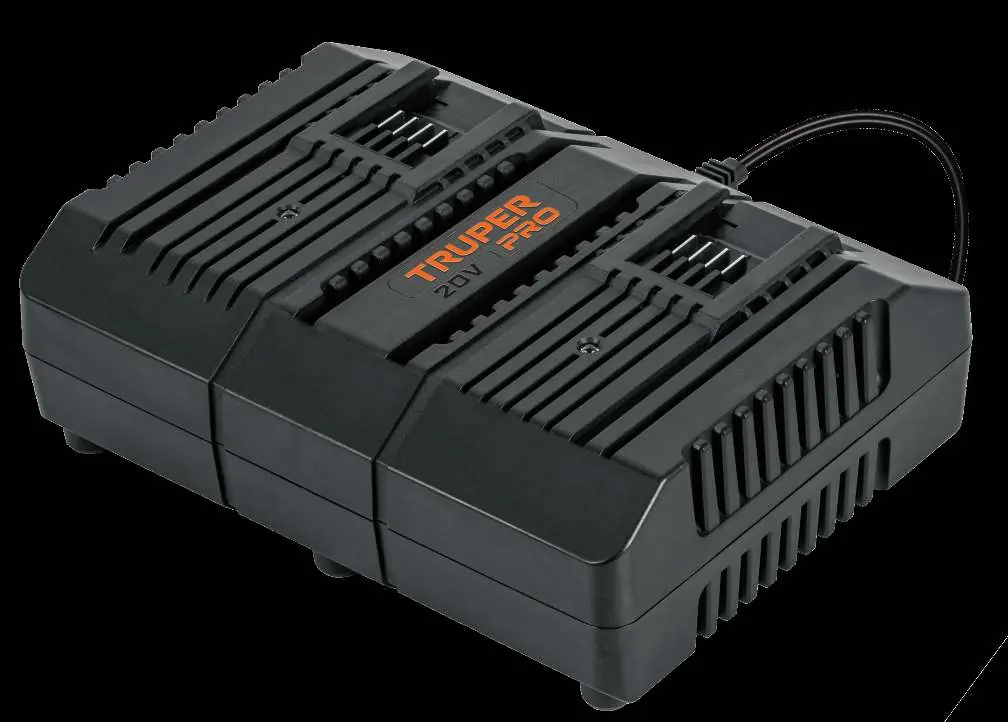
- Plug the charger into a standard electrical outlet.
- Slide one or two batteries into the charger slots.
- The indicator lights will flash green to indicate that charging is in progress.
- If a battery is depleted due to continuous use or heat, allow it to cool down before attempting to charge it to ensure a full charge.
LED Indicators
The charger uses LED lights to communicate the status of the battery:
- Green flashing: Battery is charging.
- Green solid: Battery is fully charged.
- Red flashing: Battery temperature protection is active (battery is below 0°C or above 45°C).
- Red solid: Battery is defective.
Battery Maintenance and Safety
To ensure the longevity of your batteries and charger, observe the following:
- New Batteries: Charge new or long-stored batteries before first use.
- Storage: If storing for a long period, charge the battery completely.
- Temperature Limits: Do not charge at ambient temperatures below 4.5°C or above 40.5°C.
- Defective Batteries: If the charger detects a defective battery, it will attempt to repair it for approximately 30 minutes (green flashing light). If the light turns solid red after this process, the battery is likely damaged.
- Cleaning: Never use water or chemical products to clean the charger. Use a dry cloth only.
- Safety: Keep metal objects away from the charger cavities to prevent electrical faults. Always disconnect the charger from the power supply when not in use or before cleaning.
Troubleshooting
If the battery does not charge correctly:
- Check the electrical outlet by plugging in another device.
- Disconnect and reconnect the charger to verify it is functioning.
- Inspect the battery for physical damage.
- Ensure the ambient temperature is within the recommended range (18°C - 24°C).
- If the issue persists with a new battery, have the charger tested at an authorized service center.
Manufacturer information
TRUPER, S.A. DE C.V.
Practical help
Common problems
Battery does not charge
Check the outlet, inspect the battery for physical damage, and ensure the ambient temperature is between 18°C and 24°C.
Red flashing light
The battery is too hot or too cold (outside 0°C - 45°C range). The charger has activated temperature protection.
Red solid light
The battery is defective. Try a new battery to determine if the charger is functioning correctly.
Before use
- Ensure the charger is plugged into a working power outlet.
- Verify that no metal objects are inside the charger cavities.
- Check that the ambient temperature is between 18°C and 24°C for best results.
- Allow hot batteries to cool down before charging.
Show more Show less
Images and diagrams
- The charger is wall-mountable.
- The unit features anti-slip rubber feet for stability.
Model compatibility
- Designed for Truper 20V batteries.
- Do not use other chargers to charge these batteries.

Manual page author
Michael Turner
Technical manual editor