Power / Power Banks
User Manual for MOVE SPEED 145W Power Bank (YSPBM25Pro)
Quick guide for the MOVE SPEED 145W Power Bank (YSPBM25Pro). Learn how to charge devices, use low-current mode, recharge the power bank, and troubleshoot common issues.
Table of contents
Manual images
Click an image to enlargeQuick Guide from the Manual
The MOVE SPEED 145W Power Bank is a high-capacity portable charger designed for laptops, tablets, and smartphones. Key usage points include:
- Charging Devices: Use the USB-C1 port for laptops (140W output). Use USB-C2 or USB-A for smaller devices.
- Recharging: Use the USB-C1 port with a 65W or higher wall charger for optimal speed.
- Low-Current Mode: Essential for charging small devices like Bluetooth earphones or smartwatches.
- Maintenance: Store at 50-60% charge in a cool, dry place and recharge every 3 months.
Product Overview
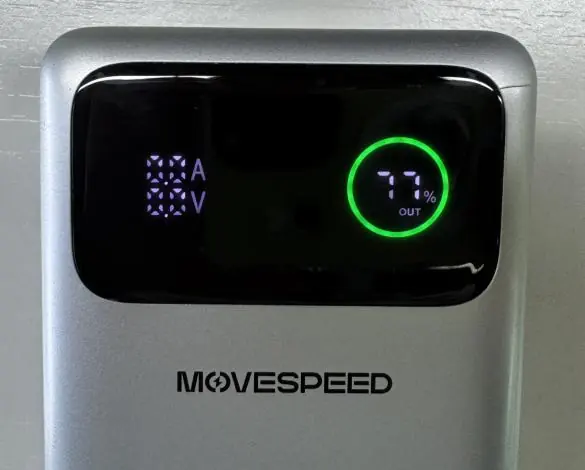
The power bank features a smart display showing battery percentage, input/output status, and real-time voltage/current. It is equipped with three ports: USB-C1 (140W output/65W input), USB-C2 (45W output), and USB-A (22.5W output).
Getting Started
Power On/Off:
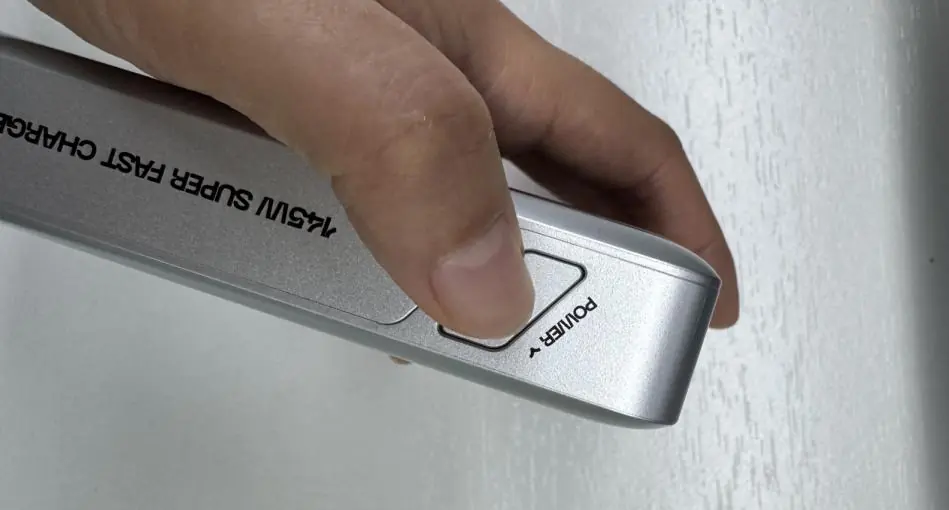
- To turn the power bank ON, press the power button once.
- To turn the power bank OFF, press the power button twice quickly.
Charging Your Devices
Connect your device to the appropriate port. The screen will display "OUT" when power is being supplied. For high-power devices like laptops, always use the USB-C1 port to ensure maximum charging speed.
Low-Current Mode
This mode is required for low-power devices that may not be recognized by standard charging modes.
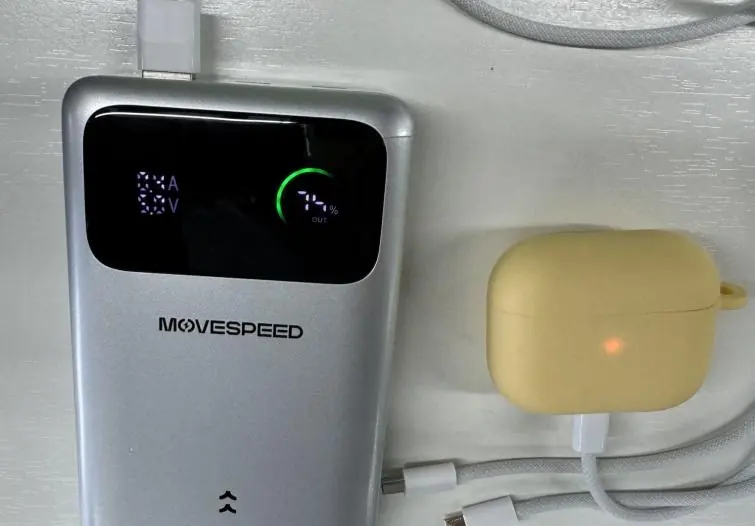
- Ensure the power bank is on.
- Press and hold the power button for 3 seconds.
- The display numbers will pulse, and a green circle will animate (spin) to indicate the mode is active.
- Connect your small device to charge.
- To exit, press and hold the power button again for 3 seconds until the display stops pulsing and the circle becomes static.
Recharging Your Power Bank
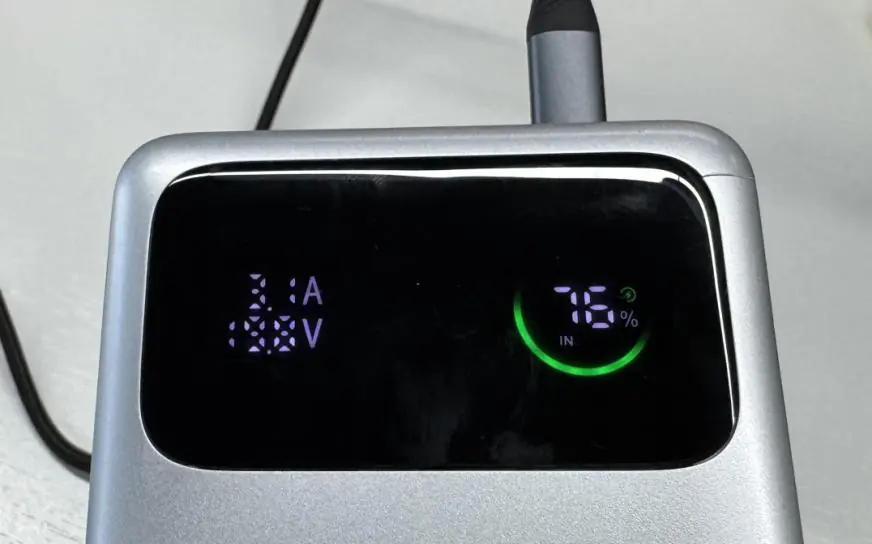
Connect the provided USB-C cable to the USB-C1 port on the power bank and the other end to a compatible high-wattage wall charger (65W or higher recommended). The display will show "IN" when charging is active.
Care & Maintenance
- Temperature: Keep between 32°F and 95°F (0°C and 35°C). Avoid hot cars or sub-zero conditions.
- Storage: For long-term storage, keep the battery at 50-60% charge and recharge every 3 months.
- Safety: Do not expose to moisture or rain. Use only certified cables and chargers.
Troubleshooting
- Power bank stops charging: Restart both the connected device and the power bank. Clean the USB-C ports with a dry brush or compressed air.
- Cannot charge small devices: Ensure you are not in Low-Current Mode if you want standard charging, or activate it if the device is not being detected.
- Power bank won't charge: Ensure the wall charger is at least 45W (65W recommended). Try a different cable.
- Deep Recovery: If the unit is unresponsive due to over-discharge, connect it to a 65W+ charger for at least 30 minutes.
Manufacturer information
UGREEN
Practical help
Common problems
Power bank stops charging or won't charge devices
Restart both the power bank and the connected device. Clean the USB-C ports. Replace the charging cable with one confirmed to support 100W power delivery.
Cannot charge small devices (earphones, smartwatches)
Activate 'Low-Current Mode' by pressing and holding the power button for 3 seconds until the display pulses.
Power bank is not charging
Ensure the wall charger used is at least 45W (65W recommended). Try a different charger and cable.
Before use
- Check the battery level on the smart display.
- Use a 65W or higher wall charger for recharging the power bank.
- Use the provided USB-C cable or a high-quality cable supporting 100W power delivery.
- Ensure the device is placed on a hard, flat surface during high-power charging.
Images and diagrams
- The smart display shows battery percentage, IN/OUT status, and real-time voltage/current.
- The USB-C1 port is the primary port for both high-speed input and output.
Model compatibility
- Supports 140W PD3.1 charging.
- Not waterproof; keep away from moisture.
- Operating temperature: 0°C to 35°C.

Manual page author
Michael Turner
Technical manual editor
Reviews PDF manuals for structure, safety notes, and practical product details so readers can find the right information quickly.