Industrial / Signal Converters
User Manual for Veratron LINK UP 0-5V Signal Converter
Quick guide for the Veratron LINK UP 0-5V signal converter. Learn how to install, configure via NFC, and connect to your NMEA 2000 network.
Table of contents
Manual images
Click an image to enlargeQuick guide from the manual
The Veratron LINK UP 0-5V gateway is designed to convert analog vessel and engine sensor data into NMEA 2000 network messages. It features a passive NFC antenna for easy configuration via a smartphone app, allowing you to set sensor types, calibration, and warning thresholds without needing a power supply during setup.
Safety Information
- Disconnect the negative battery terminal before starting installation to prevent short circuits.
- If the vehicle has auxiliary batteries, disconnect their negative terminals as well.
- Ensure the device is installed at least 300 mm away from any magnetic compass.
- Do not install in mechanical or electrical airbag areas.
- Use only insulated tools when working on live parts.
System Installation
The device is installed between the sensor and the NMEA 2000 backbone.
Before the Assembly
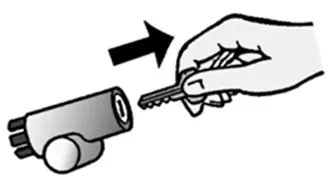
Turn off the ignition and remove the key. Ensure the battery cannot be reconnected unintentionally during the process.
Pinout
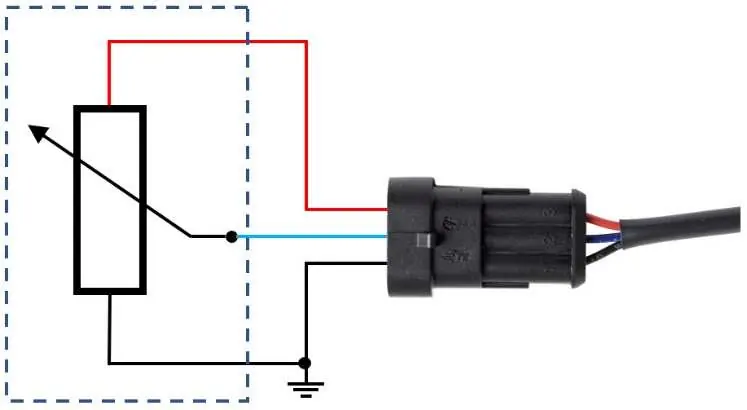
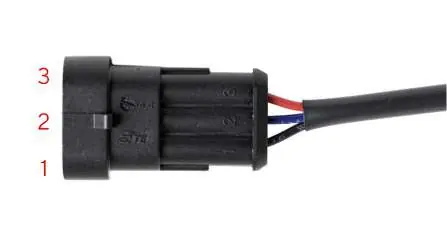
The sensor side uses an AMP Super Seal 3-pole male connector:
- Pin 1 (Black): GND
- Pin 2 (Blue): Signal
- Pin 3 (Red): 5V-Supply (max. 15 mA)
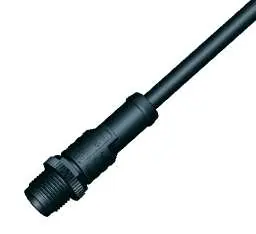
The NMEA 2000 side uses a Micro-C M12 5-pole male connector.
Connecting a Sensor
Use the dedicated sensor plug if available. If the sensor lacks the matching connector, you may cut off the LinkUp plug and wire it directly according to the pinout. Ensure active sensors do not provide signals higher than 5V.
Connect to the NMEA 2000 Network
Connect the M12 plug to the NMEA 2000 backbone. Tighten the connector to ensure water tightness. Do not use drop cables longer than 6 meters.
Configuration
Configuration is performed using the Link Up Configurator app (available for Android and iOS).
Sensor Configuration
- Launch the app and tap your smartphone onto the NFC area of the LinkUp device to read the current configuration.
- Review the Configuration Summary.
- Select the sensor type (e.g., Fuel Level, Trim, Pressure).
- Choose a standard curve or define a custom one.
- Set engine or tank numbers and alarm thresholds if applicable.
- Press Write Configuration and tap the phone to the device again to upload the settings.
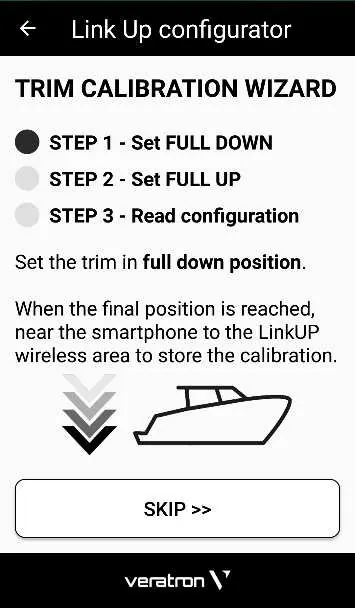
Trim Configuration Wizard
For Trim Level and Trim Tabs, use the built-in wizard:
- Read the current configuration.
- Press Calibrate.
- Follow the in-app prompts to set the full down and full up positions by connecting the phone to the device at each step.
LED Notifications
- OFF: Device not powered.
- ON: Configured and operating.
- Slow blink (1Hz): Invalid/empty configuration; waiting for user setup.
- Fast blink (2.5Hz): Sensor value out of range.
- Very fast blink (10Hz): Reconfiguration in progress.
Technical Data
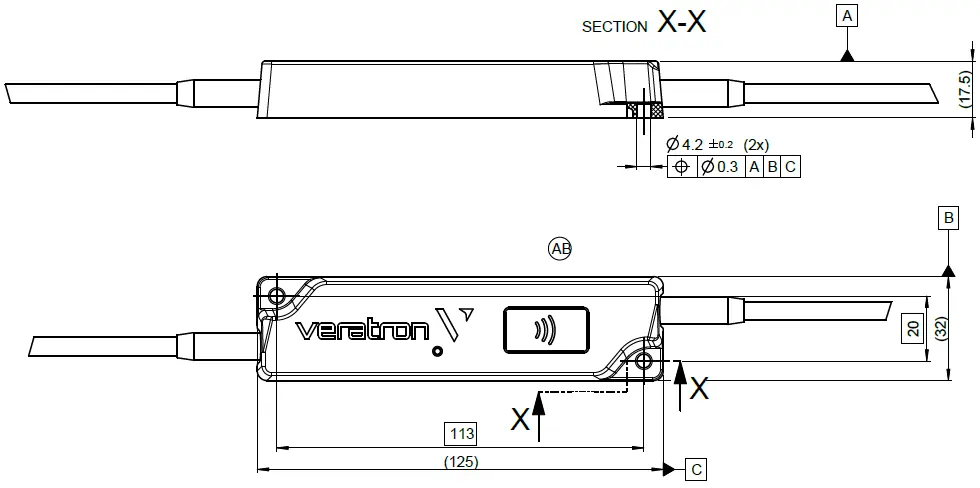
- Operating voltage: 6 – 16.5 V
- Nominal voltage: 12 V (from NMEA 2000)
- Power consumption: ≤ 100 mA
- Protection class: IP X9/K (when connected)
- Operating temperature: -30°C to 80°C
Practical help
Common problems
Device not powered (LED OFF)
Check the NMEA 2000 network connection and ensure the backbone is powered.
Invalid or empty configuration (Slow blink)
Use the Link Up Configurator app to perform the initial configuration.
Sensor value out of range (Fast blink)
Verify the sensor wiring and ensure the signal does not exceed 5V.
Before use
- Turn off ignition and remove key.
- Disconnect negative battery terminal.
- Ensure mounting location is at least 300mm from magnetic compass.
- Verify sensor type is supported.
- Ensure you have the Link Up Configurator app installed.
Specs in practice
- Operating voltage
- 6-16.5V DC range.
- Protection class
- IP X9/K rating ensures high water resistance when connected.
- Max current on 5V output
- 15 mA limit for powering passive sensors.
- Operating temperature
- -30°C to 80°C.
Images and diagrams
- Wiring diagrams illustrate connections for both passive and active sensors.
- Pinout tables provide wire color coding for sensor and NMEA 2000 connections.
Model compatibility
- Compatible with NMEA 2000 backbone.
- Supports various sensors including fuel, trim, pressure, and temperature.

Manual page author
Emily Carter
User documentation editor
Prepares concise manual descriptions and highlights the most useful setup, operation, and maintenance information for readers.