Electronics / Monitors
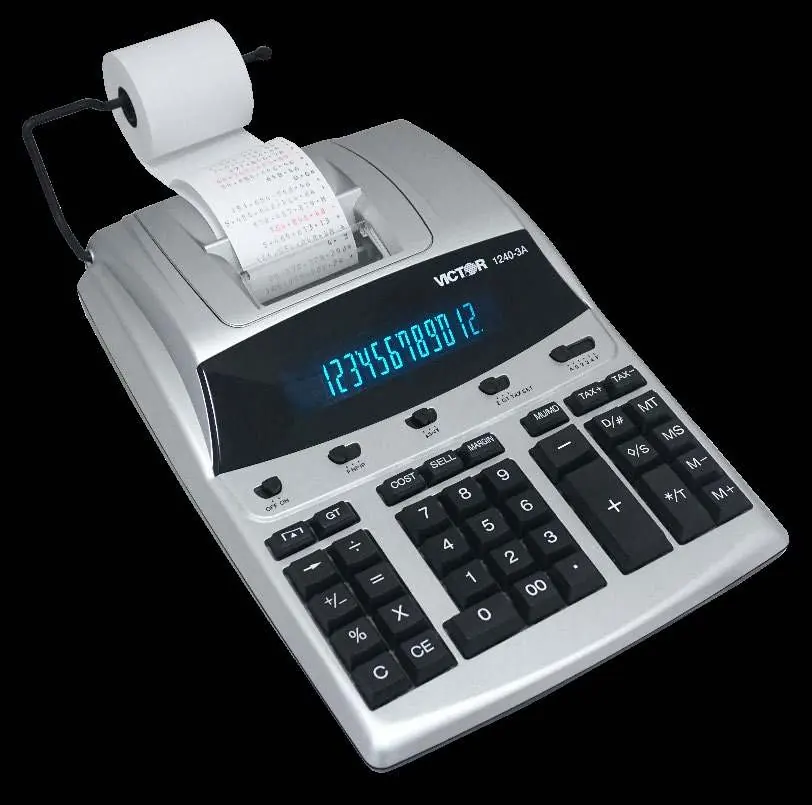
User Manual for Victor 1240-3A Printing Calculator
Quick guide for the Victor 1240-3A printing calculator. Learn how to load paper, replace the ink ribbon, use calculation functions, and understand display symbols.
Table of contents
Manual images
Click an image to enlargeQuick guide from the manual
The Victor 1240-3A is a 12-digit printing calculator. To get started, ensure the device is connected to a power source (AC adapter 6V DC or 4 AA batteries). Always ensure paper is loaded before operating the printer to avoid damaging the print head. Use the [D/#] key to print digits displayed on the screen when the power is ON.
Preparation
Power Source: The unit operates on an AC adapter (6V DC, 300mA) or 4 AA size manganese dry batteries (UM-3).
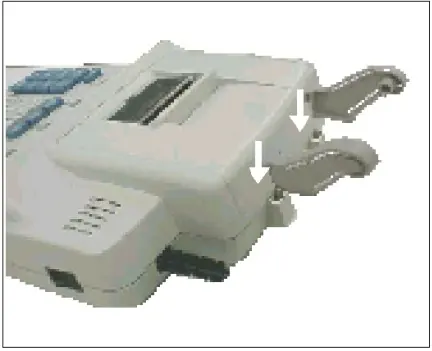
Loading Paper:
- Place the paper holder into position.
- Install the paper roll onto the holders.
- Insert the paper end into the printer slot.
- Press the paper feed key to feed the paper to an adequate length.
Replacing the Ink Ribbon
If printing becomes faint, replace the ink roller:
- Turn the power off.
- Open the printer cover.
- Remove the old ink roller by pulling it up.
- Install the new ribbon (red to the bottom) by inserting the spools in the reverse sequence.
Key Functions and Display
The calculator features various keys for arithmetic, memory, and tax calculations:
- SET/CAL: Selects set mode for tax rate or normal calculation mode.
- P/NP/IP: Controls printer status (Printer on, Printer off, Printer Item count mode).
- MU/MD: Calculates selling price and profit/loss margin.
- TAX+/TAX-: Calculates tax amounts based on a stored rate.
- GT: Selects Grand Total mode.
- Display Symbols: M (Memory stored), E (Error/Overflow), - (Negative value), GT (Grand total).
Calculation Examples
The manual provides detailed examples for:
- Arithmetic: Basic operations, constant multiplication, and division.
- Percent: Percentage calculations and percent of change.
- Memory: Storing, recalling, and clearing memory values.
- Rounding: Settings for rounding up, off, or down.
- Tax: Calculating tax-included or tax-excluded amounts.
Technical Specifications
- Display: 12-digit large LCD.
- Printing Speed: 4.1 lines/sec.
- Paper: 58mm (2 1/4 inch) width.
- Power: 120V/60Hz (USA/Canada) or 230V/50Hz (ECD).
- Ambient Temperature: 0°C to 40°C (32°F to 104°F).
- Weight: 1650g.
Manufacturer information
Victor Technology, LLC
Practical help
Common problems
Printing is faint
The ink roller needs to be replaced.
Print head damage
Do not press any keys when the printer is on and there is no paper loaded (except the paper feed key).
Error symbol (E) appears
Indicates an error or capacity overflow.
Before use
- Ensure the paper holder is in position.
- Install the paper roll on the holders.
- Insert the paper end into the printer slot.
- Press the paper feed key to feed paper.
- Check power source (AC adapter or 4 AA batteries).
Specs in practice
- Printing Speed
- 4.1 lines per second.
Images and diagrams
- Fig I & II: Illustrates the paper holder installation and paper loading process.
- Fig III & IV: Illustrates the ink roller removal and replacement process.
Model compatibility
- Uses Vivtor 7010 ink roller.
- Power: 120V/60Hz (USA/Canada) or 230V/50Hz (ECD).

Manual page author
Michael Turner
Technical manual editor
Reviews PDF manuals for structure, safety notes, and practical product details so readers can find the right information quickly.