Mobile / Smartphones
User Manual for Smartphone F5 Pro
Quick guide for the F5 Pro smartphone. Learn how to set up your device, manage SIM cards, handle calls, messages, and battery usage, along with essential safety information.
Table of contents
Quick Guide from the Manual
This guide provides essential instructions for operating your smartphone. Please ensure the device is fully charged before the first use and use only the provided accessories to maintain safety and performance.
Getting Started
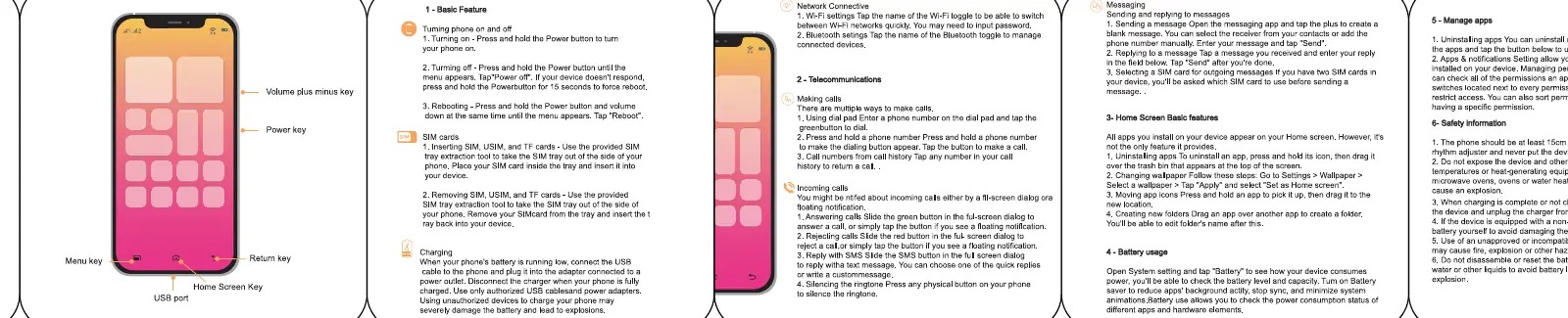
- Power On/Off: Press and hold the power button to turn the device on or off.
- Reboot: Press and hold the power button and volume down button simultaneously to force a reboot.
- SIM Card Installation: Use the provided SIM tray tool to eject the tray and insert your SIM card correctly.
- Charging: Connect the phone to a power outlet using the provided USB cable and power adapter. Avoid using unauthorized chargers.
Network and Communication
- Network: Access settings to manage Wi-Fi and Bluetooth connections.
- Calls: Use the dial pad to make calls. To answer an incoming call, slide the green button on the screen.
- Messaging: Open the messaging app, select a contact, and type your message.
Device Usage
- Home Screen: Manage your apps directly from the home screen. You can create folders by dragging one app onto another.
- Battery Usage: Monitor battery consumption in the settings menu to optimize performance.
Safety Information
- Keep the device at least 15cm away from medical implants.
- Do not expose the device to extreme heat, fire, or water.
- Do not disassemble the device or attempt to replace the battery yourself.
- Use only the provided charger to avoid damage or fire hazards.
Manufacturer information
Xiaomi Corporation
Practical help
Common problems
Phone will not turn on
Ensure the battery is charged. Connect the device to the provided charger for a few minutes.
SIM card not detected
Ensure the SIM card is inserted correctly into the tray using the provided tool.
Device overheating
Avoid using the phone while charging or in high-temperature environments.
Before use
- Insert SIM card using the provided tray tool
- Charge the battery fully before first use
- Ensure you are using the provided USB cable and power adapter
- Check for any physical damage to the device or charger
Images and diagrams
- The diagram illustrates the location of the USB port, volume keys, power key, menu key, home key, and return key.
Model compatibility
- This manual applies to multiple models including F5 Pro, K60, and others listed in the Declaration of Conformity.

Manual page author
David Miller
Documentation analyst
Organizes user manual content into clear summaries, with attention to model details, product context, and everyday usability.