Electronics / Data Center Infrastructure
User Manual for StarTech.com 12U Wall-Mount Network Cabinet RK12WALHM
Quick guide for the StarTech.com 12U Wall-Mount Network Cabinet (RK12WALHM). Includes installation steps, grounding, door reversal, rail adjustment, and safety warnings.
Table of contents
Manual images
Click an image to enlargeQuick Guide
This document provides instructions for the StarTech.com 12U Wall-Mount Network Cabinet (RK12WALHM). Key safety requirements include ensuring the wall structure can support at least four times the weight of the cabinet and installed equipment. The cabinet weighs 27 kg (59.5 lb) and has a weight capacity of 90 kg (198 lb). Always ground the cabinet before adding equipment.
Product Overview
The cabinet includes the following main components:
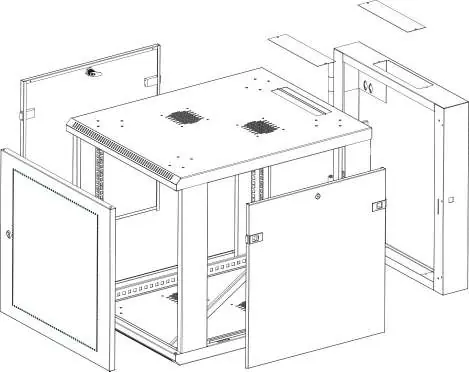
- Front and rear doors
- Horizontal and vertical mounting rails
- Cable access openings with covers
- Side panels
- Ventilation points
Installation and Mounting
Wall Mounting: Ensure the wall structure is suitable for the cabinet. The number of mounting holes depends on the model. Use appropriate hardware (M8, M10, 5/16", or 3/8" screws) for your specific wall type. Do not attempt to lift or hang the cabinet without assistance.
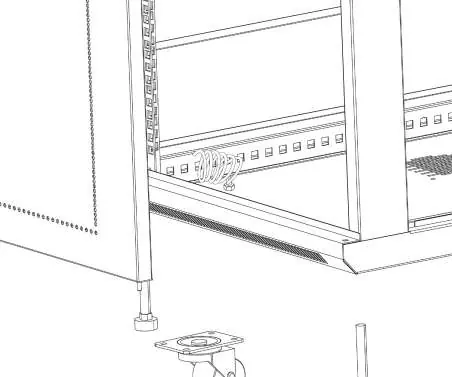
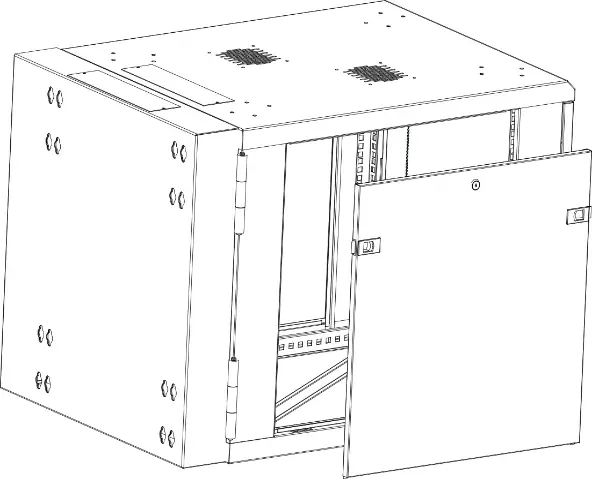
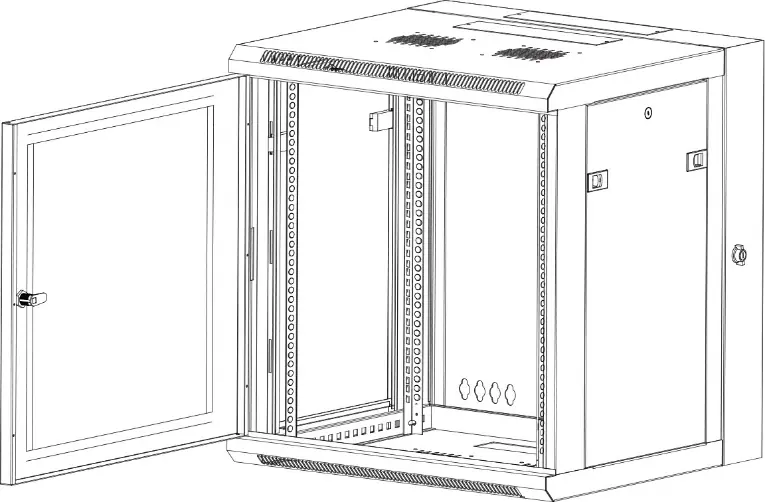
Grounding: This product must be grounded. Use an M6 screw to attach a grounding cable to the front or rear grounding point of the cabinet. Route the cable under the frame and connect it to your facility's grounding connection.
Adjustments and Configuration
Side Panels: To remove, unlock the side panels using the provided keys, pull the two tabs toward the center of the panel, and lift the panel off the cabinet.
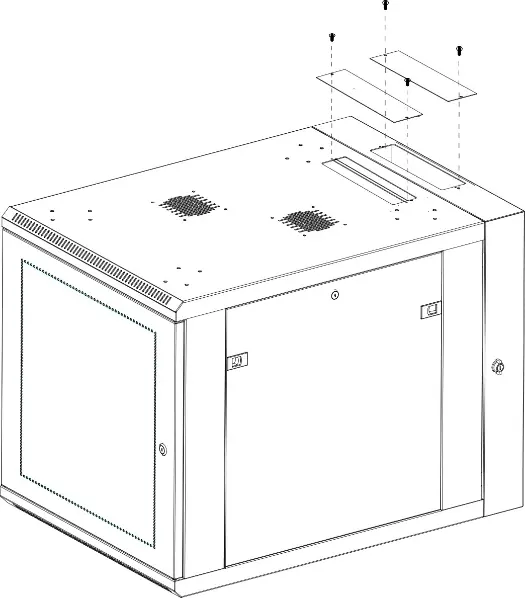
Cable Access: To access cables, use a Phillips screwdriver to remove the two screws at the ends of the cable access cover, then remove the cover.
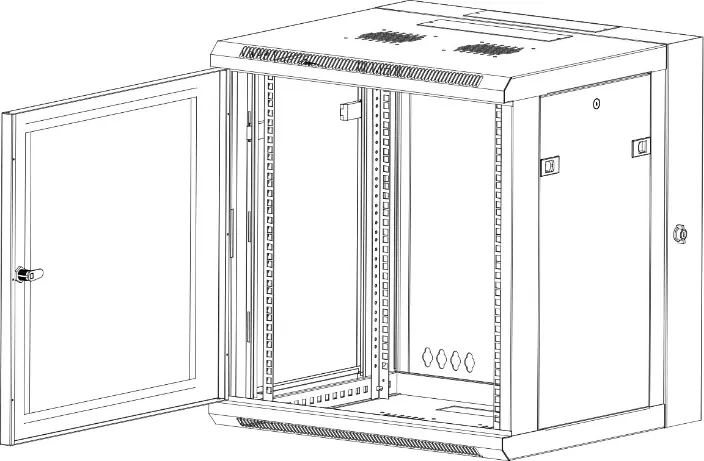
Front Door Reversal: The front door can be reversed to open from the left or right. Use the levers at the top and bottom of the door to detach it, flip it, and re-attach it to the opposite side.
Mounting Rails: The rails can be adjusted in 20 mm (3/4 inch) increments. Remove the screws and cage nuts, reposition the rails, and reinstall the hardware. You can also reverse the rails to use the threaded holes for equipment installation.
Equipment Installation
Important: Do not install equipment until the cabinet is securely mounted to the wall. When loading, place the heaviest equipment at the bottom and proceed in descending order of weight to maintain stability. Use the provided cage nuts and screws to secure your equipment to the mounting rails.
Safety and Maintenance
Warning: Never pull out more than one component at a time to prevent the cabinet from tipping. Keep liquids away from the cabinet. Do not stack cabinets on top of each other.
Official resources from the manual
Practical help
Common problems
Cabinet is unstable or tips over
Ensure the wall structure can support 4x the total weight. Never pull out more than one component at a time.
Equipment does not fit or align
Adjust the depth of the mounting rails or reverse them to utilize the threaded holes.
Cannot access cables
Remove the cable access covers on the top of the cabinet using a Phillips screwdriver.
Before use
- Verify wall structure supports 4x the total weight of cabinet and equipment.
- Ensure you have a Phillips screwdriver.
- Check that all parts (screws, cage nuts, keys) are present.
- Prepare a grounding cable for the cabinet.
- Determine the desired depth for mounting rails.
Specs in practice
- Weight Capacity
- Maximum load of 90 kg (198 lb).
- Cabinet Weight
- The empty cabinet weighs 27 kg (59.5 lb).
Images and diagrams
- The product diagram identifies the front/rear doors, mounting rails, cable access points, and ventilation areas.
Model compatibility
- Wall mounting hardware (M8, M10, 5/16", or 3/8" screws) is not included and must be selected based on wall type.

Manual page author
Michael Turner
Technical manual editor
Reviews PDF manuals for structure, safety notes, and practical product details so readers can find the right information quickly.