Tools / Electronic Test Equipment
Aideepen Energy Monitor Socket Analyzer User Guide
A quick guide for the Aideepen Energy Monitor Socket Analyzer. Learn how to use the device, understand the LCD display, and check technical specifications for different plug types.
Quick answers from the manual
Quick answer
- The Aideepen Energy Monitor is a plug-and-play device that measures the power consumption, voltage, current, and electricity cost of connected appliances. Simply plug it into a wall outlet and connect your device to start monitoring. p. 1
Key actions
- Plug the monitor into a wall outlet. p. 1
- Connect your appliance to the monitor. p. 1
Problems and fixes
Overload alarm
Disconnect the appliance as the load exceeds the device's maximum capacity.
p. 1Show 2 more answers Show less
Technical specifications
| Parameter | Value | Meaning | Pages |
|---|---|---|---|
| EU Plug Max Load | 16A / 3680W | Maximum capacity for EU version | p. 12 |
| UK Plug Max Load | 13A / 2900W | Maximum capacity for UK version | p. 12 |
| US Plug Max Load | 15A / 1800W | Maximum capacity for US version | p. 12 |
| AU Plug Max Load | 10A / 2400W | Maximum capacity for AU version | p. 12 |
Where to find it in the PDF
- Features and Specifications p. 1
- Technical Specifications Table p. 12
Table of contents
Manual images
Click an image to enlargeQuick Guide
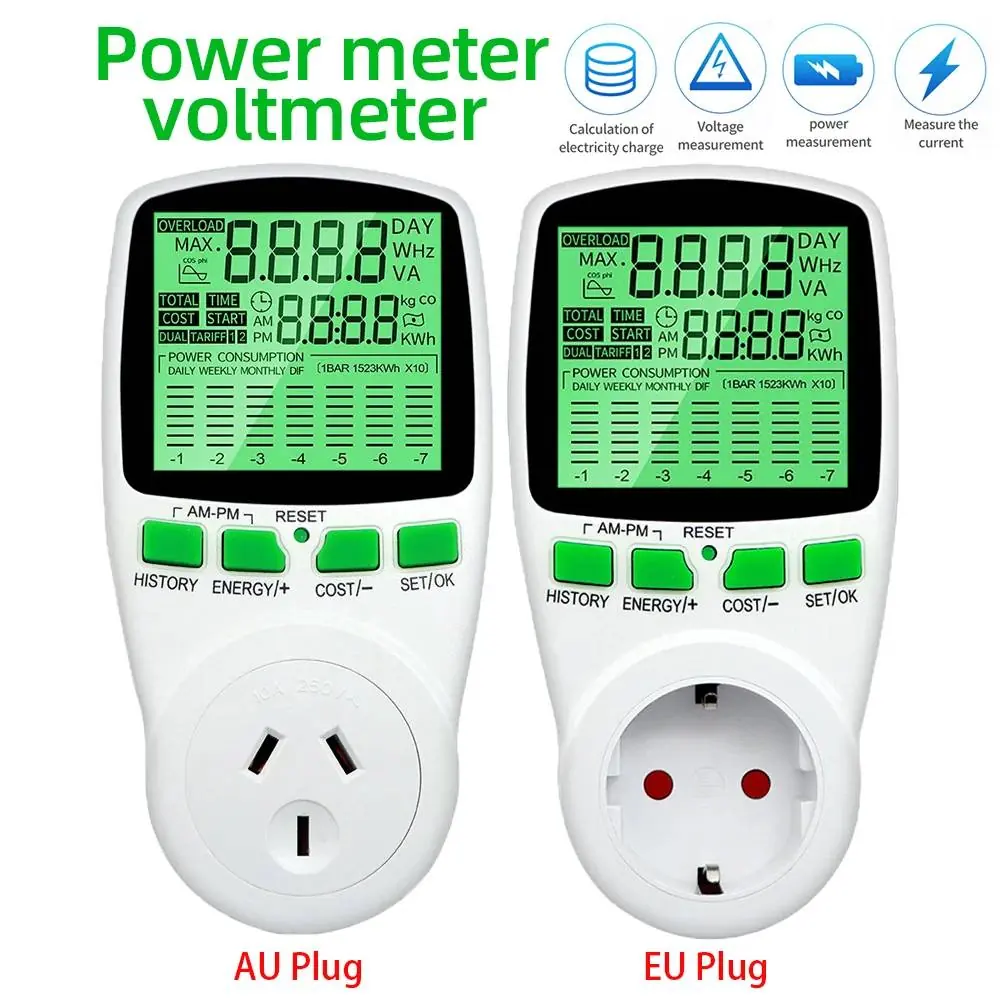
The Aideepen Energy Monitor Socket Analyzer is a plug-and-play device designed to monitor the power consumption of electronic appliances. It provides real-time data on voltage, current, power, frequency, and electricity costs.
Features
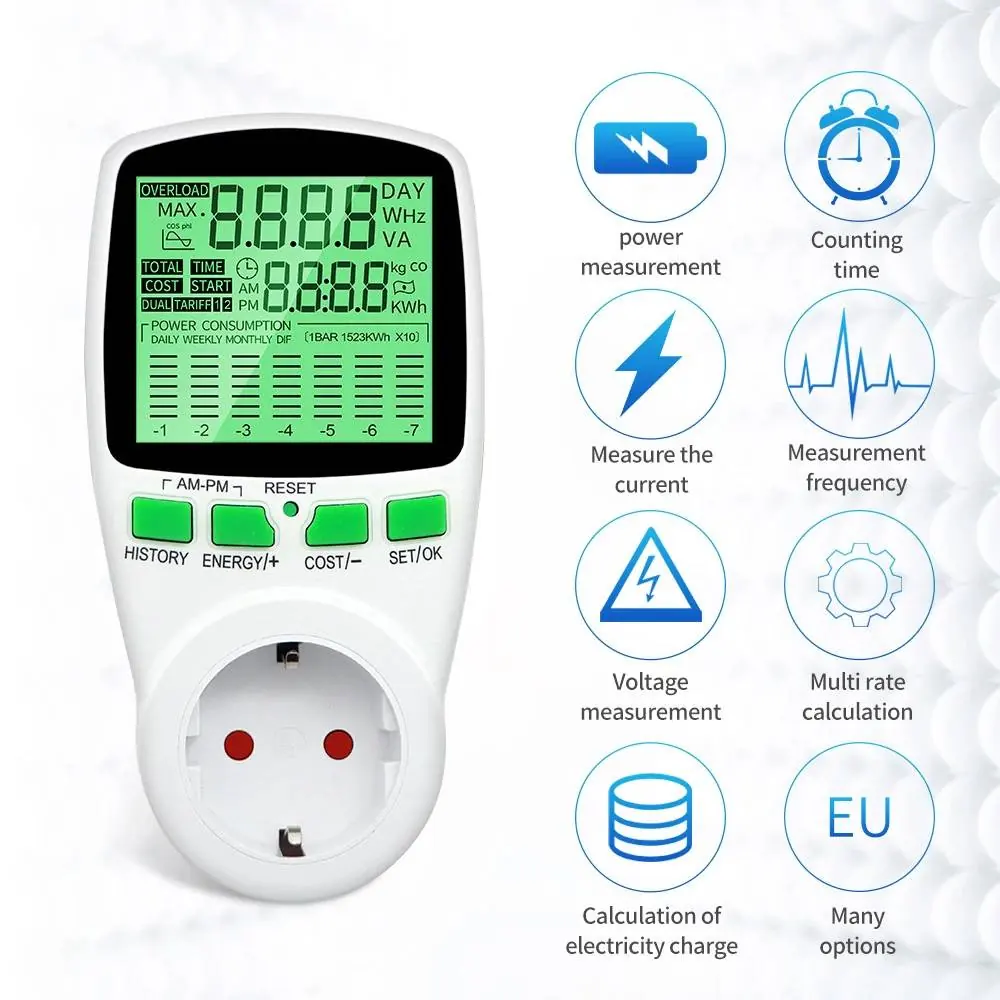
- LCD Display: Large, clear screen for easy data reading.
- Plug and Play: Simply plug the meter into a wall socket and connect your appliance.
- Overload Alarm: The device alerts you with a sound and an "overload" message on the screen when the connected load exceeds the limit.
- Durable Material: Made from high-quality, flame-retardant PC material.
- Safety: Includes a shock protection door to prevent accidental contact.
How to Use
The device is designed for simplicity. Follow these steps to begin monitoring:
- Plug the energy monitor directly into a standard wall power outlet.
- Plug your electronic appliance into the socket on the front of the energy monitor.
- The LCD screen will automatically activate and begin displaying real-time data such as voltage, current, and power consumption.
Technical Specifications
The device supports various plug types with specific load capacities. Ensure your appliance does not exceed the maximum load for your region:
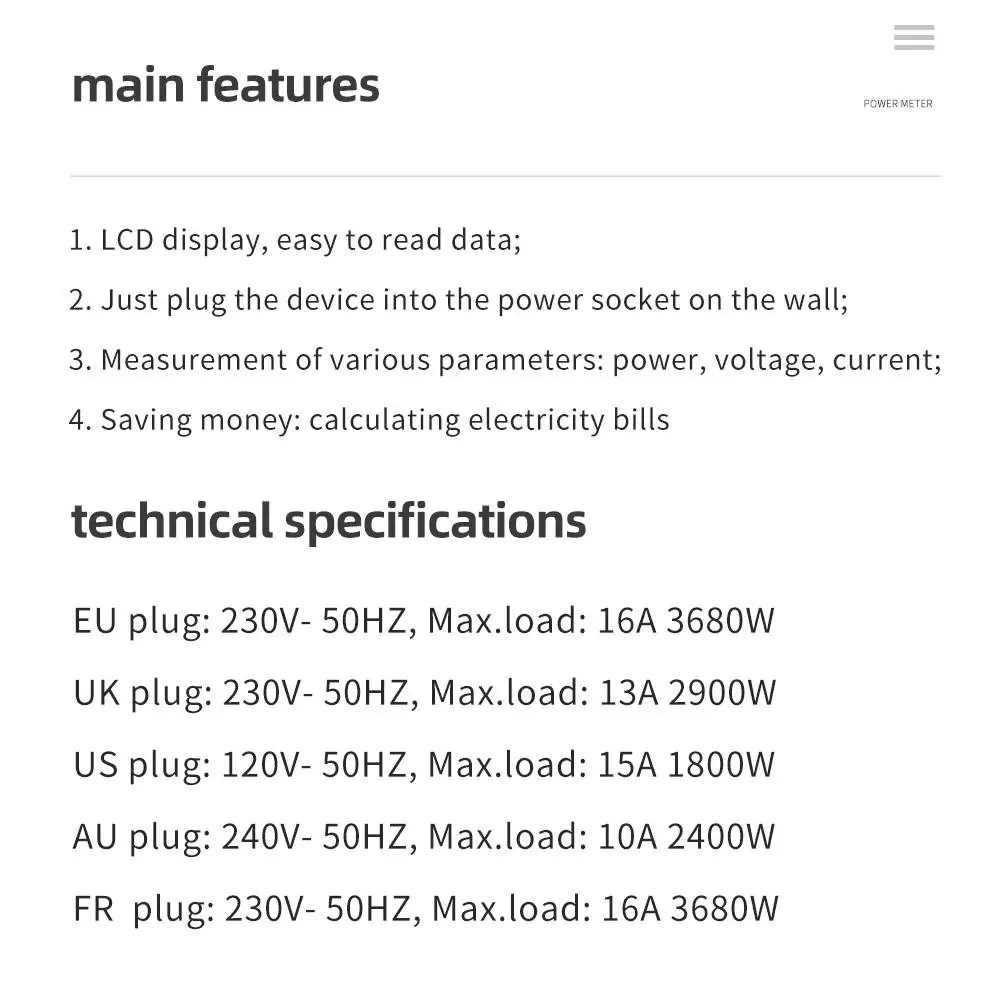
- EU Plug: 230V, 50Hz, Max Load: 16A / 3680W
- FR Plug: 230V, 50Hz, Max Load: 16A / 3680W
- UK Plug: 230V, 50Hz, Max Load: 13A / 2900W
- US Plug: 120V, 50Hz, Max Load: 15A / 1800W
- AU Plug: 240V, 50Hz, Max Load: 10A / 2400W
Safety Information
The device is equipped with a shock protection door to prevent children or small objects from making contact with internal electrical components. Always ensure the device is used within the specified voltage and current limits to avoid damage or fire hazards.
Manufacturer information
Aideepen
Practical help
Common problems
LCD displays 'overload' and makes a sound
The connected appliance is drawing more power than the device's maximum capacity. Disconnect the appliance immediately.
Device does not turn on
Ensure the device is firmly plugged into a live wall outlet and that the outlet has power.
Before use
- Verify the plug type matches your local wall outlet.
- Check the power rating of your appliance.
- Ensure the appliance load does not exceed the maximum wattage/amperage for your specific plug version.
- Inspect the device for any physical damage before use.
Show more Show less
Specs in practice
- Working Voltage
- The electrical potential the device is designed to operate within (e.g., 230V or 120V).
Images and diagrams
- The LCD screen displays various metrics including Voltage (V), Current (A), Power (W), Frequency (Hz), and cumulative Cost/kWh.
- The buttons (History, Energy/+, Cost/-, Set/OK) allow you to navigate through different data views and settings.
Model compatibility
- US version: 120V, 15A max.
- EU/FR version: 230V, 16A max.
- UK version: 230V, 13A max.
- AU version: 240V, 10A max.

Manual page author
David Miller
Documentation analyst