Industrial / Electrical
Aideepen Microcomputer Time Controller User Manual
Quick guide for the Aideepen Microcomputer Time Controller. Includes wiring diagrams, installation instructions, timing modes, and button operation.
Quick answers from the manual
Quick answer
- The Aideepen Microcomputer Time Controller is a programmable timer with a 1.37-inch LCD, supporting various countdown and cycle modes for loads up to 2200W. p. 1
Key actions
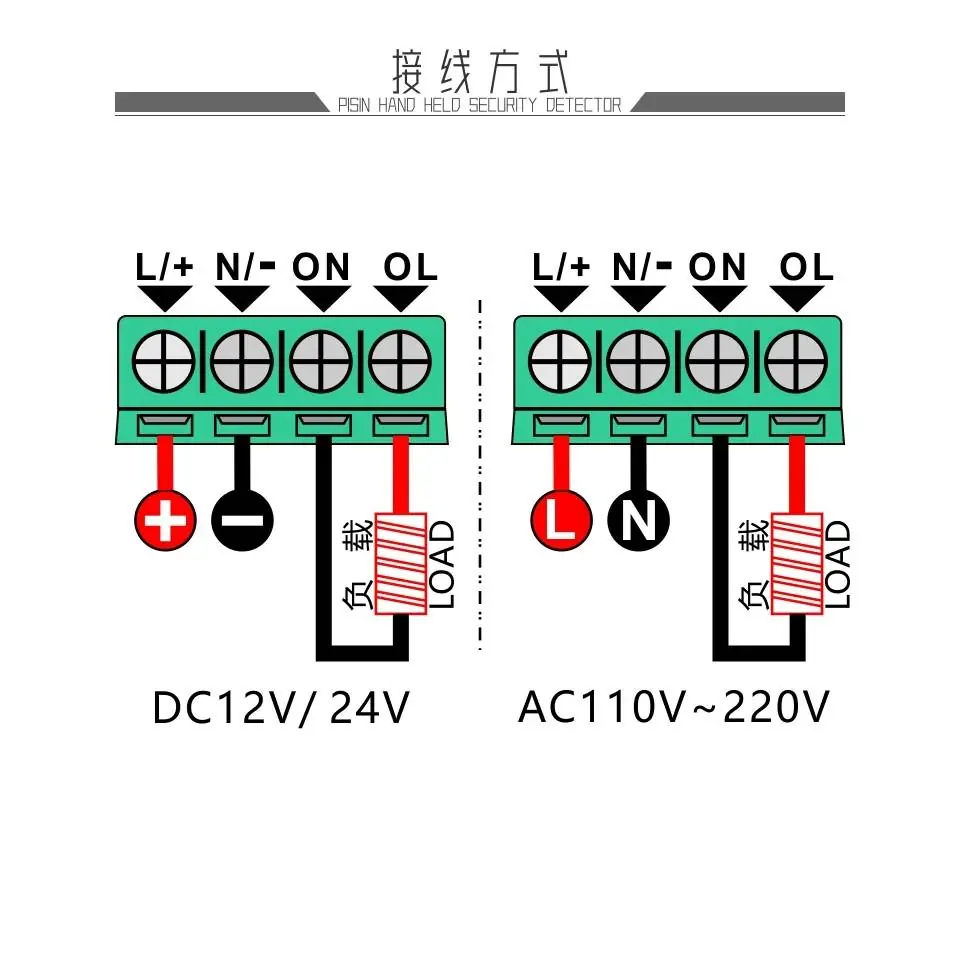
- Connect the device according to the wiring diagram for your specific voltage (AC or DC). p. 2
- Install the device into a 63x42mm panel opening. p. 1, 6
First start
- Connect power, use the SET button to configure timing parameters, and use the Stop/Start button to begin operation. p. 9
Show 2 more answers Show less
Technical specifications
| Parameter | Value | Meaning | Pages |
|---|---|---|---|
| Power | AC110V-220V / 10A / 2200W | Maximum load capacity | p. 1 |
| Hole size | 63x42mm | Required panel cutout dimensions | p. 1, 6 |
Where to find it in the PDF
- Specifications p. 1
- Wiring Diagram p. 2
- Operation p. 9
Table of contents
Manual images
Click an image to enlargeQuick Guide
The Aideepen Microcomputer Time Controller is a programmable timer device featuring a 1.37-inch LCD display. It supports various countdown and cycle timing modes, suitable for controlling electrical loads up to 2200W. The device features automatic data storage for settings and requires embedded installation.
Installation
The controller is designed for embedded installation. To install the device, you must create an opening in your mounting panel with the following dimensions:
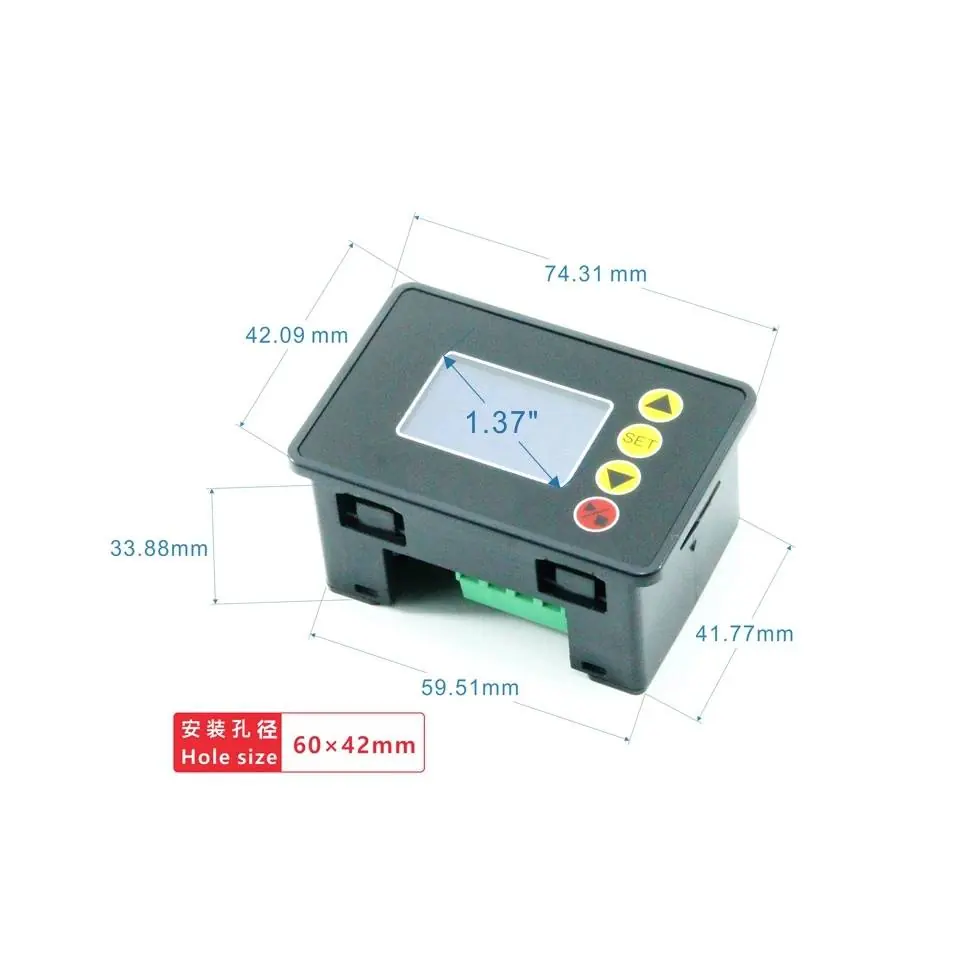
- Hole size: 63mm x 42mm
- Installation method: Embedded, no screws required.
Wiring
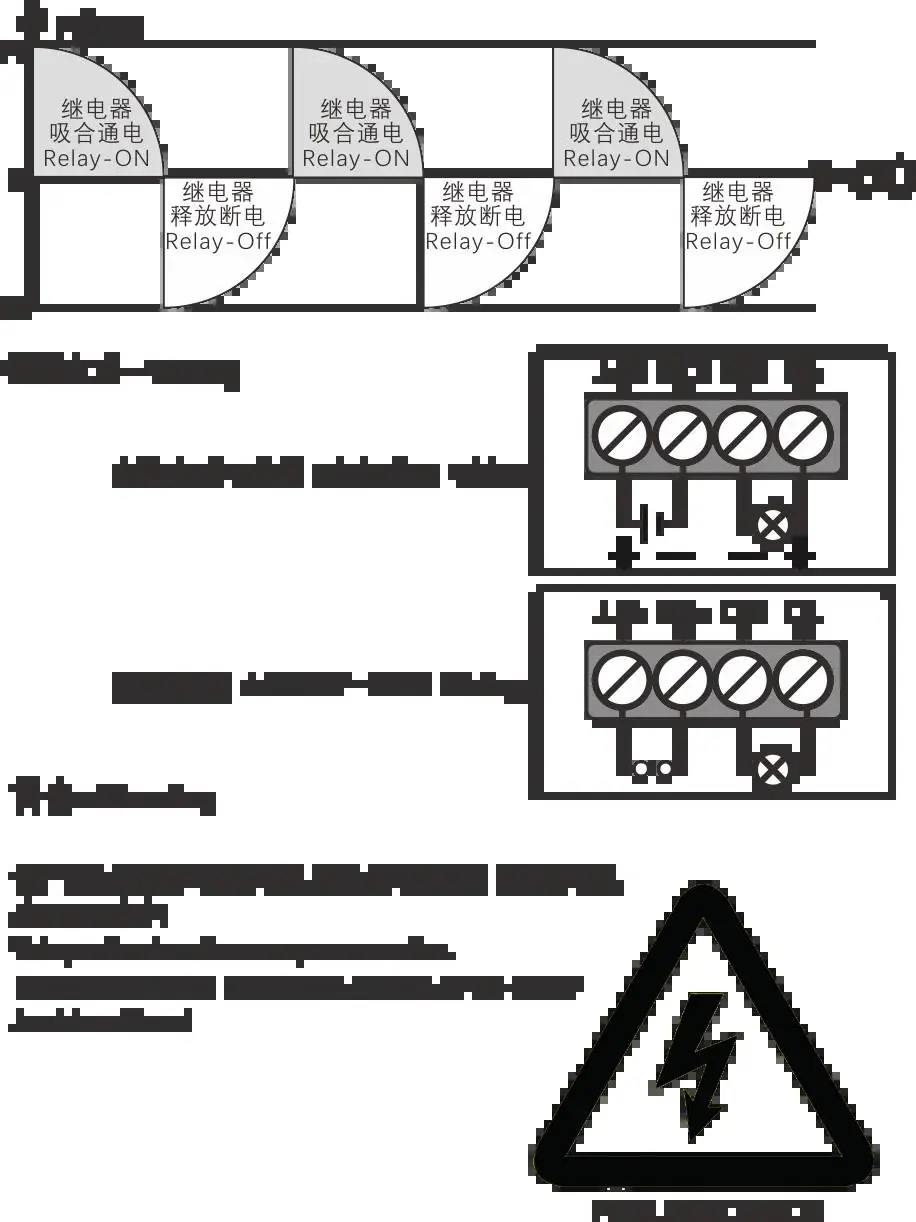
The device supports different power inputs. Refer to the wiring diagram on page 2 to ensure correct connection based on your power source (DC12V/24V or AC110V-220V). Ensure the load is connected correctly to the output terminals.
Operation
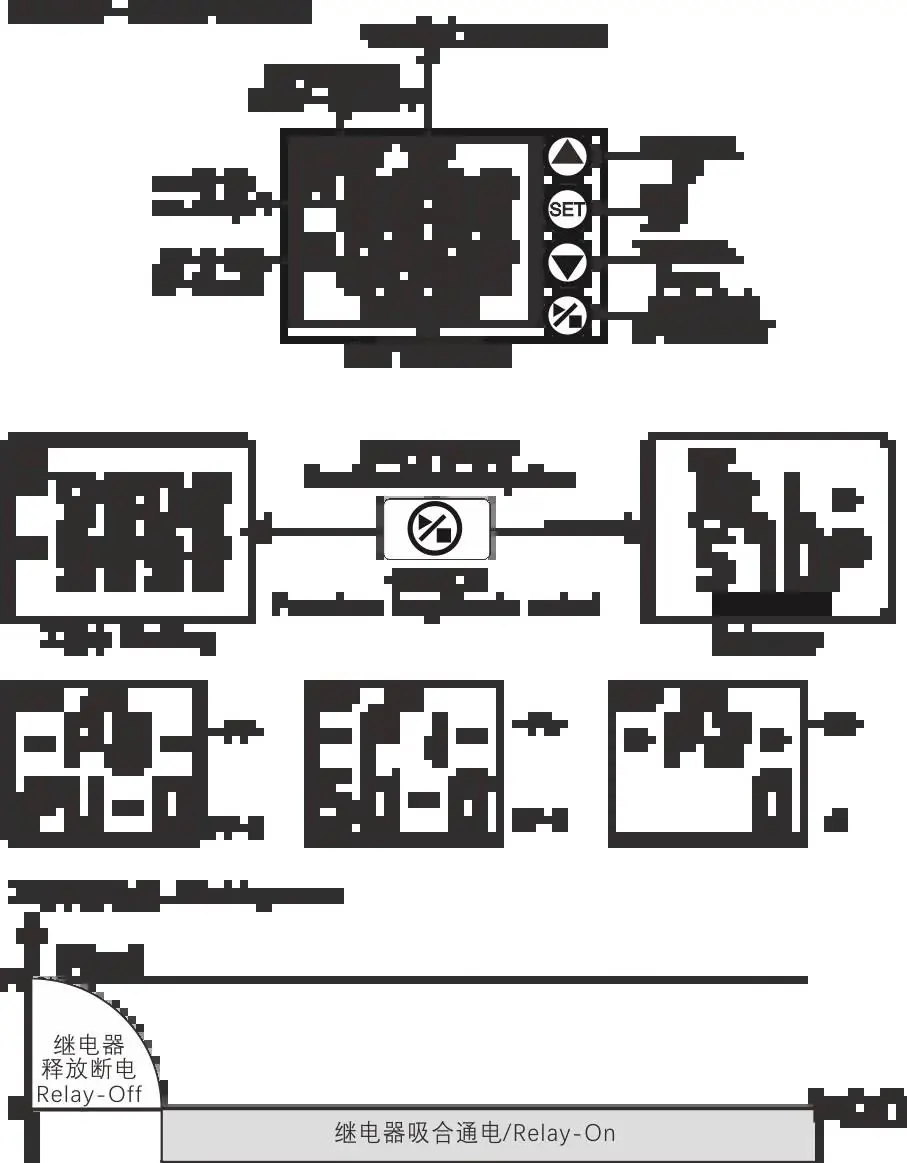
The device is operated using the front panel buttons:
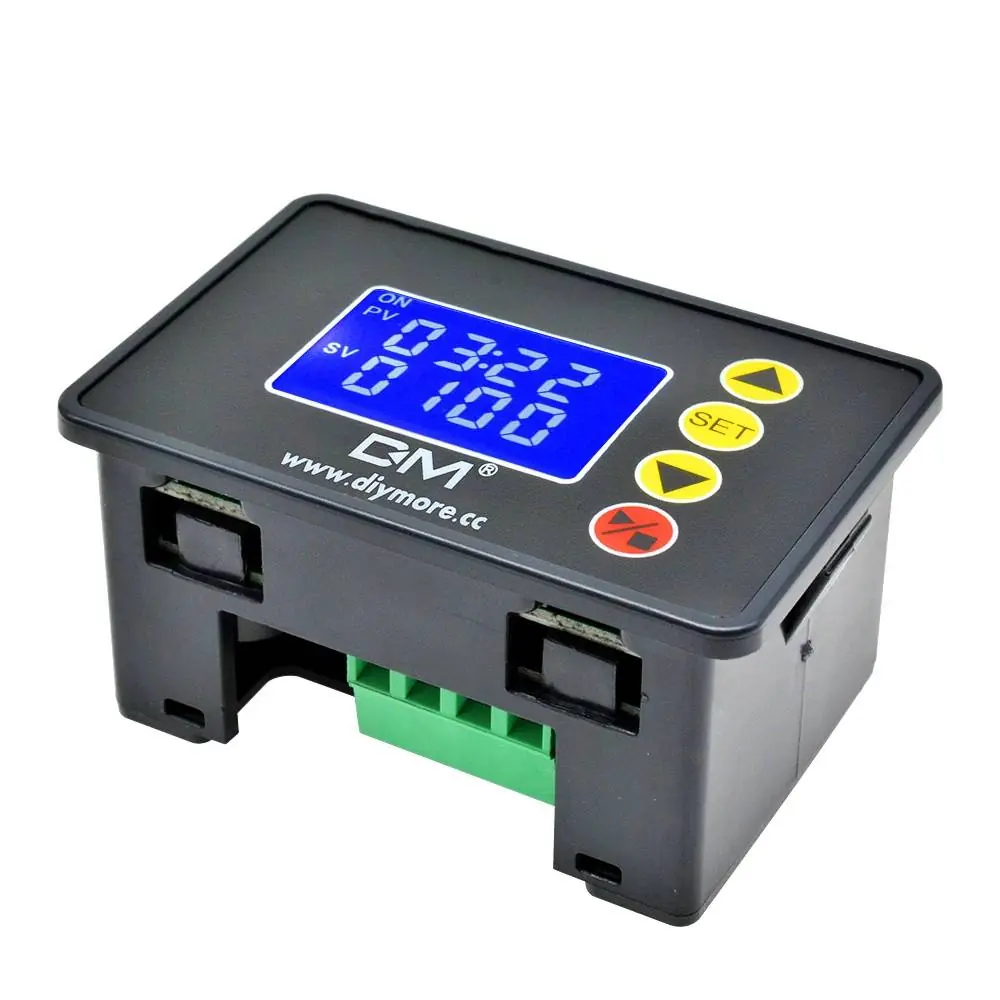
- UP: Increase values or navigate settings.
- SET: Enter settings mode or confirm parameters.
- DOWN: Decrease values or navigate settings.
- Stop/Start: Pause or resume the timer operation.
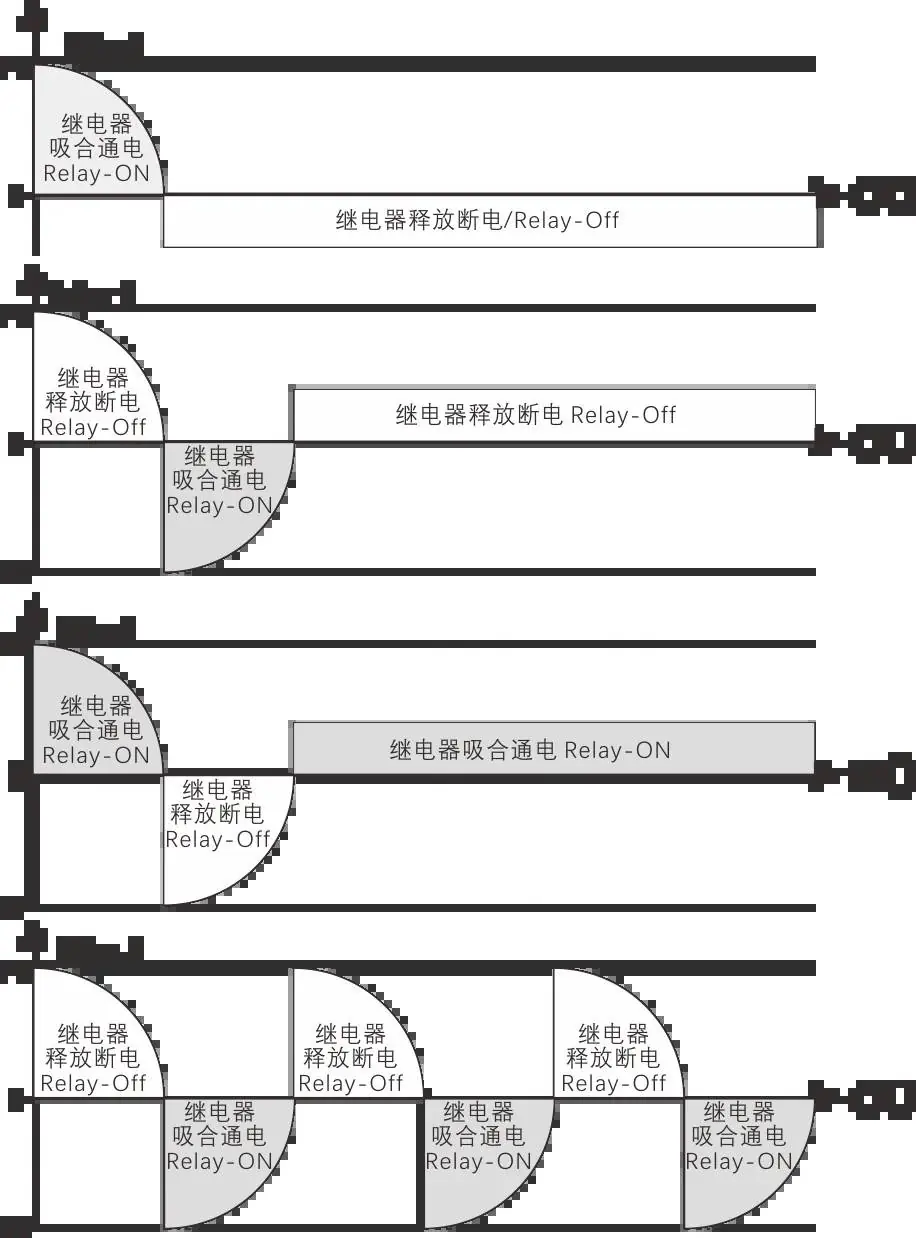
The device supports multiple timing units (seconds, minutes, hours) and various cycle modes, including timing on, timing off, and combined cycle sequences.
Technical Specifications
- Display: 1.37-inch LCD
- Power: AC110V-220V / 10A / 2200W (Max)
- Timing Range: 00:00 to 99:59 (hours/minutes) or 0000 to 9999 (seconds)
- Time Error: 0.002% (approx. 1.728s per 24h)
- Data Storage: Automatically saves last settings
Manufacturer information
Aideepen
Practical help
Common problems
Device does not power on
Verify that the power supply (AC110V-220V or DC12V/24V) is correctly connected according to the wiring diagram.
Settings are not saved
The device saves settings automatically by default. Ensure the power supply is stable and not interrupted during the saving process.
Before use
- Verify your power source voltage (AC110V-220V or DC12V/24V).
- Ensure the mounting panel opening is exactly 63x42mm.
- Check the wiring diagram to ensure the load is connected to the correct terminals.
- Confirm the required timing mode (countdown or cycle) for your application.
Show more Show less
Specs in practice
- Timing Range
- Supports flexible timing from seconds up to 99 hours/minutes.
Images and diagrams
- The wiring diagram illustrates separate connection paths for DC12V/24V and AC110V-220V inputs.
Model compatibility
- Requires embedded installation; ensure the panel thickness is suitable for the clip-in mounting mechanism.

Manual page author
Michael Turner
Technical manual editor