Home Appliances / Humidifiers & Diffusers
User Manual for ASAKUKI 100-DF031 Smart WiFi Essential Oil Diffuser
Quick start guide and user manual for the ASAKUKI 100-DF031 Smart WiFi Essential Oil Diffuser. Learn how to set up the device, connect to the TuyaSmart app, integrate with Amazon Alexa, and operate the mist and light settings.
Table of contents
Manual images
Click an image to enlargeQuick Guide from the Manual
This guide provides instructions for setting up and operating the ASAKUKI 100-DF031 Smart WiFi Essential Oil Diffuser. Before starting, ensure you have a 2.4GHz Wi-Fi network available, as the device does not support 5GHz networks.
Accessories
The package includes the following items:
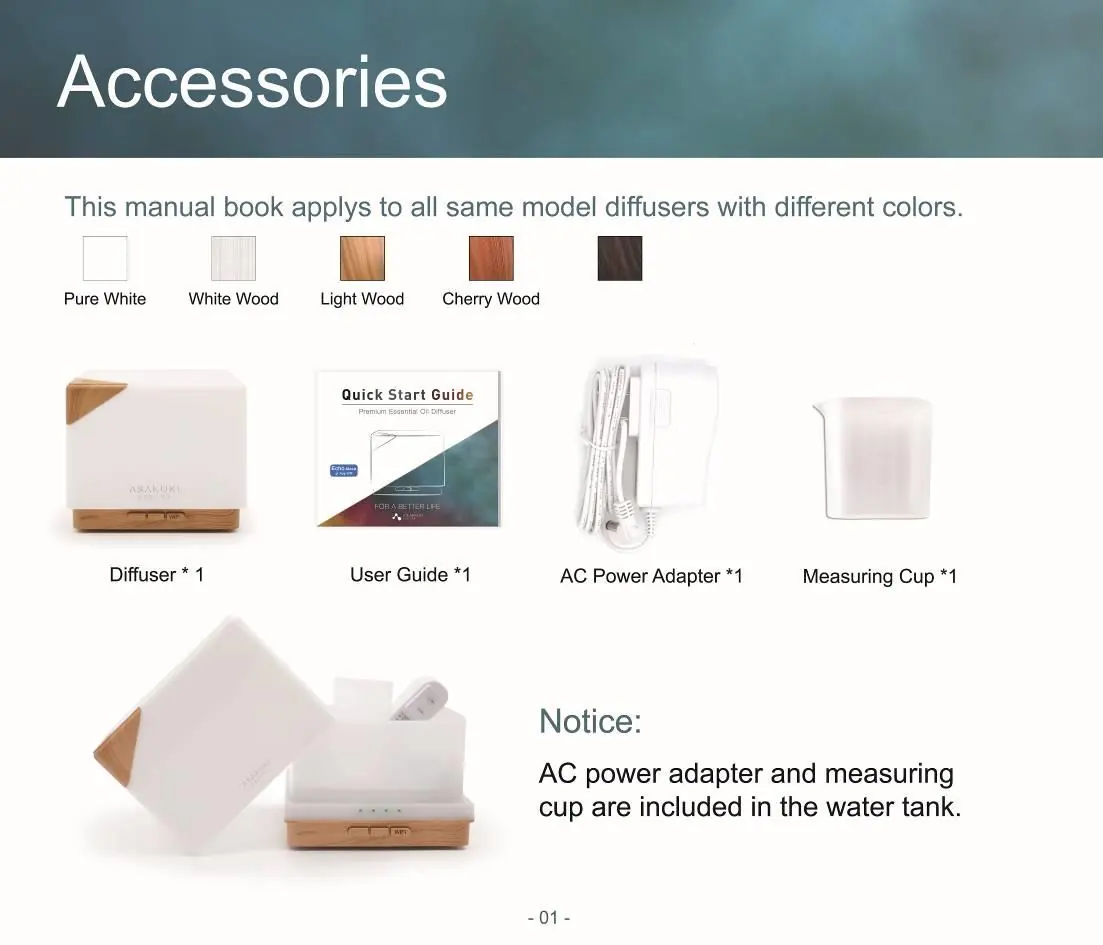
- Diffuser
- AC Power Adapter
- Measuring Cup
- User Guide
Notice: The AC power adapter and measuring cup are located inside the water tank.
Connecting Preparation
- Place the diffuser near your Wi-Fi router.
- Prepare your Wi-Fi network name and password.
- Fill the water tank with water.
- Connect the device to a power supply. For first-time use, connect directly; for previously used devices, unplug and reconnect before pairing.
- Download the TuyaSmart app from the App Store or Google Play.
Register and Log in to TuyaSmart
Register an account using your phone number or email address. Ensure your password contains 6-20 characters, including both letters and numbers. Follow the in-app prompts to create a family and set up rooms.
Connecting the Device to Wi-Fi
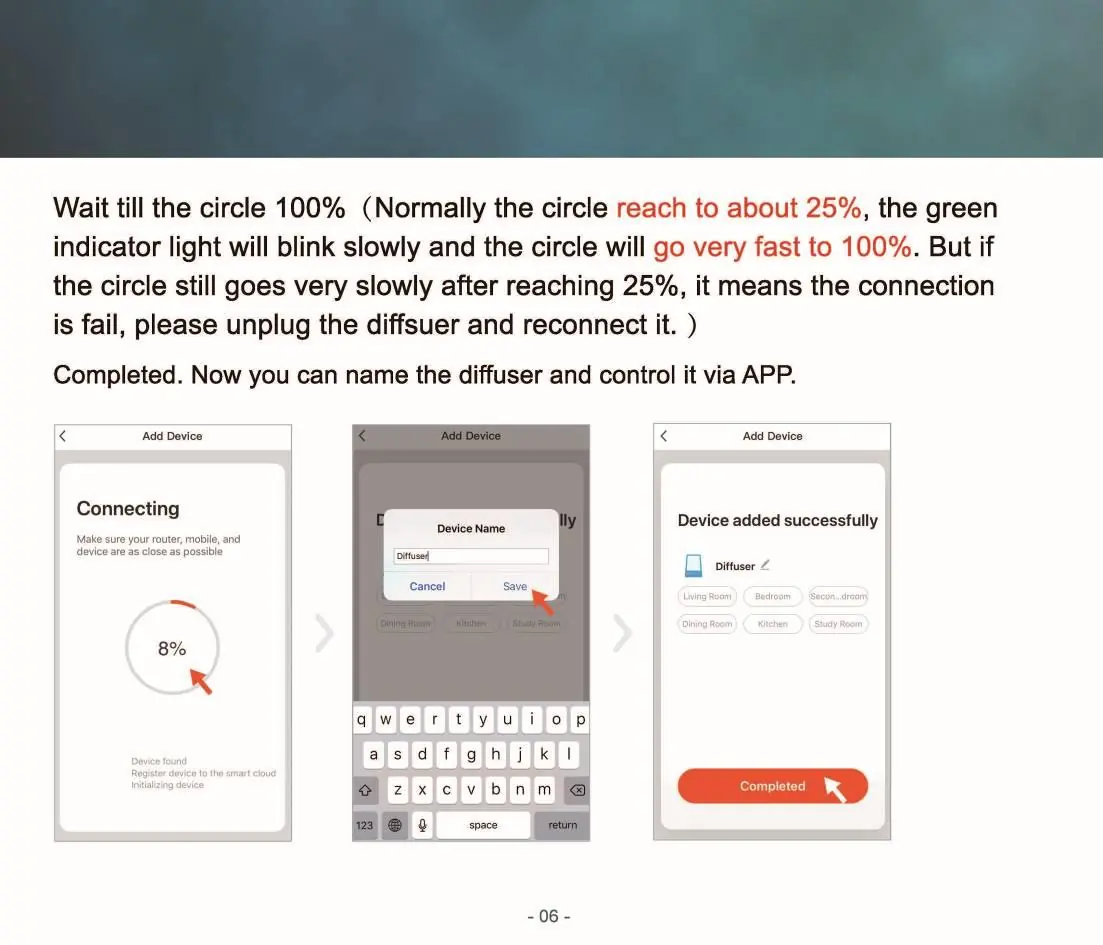
- Ensure the green indicator light is blinking at a high frequency (about 2 times per second). If it blinks slowly (once per second), press and hold the Wi-Fi button for 3 seconds to reset the frequency.
- In the TuyaSmart app, select 'Add Device' and follow the prompts to enter your Wi-Fi password.
- Wait for the connection process to reach 100%. If the connection fails, unplug the diffuser for 2 minutes and try again.
App Control Guide
Once connected, you can control the device via the TuyaSmart app:
- Power: Turn the mist and light on/off.
- Spray: Control mist intensity (Weak/Strong) and set timers (ON/1H/3H/6H).
- Light: Control light modes (Gradient, Fixed color, Nightlight) and adjust brightness.
- Schedule: Set mist or light schedules.
Alexa Integration
- Connect your Alexa device to power and ensure it is set up.
- In the Alexa app, go to 'Skills' and search for 'TuyaSmart'.
- Click 'Enable' and authorize your TuyaSmart account.
- Once linked, Alexa will discover the diffuser. You can then use voice commands to control the device.
Manual Operation
You can also operate the device using the physical buttons:
- MIST/WIFI Button: Press once to turn on the mist; press again to turn it off.
- HIGH/LOW Button: Short press to toggle between strong mist (one beep) and weak mist (two beeps).
- LIGHT Button: Press once to turn on the light (cycles colors automatically). Press again to fix a color. Press three times to cycle colors again. Long press for 2 seconds to turn off the light.
Specifications
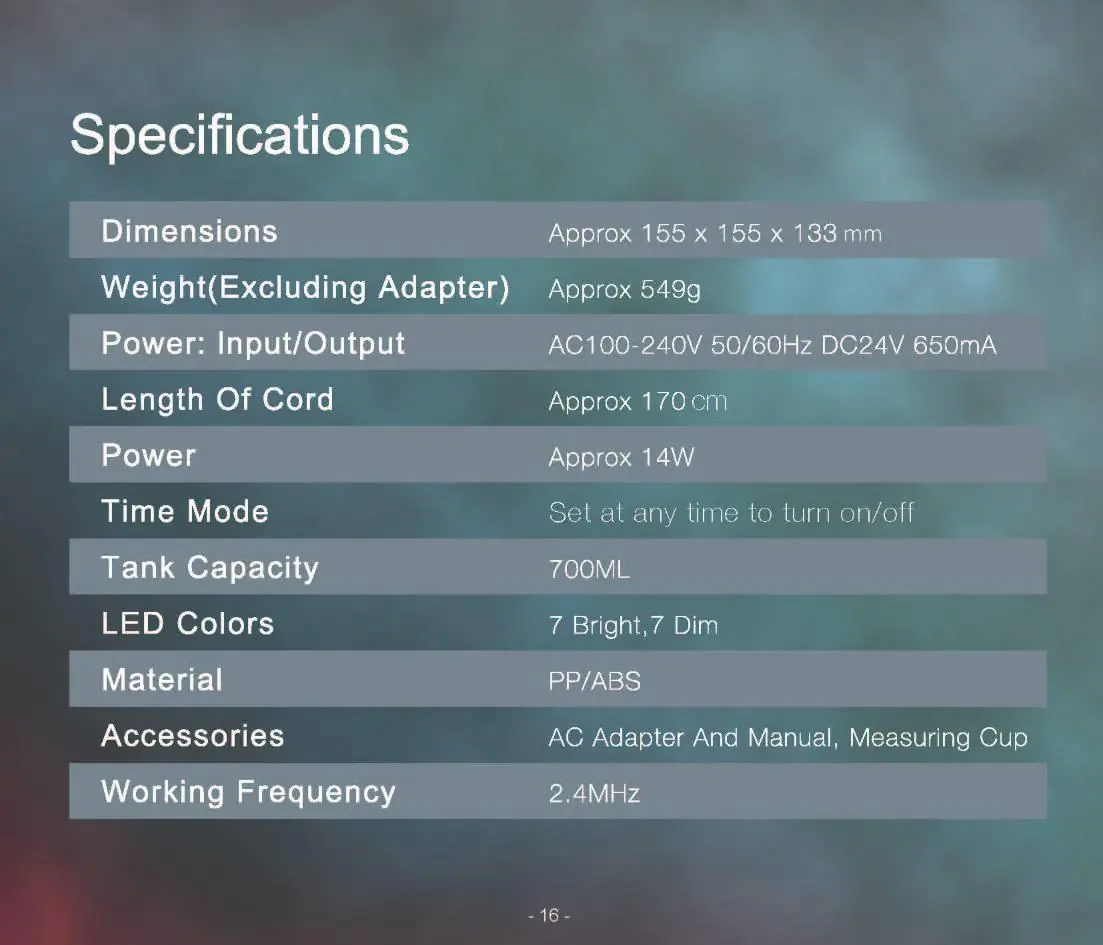
- Dimensions: Approx 155 x 155 x 133 mm
- Weight: Approx 549g
- Power Input/Output: AC100-240V 50/60Hz, DC24V 650mA
- Power Consumption: Approx 14W
- Tank Capacity: 700ml
- Working Frequency: 2.4MHz
Troubleshooting and Notes
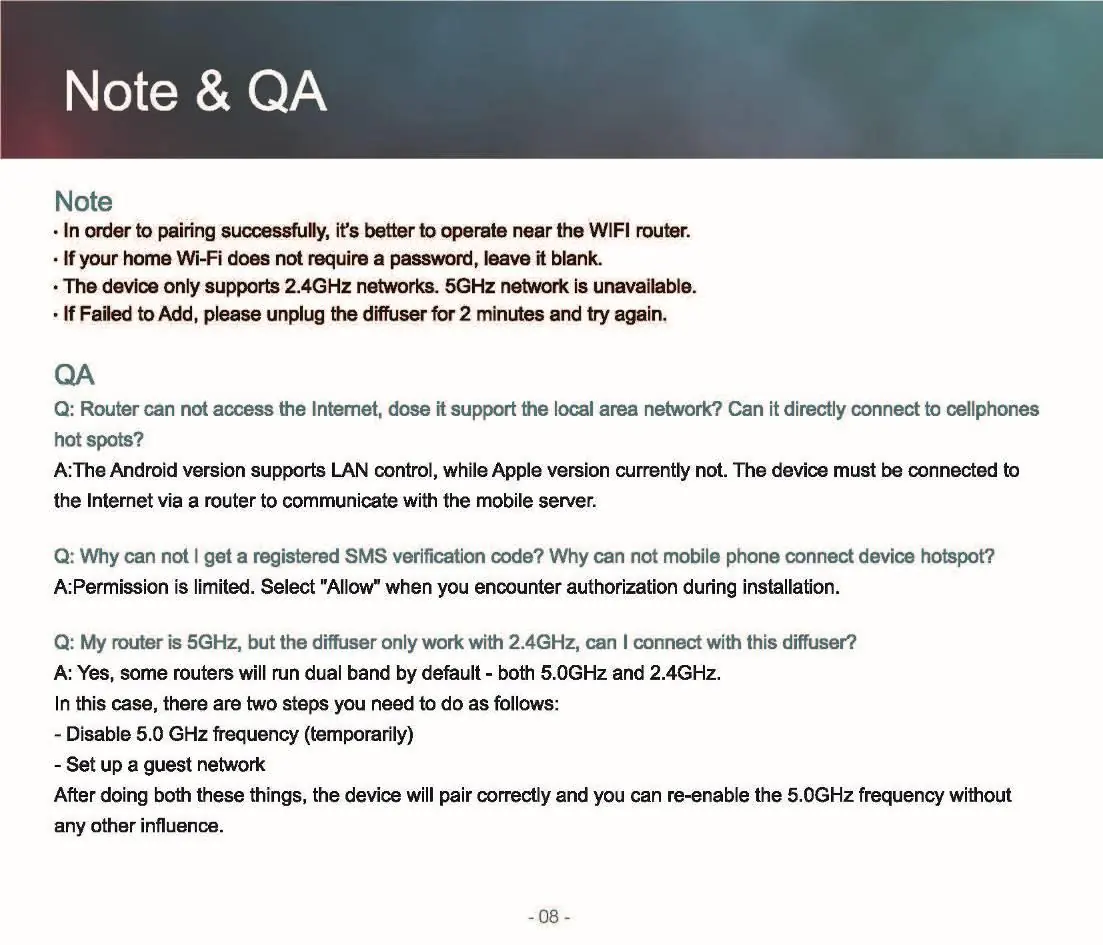
- Wi-Fi Issues: The device only supports 2.4GHz networks. If your router is 5GHz, you may need to temporarily disable the 5GHz frequency or set up a guest network.
- Connection Failure: If the device fails to add, unplug the diffuser for 2 minutes and try again.
- App Permissions: If you encounter issues with SMS verification codes or connecting, ensure you grant the necessary permissions during installation.
Manufacturer information
Asakuki
Practical help
Common problems
Device fails to connect to Wi-Fi
Ensure you are using a 2.4GHz network. 5GHz networks are not supported. Move the device closer to the router and try unplugging it for 2 minutes before reconnecting.
Cannot receive SMS verification code
Check your phone's permission settings and ensure you select 'Allow' for app authorizations during installation.
Alexa cannot find the device
Ensure the device is successfully added to the TuyaSmart app first, then link the TuyaSmart skill in the Alexa app.
Before use
- Place the diffuser near your Wi-Fi router.
- Have your Wi-Fi network name and password ready.
- Fill the water tank with water.
- Connect the power adapter to the device.
- Download the TuyaSmart app.
Specs in practice
- Tank Capacity
- 700ml
- Working Frequency
- 2.4MHz
Images and diagrams
- The device features three main buttons: MIST/WIFI, HIGH/LOW, and LIGHT for manual control.
Model compatibility
- Supports 2.4GHz Wi-Fi networks only.
- Compatible with Amazon Alexa for voice control.
- Requires TuyaSmart app for smart features.

Manual page author
David Miller
Documentation analyst
Organizes user manual content into clear summaries, with attention to model details, product context, and everyday usability.