Computers / PC Components
User Manual for ASUS ROG 140W USB-C GaN Charger AC140-01
Quick guide for the ASUS ROG 140W USB-C GaN Charger (AC140-01). Includes setup instructions, power output specifications, compatibility list, and safety notes.
Table of contents
Manual images
Click an image to enlargeQuick guide from the manual
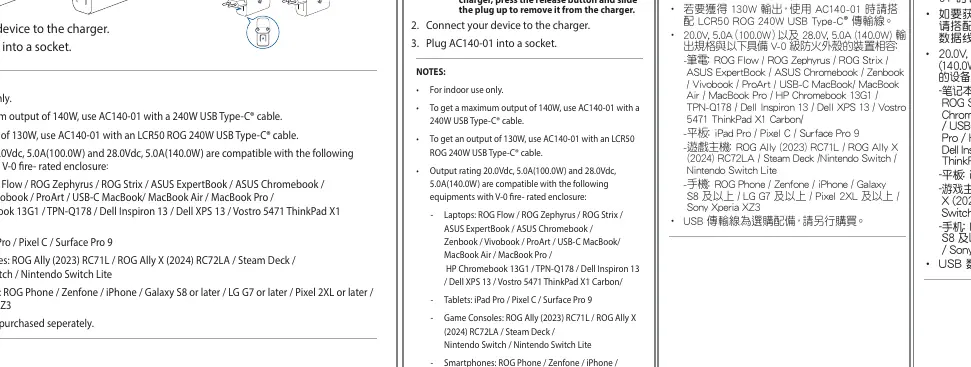
The ASUS ROG 140W USB-C GaN Charger (AC140-01) is designed for indoor use. To achieve the maximum power output of 140W, you must use a 240W USB Type-C cable. For 130W output, use the LCR50 ROG 240W USB Type-C cable. The charger features a modular plug system, allowing you to attach different regional plugs.
Using the charger
- Select the plug: Choose the appropriate plug for your region.
- Install the plug: If using the US plug, unfold the pins. For other plugs, select and install the plug onto the charger. To detach a plug, press the release button and slide the plug up.
- Connect device: Connect your device to the charger using a compatible USB cable.
- Power on: Plug the AC140-01 into a wall socket.
Power output specifications
The charger supports multiple output configurations depending on the ports used:
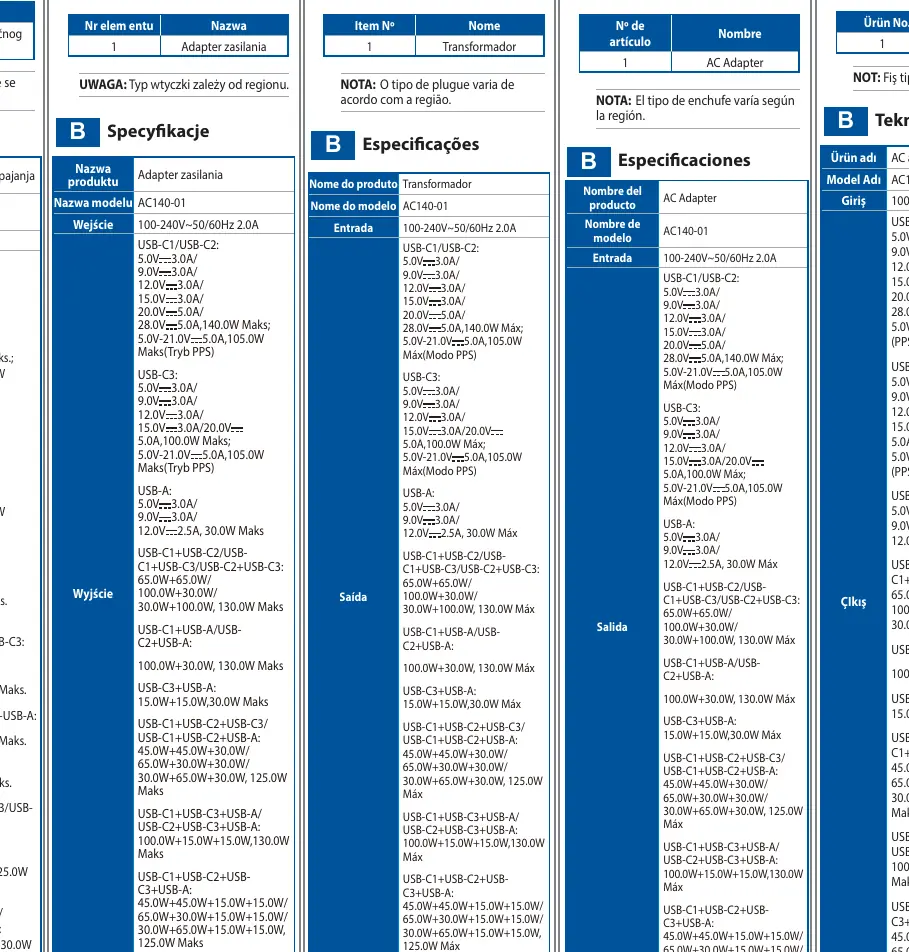
- USB-C1/USB-C2: Up to 140W (28.0V/5.0A) or 105W in PPS mode.
- USB-C3: Up to 100W (20.0V/5.0A) or 105W in PPS mode.
- USB-A: Up to 30W (12.0V/2.5A).
- Combined output: The charger intelligently distributes power when multiple devices are connected, with various combinations supporting up to 130W or 125W total output.
Compatibility
The charger is compatible with various devices featuring V-0 fire-rated enclosures, including:
- Laptops: ROG Flow, ROG Zephyrus, ROG Strix, ASUS ExpertBook, Chromebook, Zenbook, Vivobook, ProArt, MacBook, MacBook Air, MacBook Pro, HP Chromebook 13G1, Dell Inspiron 13, Dell XPS 13, Vostro 5471, ThinkPad X1 Carbon.
- Tablets: iPad Pro, Pixel C, Surface Pro 9.
- Game Consoles: ROG Ally (2023/2024), Steam Deck, Nintendo Switch, Nintendo Switch Lite.
- Smartphones: ROG Phone, Zenfone, iPhone, Galaxy S8 or later, LG G7 or later, Pixel 2XL or later, Sony Xperia XZ3.
Safety and maintenance
- For indoor use only.
- USB cables are sold separately.
- Operating temperature: 0°C to 35°C.
- Do not dispose of the product in municipal waste; follow local regulations for electronic waste disposal.
Manufacturer information
ASUSTeK Computer Inc.
Practical help
Common problems
Not achieving 140W output
Ensure you are using a 240W USB Type-C cable.
Not achieving 130W output
Ensure you are using an LCR50 ROG 240W USB Type-C cable.
Before use
- Select the correct plug for your region.
- Ensure the charger is for indoor use only.
- Use a compatible 240W USB-C cable for maximum power.
- Check device compatibility.
Specs in practice
- V-0 enclosure
- Fire-resistant casing material.
Images and diagrams
- The charger features a modular plug system.
- Pins can be unfolded for US sockets.
- Release button allows for detaching/changing plugs.
Model compatibility
- Compatible with ROG Flow, Zephyrus, Strix, ASUS ExpertBook, Chromebook, Zenbook, Vivobook, ProArt, MacBook, HP Chromebook, Dell Inspiron/XPS, ThinkPad.
- Supports iPad Pro, Pixel C, Surface Pro 9.
- Supports ROG Ally, Steam Deck, Nintendo Switch.
- Supports various smartphones including ROG Phone, Zenfone, iPhone, Galaxy S8+, LG G7+, Pixel 2XL+, Sony Xperia XZ3.

Manual page author
Emily Carter
User documentation editor
Prepares concise manual descriptions and highlights the most useful setup, operation, and maintenance information for readers.