Electronics / Audio
User Manual for Behringer DX Series PA Speaker System
Quick start guide for Behringer DX Series PA speakers (DX110 PRO, DX112 PRO, DX115 PRO, DX18S PRO). Learn about DSP settings, back panel controls, subwoofer setup, and technical specifications.
Table of contents
Manual images
Click an image to enlargeQuick guide from the manual
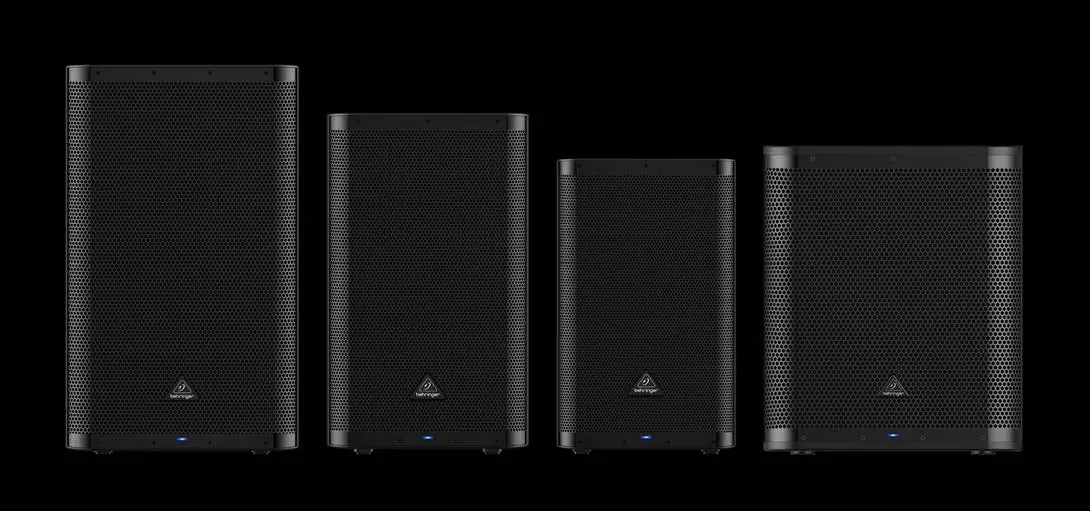
The Behringer DX Series includes full-range PA speakers (DX110 PRO, DX112 PRO, DX115 PRO) and an active subwoofer (DX18S PRO). This guide provides essential information for setting up your system, configuring DSP settings, and understanding back panel controls. Always ensure the voltage selector is set correctly for your region before powering on the unit.
Controls and Connections
Full-range models (DX110/112/115 PRO):
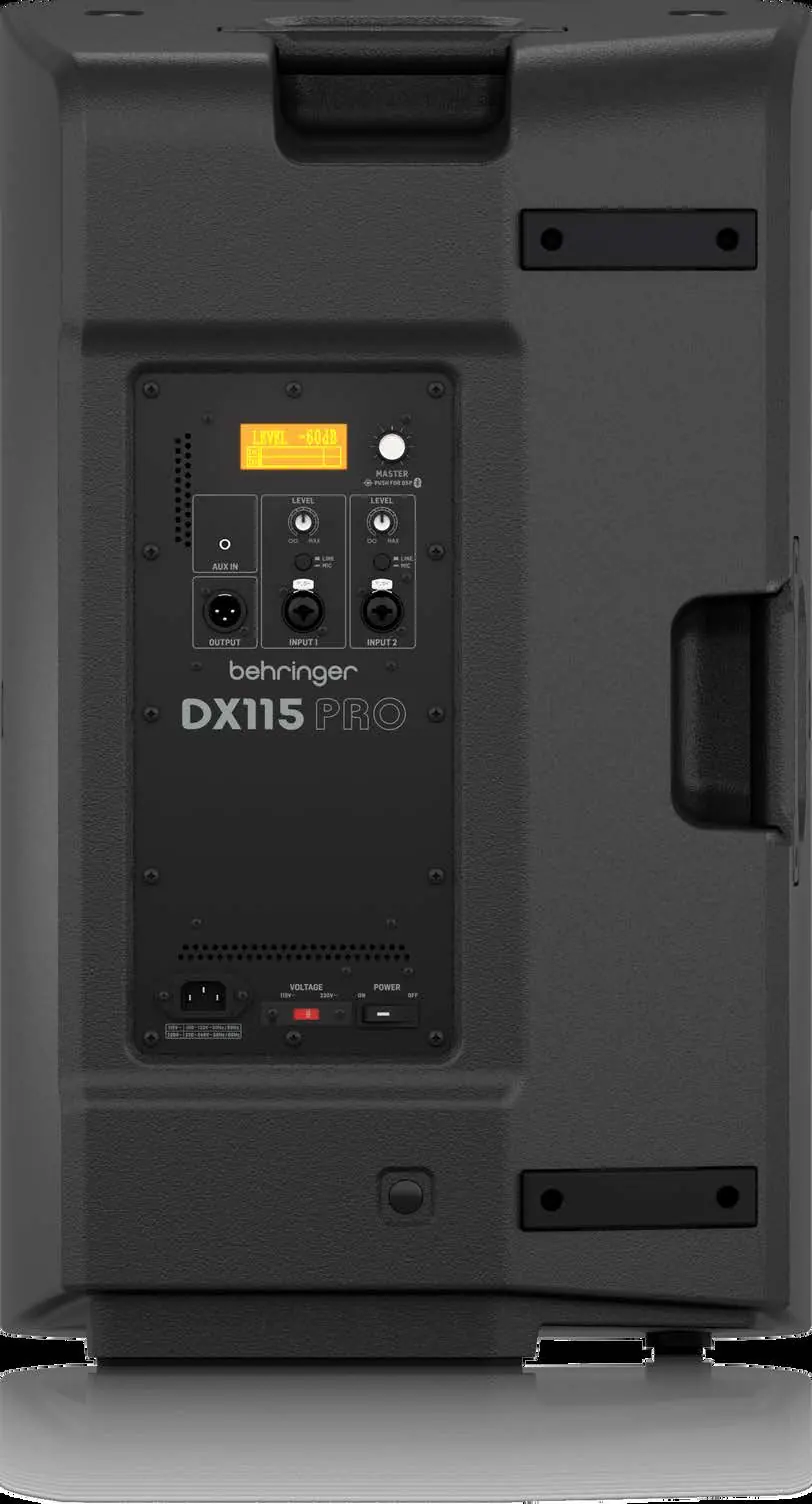
- DSP Screen: Backlit display for DSP functions.
- Master Vol: Rotate to control volume; push to access DSP menu.
- Input 1/2: XLR or 1/4" TRS combo jacks for audio sources.
- Line/Mic: Switch to optimize input sensitivity.
- Aux In: 1/8" TRS input for media players.
- Out: XLR output to send combined signals to another device.
Subwoofer (DX18S PRO):
- Input A/B: Balanced XLR or 1/4" inputs.
- Thru A/B: Sends a copy of the input signal.
- Output A/B: Sends filtered, balanced audio to satellite speakers.
- Phase (0/180): Corrects phase cancellation between subwoofer and satellites.
- X-Over: Toggles crossover points (90 Hz / 120 Hz).
- Cardioid Preset: Selects output patterns for specific environments.
DSP Functions
Access DSP functions by pushing the MASTER VOL knob:
- Sound Programs: Select between MUSIC, DJ, LIVE, or SPEECH.
- 3-band EQ: Adjust HIGH, MID, and LOW frequencies (+/- 12 dB).
- Boost: Adds +6 dB output at selected frequencies (OFF, 80, 100, 120, 150 Hz).
- Delay: Adjusts signal timing for speakers located further away.
- LED Mode: Configure front panel LED (ON, OFF, or LIMIT).
- Bluetooth: Activate and pair with audio devices.
Subwoofer Setup
- Place speakers in desired locations.
- Make all connections before turning on the power.
- Use OUTPUT A/B to send filtered signals to satellite speakers.
- Set LEVEL to full counterclockwise.
- Turn on audio sources, then the subwoofer.
- Adjust LEVEL to balance with satellite speakers.
- Use X-OVER and PHASE buttons to optimize the sound balance.
Technical Specifications
The DX Series features Class-D + Class-AB amplification (full-range) or Class-D (subwoofer). All models include auto-standby, short circuit, and thermal protection. Full-range models offer 90° H x 60° V nominal dispersion. Bluetooth 5.3 is supported with a 30m range.
Manufacturer information
Behringer
Practical help
Common problems
Phase cancellation between subwoofer and satellites
Press the PHASE (0/180) switch on the subwoofer back panel to shift the output by 180 degrees.
LIMIT LED lights continuously
Turn the LEVEL knob down until the LED only lights occasionally.
Quiet input signals
Press the BOOST switch to increase the input gain.
Before use
- Verify the voltage selector matches your region's power supply.
- Ensure all audio connections are made before turning on the power.
- Use high-quality professional speaker cables (XLR or 1/4" TRS).
- Check that ventilation openings are not blocked.
Specs in practice
- Crossover (X-OVER)
- Determines the frequency at which the subwoofer stops playing and the satellite speakers take over.
- Cardioid Preset
- A directional output pattern setting for the subwoofer to control sound dispersion.
- Class-D + Class-AB
- Hybrid amplifier design combining efficiency (Class-D) with sound quality (Class-AB).
Images and diagrams
- The back panel layout shows the DSP screen, Master Volume knob, and input/output ports.
- The power section includes the AC input, voltage selector, and power switch.
Model compatibility
- Bluetooth supports A2DP 1.2 profiles.
- Compatible with 100-120V and 220-240V power sources (check voltage selector).

Manual page author
Michael Turner
Technical manual editor
Reviews PDF manuals for structure, safety notes, and practical product details so readers can find the right information quickly.