Electronics / USB Hubs & Docking
Belkin BoostCharge™ Pro Wireless Car Charger with MagSafe 15W User Manual
Quick guide for the Belkin BoostCharge™ Pro Wireless Car Charger with MagSafe 15W (WIC008). Learn how to install the vent mount, attach your device, and follow essential safety guidelines.
Table of contents
Manual images
Click an image to enlargeQuick guide from the manual
The Belkin BoostCharge™ Pro Wireless Car Charger with MagSafe 15W is designed for secure, magnetic charging in your vehicle. This guide provides the necessary steps for installation and safe operation.
Installation and Setup
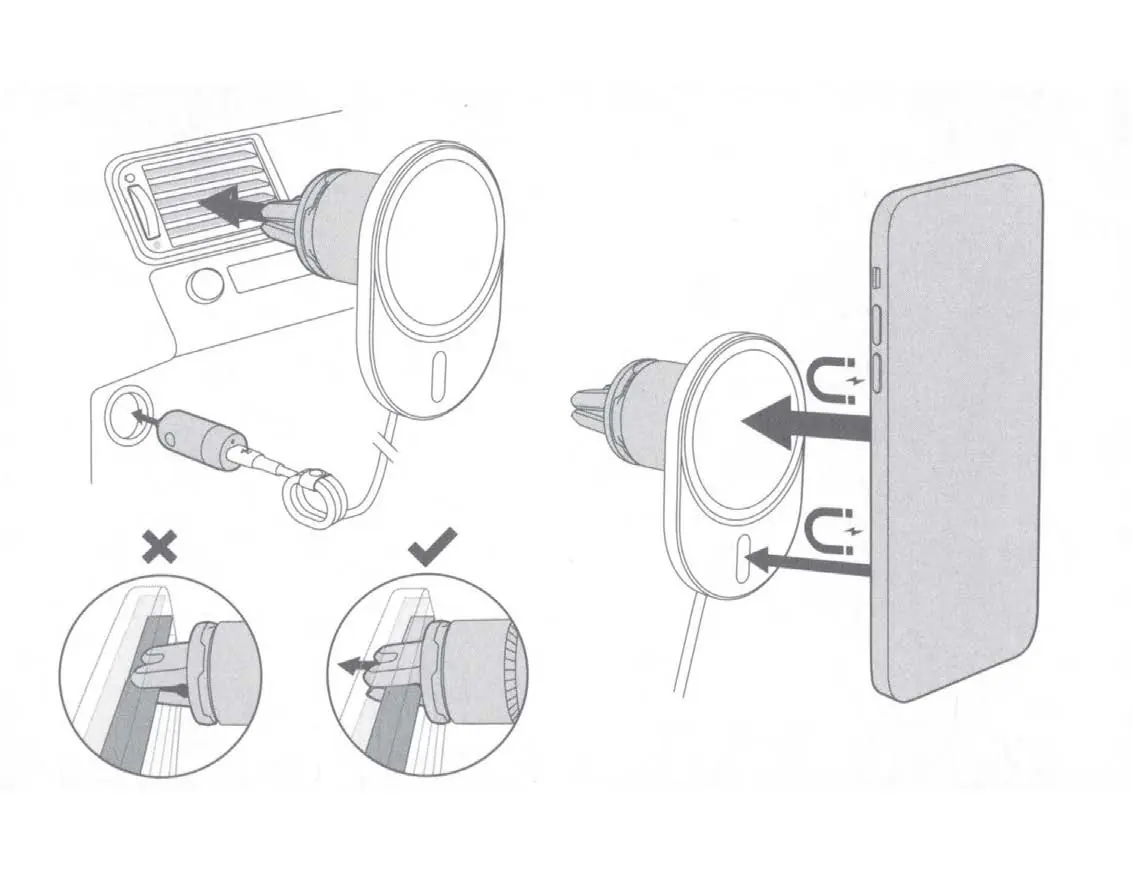
To install the charger, attach the vent clip securely to your vehicle's air vent. Ensure the clip is firmly seated to prevent the charger from falling. Once installed, connect the power supply to your vehicle's power outlet.
Usage and Orientation
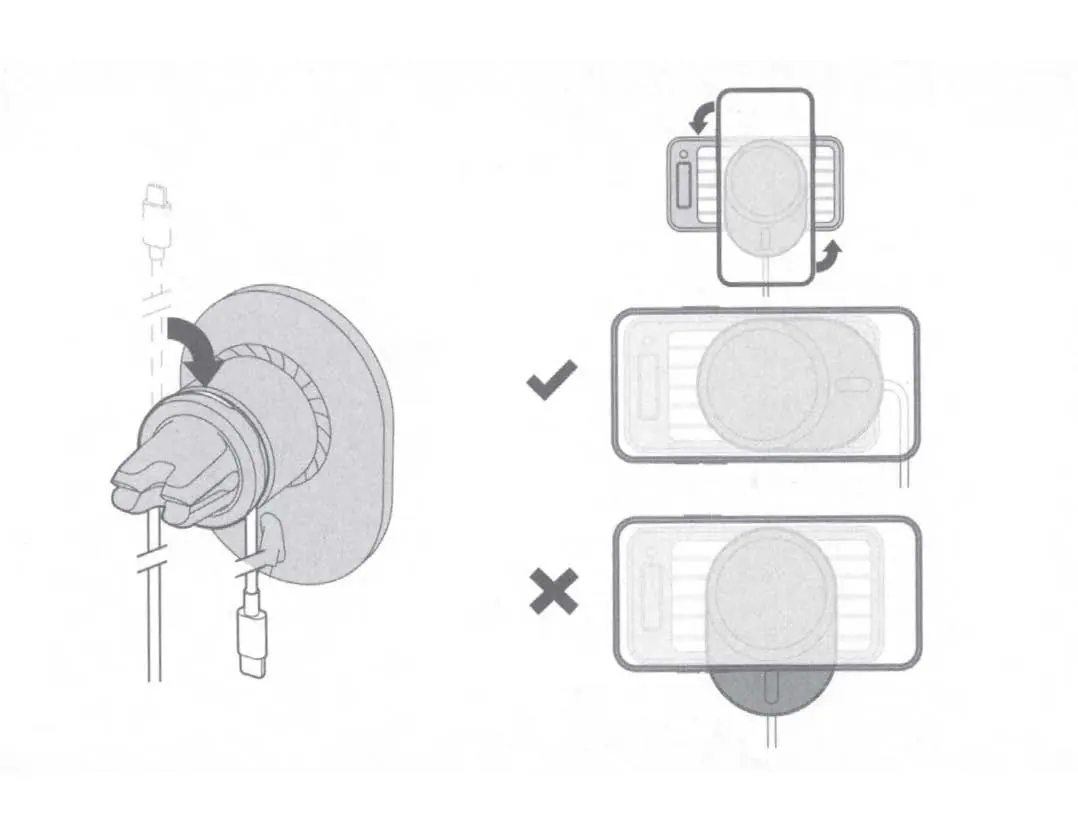
The charger utilizes MagSafe technology to align your device. Simply snap your compatible phone onto the magnetic face of the charger. The device supports both portrait and landscape orientations. Ensure your phone is centered on the charger for optimal magnetic connection and charging efficiency.
Safety Warnings
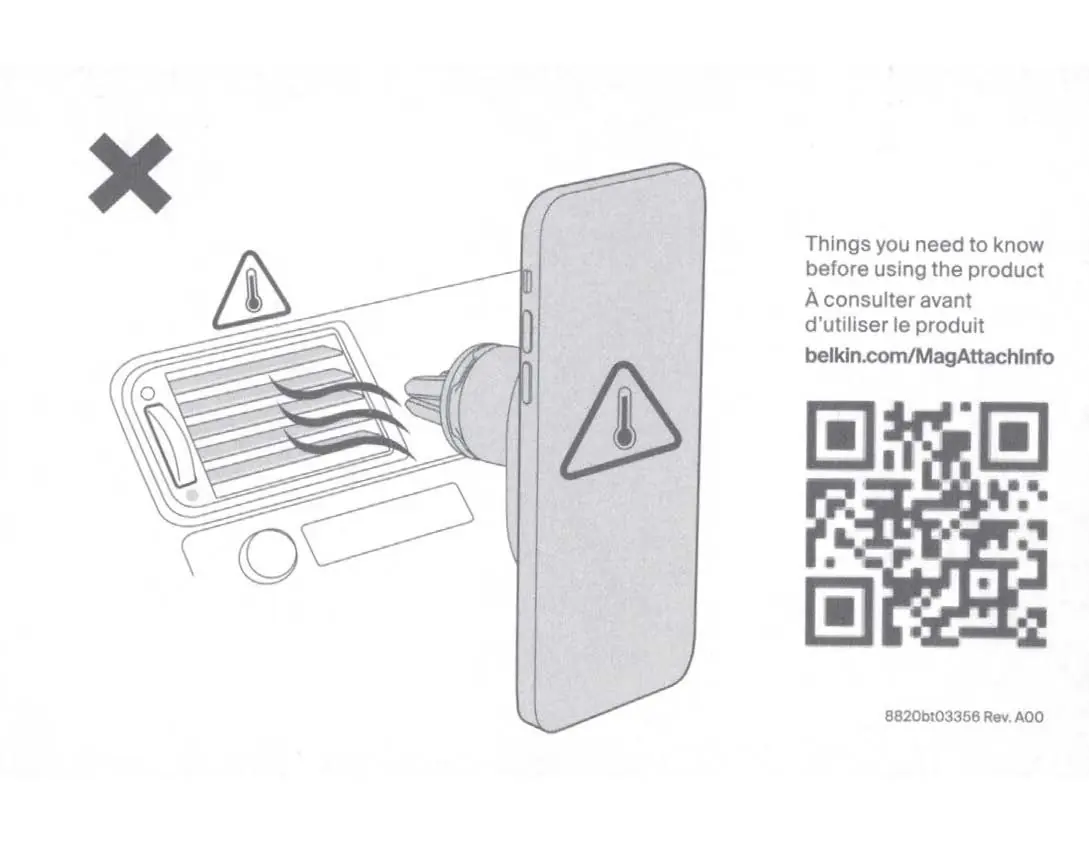
Important: Do not use the charger in extreme temperatures. Avoid blocking vehicle air vents with the charger, as this may cause the device or your phone to overheat. Keep the charger and power supply away from liquids and moisture. Do not attempt to disassemble, modify, or service the unit yourself. If you observe any visible defects on the charger or power supply, discontinue use immediately.
Support
For additional information and support, visit belkin.com/MagAttachInfo or contact Belkin support through their official website.
Official resources from the manual
Manufacturer information
Belkin
Practical help
Common problems
Device not charging or overheating
Ensure the charger is not blocking airflow from the vent and is not exposed to extreme heat or cold. Use at room temperature.
Charger is loose or falls off
Verify that the vent clip is properly and securely attached to the vehicle's air vent slats.
Before use
- Inspect the charger and power supply for any visible defects.
- Ensure the power outlet is easily accessible.
- Verify the vehicle vent is compatible with the clip attachment.
- Keep the device away from liquids and moisture.
Images and diagrams
- Vent Clip Installation: Demonstrates how to attach the charger to the car air vent.
- Magnetic Attachment: Shows the phone snapping onto the charger face.
- Orientation: Illustrates the correct placement for portrait and landscape usage.
Model compatibility
- Compatible with MagSafe-enabled devices.

Manual page author
Emily Carter
User documentation editor
Prepares concise manual descriptions and highlights the most useful setup, operation, and maintenance information for readers.